Welcome to this tutorial on modern software architecture visualization. As software systems grow in complexity, maintaining accurate C4 diagrams manually has become a significant bottleneck. It is error-prone, difficult to keep up-to-date, and often disconnected from the actual codebase. However, a powerful new workflow is emerging that combines the robustness of Visual Paradigm, the intelligence of an AI Chatbot, and the flexibility of VPasCode. In this session, we will explore how these three technologies work in harmony to revolutionize how we design and document software architecture.
Why Manual Modeling Struggles in Modern DevOps
Traditionally, architects would spend hours drawing boxes and arrows in a modeling tool, only to find that the diagram is outdated the moment a sprint ends. This disconnect between documentation and development leads to “architectural drift.” When you try to force updates manually, you risk introducing inconsistencies or missing critical relationships. The modern solution requires a shift from manual drawing to model-as-code workflows that are version-controllable and automated.
The Synergistic Solution: VP, AI, and VPasCode
The key to solving these challenges lies in the integration of three distinct layers. Think of this stack as a complete ecosystem for architectural modeling:
- Visual Paradigm (VP): This serves as the foundational modeling platform. It provides native C4 support, acts as an enterprise repository, and handles multi-format exports and traceability to requirements.
- AI Chatbot: Acting as the intelligent assistant, the AI translates natural language requests into technical definitions. It generates VPasCode, validates C4 syntax, suggests missing relationships, and even explains architectural decisions.
- VPasCode: This is the scripting language that powers the diagrams. Similar to PlantUML, it allows for text-based diagram definition. This makes your diagrams version-controllable, enables CI/CD integration, and allows for bulk editing.
Deep Dive: Visual Paradigm as the Canvas
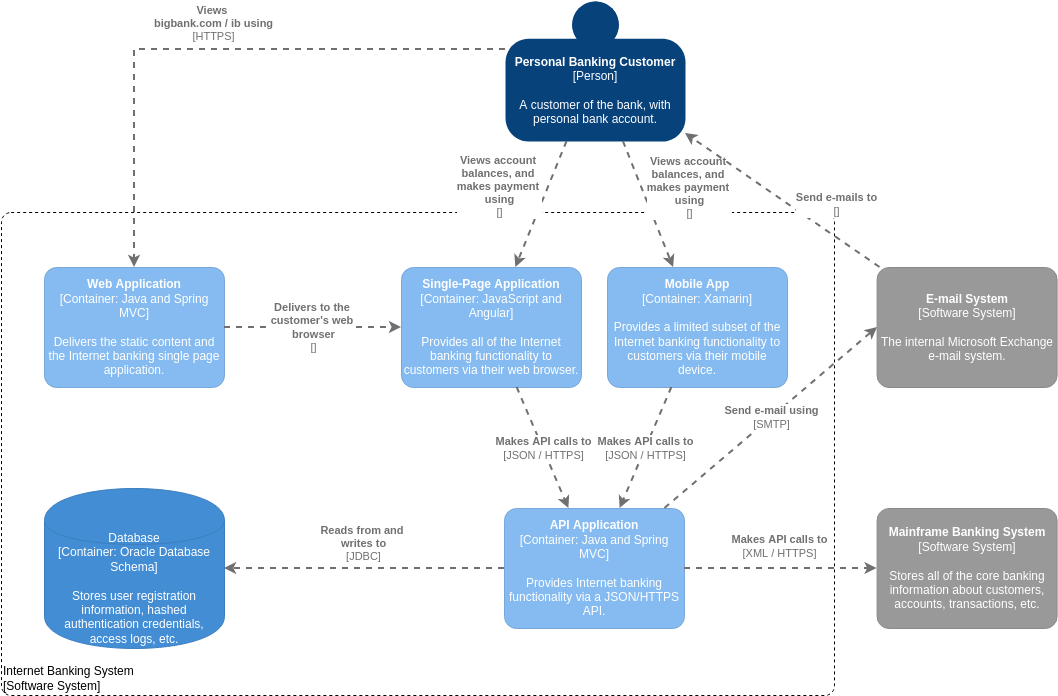
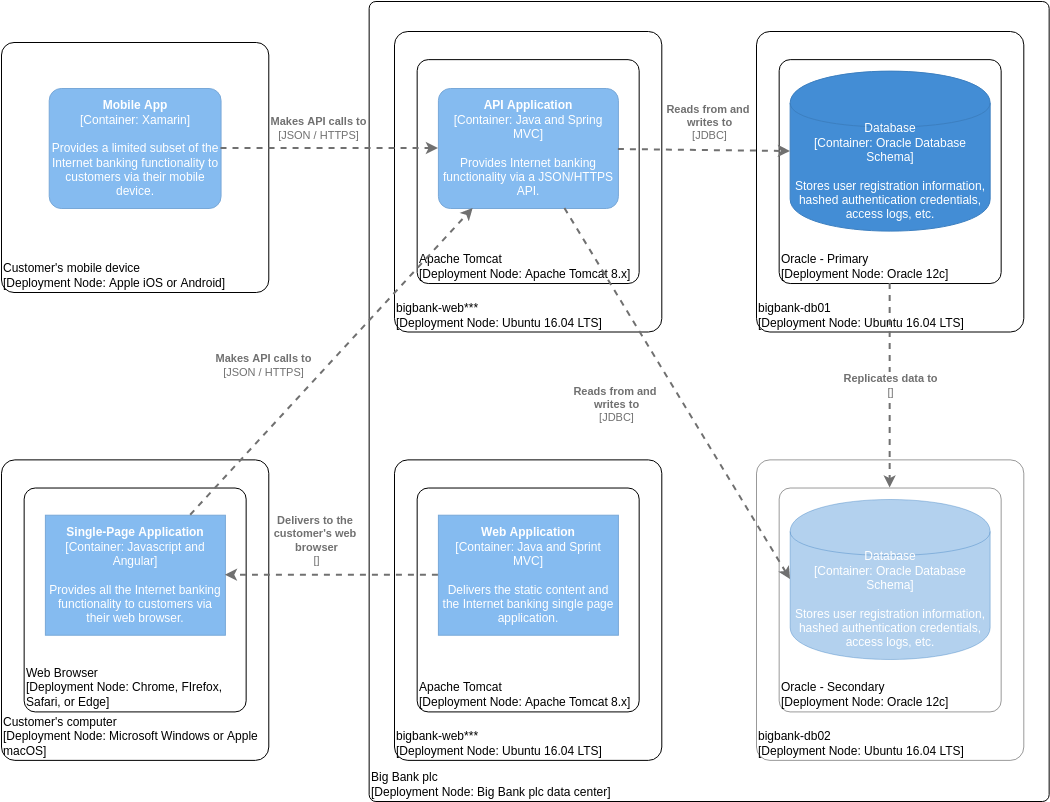
While the AI generates the logic and VPasCode provides the syntax, Visual Paradigm remains the central hub for your architectural data. VP is not just a drawing tool; it is a comprehensive modeling environment. When you import a diagram generated by the AI, Visual Paradigm validates it against the C4 standard and stores it in your project repository. This ensures that your diagrams are not just static images but are linked to your requirements and can be exported in various formats for stakeholders.
The AI Advantage: From Idea to Diagram
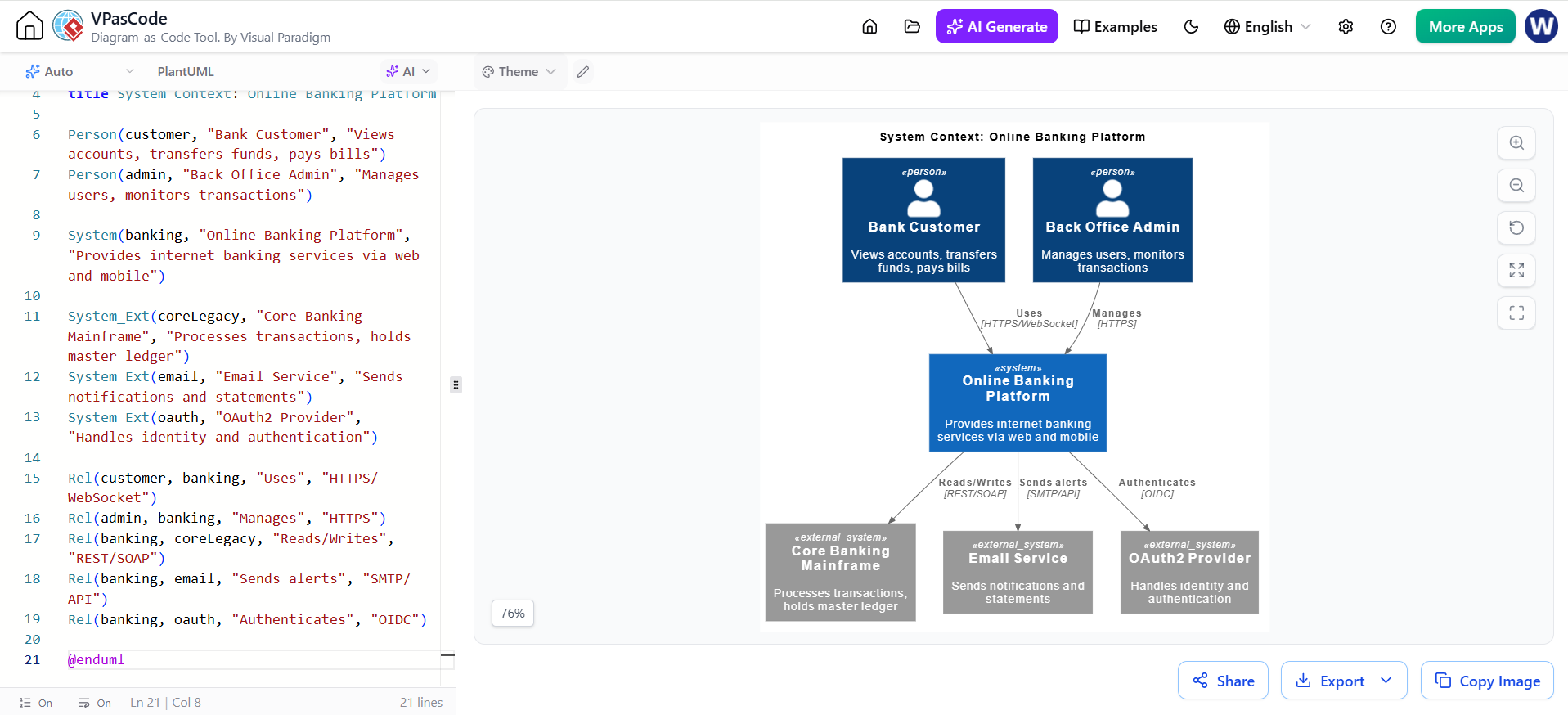
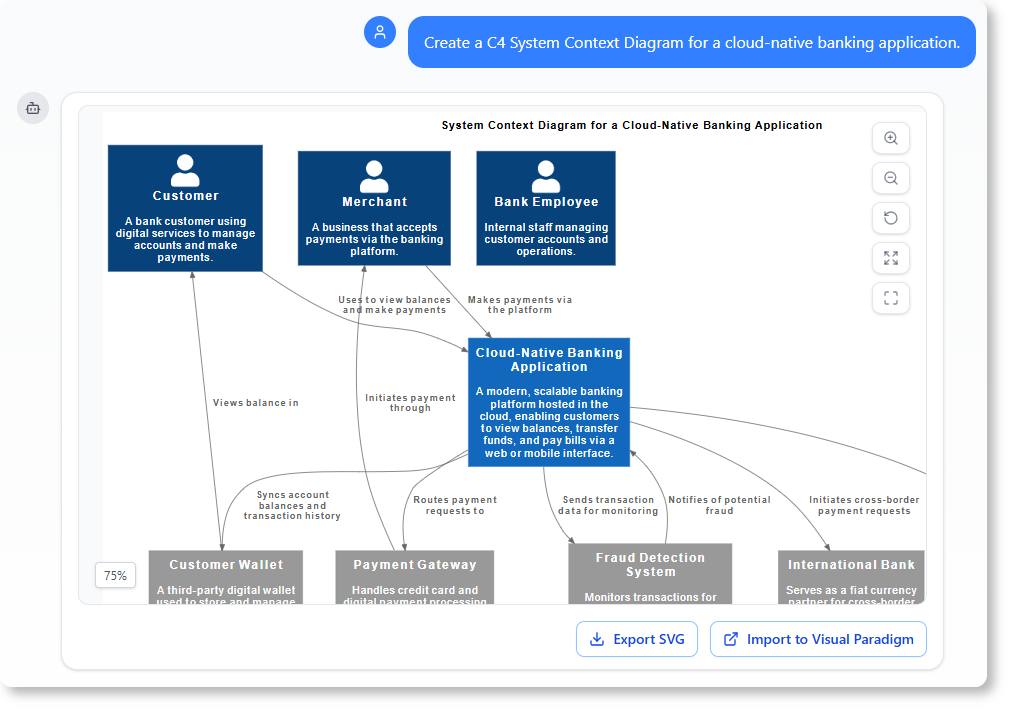
Imagine you have a high-level idea but struggle to translate it into a structured diagram. This is where the AI Chatbot shines. Instead of manually dragging and dropping boxes, you can simply describe your system. For instance, you might ask the AI to “Create a C4 System Context Diagram for a cloud-native banking application.”
The AI then analyzes this request and generates the necessary code. It understands the C4 hierarchy, identifying the System (the Cloud-Native Banking Application), the Person actors (Customer, Merchant, Bank Employee), and the Container or external systems (Customer Wallet, Payment Gateway, Fraud Detection System). It even infers the relationships, such as “Uses to view balances” or “Initiates payment through,” ensuring the diagram tells a coherent story about data flow and interaction.
VPasCode: The Power of Text-Based Modeling
The output of the AI is typically VPasCode. This is a game-changer for developers and architects who want to treat their architecture with the same rigor as their application code. Because VPasCode is text-based, you can:
- Version Control: Store your architecture diagrams in Git alongside your source code.
- CI/CD Integration: Automatically regenerate diagrams when code changes occur.
- Bulk Editing: Use scripts to update thousands of elements at once, rather than clicking them individually.
Practical Application: The Cloud-Native Banking Example
Let’s look at a practical example of this workflow in action. Consider the diagram generated for a cloud-native banking application. The AI has successfully modeled the context:
- Actors: It correctly identified the Customer, Merchant, and Bank Employee as external entities interacting with the system.
- System Scope: It defined the “Cloud-Native Banking Application” as the core system, hosting the modern, scalable platform.
- External Systems: Crucially, the AI identified necessary integrations like the Payment Gateway, Fraud Detection System, and International Bank. In a manual process, it is easy to forget these external dependencies, but the AI suggests them based on architectural best practices.
Once the VPasCode is generated, you can click “Import to Visual Paradigm” to see the diagram rendered. From there, you can refine the styling, add detailed internal views, or export the diagram as an SVG for your documentation.
Conclusion
By combining Visual Paradigm’s robust platform, the generative power of AI, and the flexibility of VPasCode, you create a workflow that is faster, more accurate, and easier to maintain. This synergy allows architects to focus on the design and logic of the system rather than the mechanics of drawing lines. As you move forward with your own projects, try adopting this tooling stack to keep your architecture documentation alive and synchronized with your development.