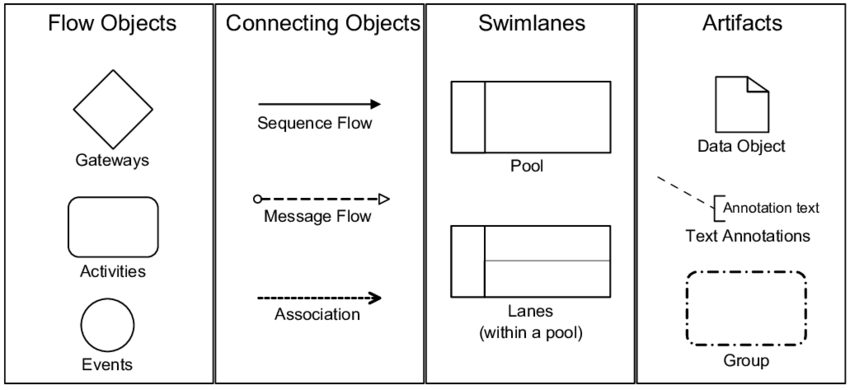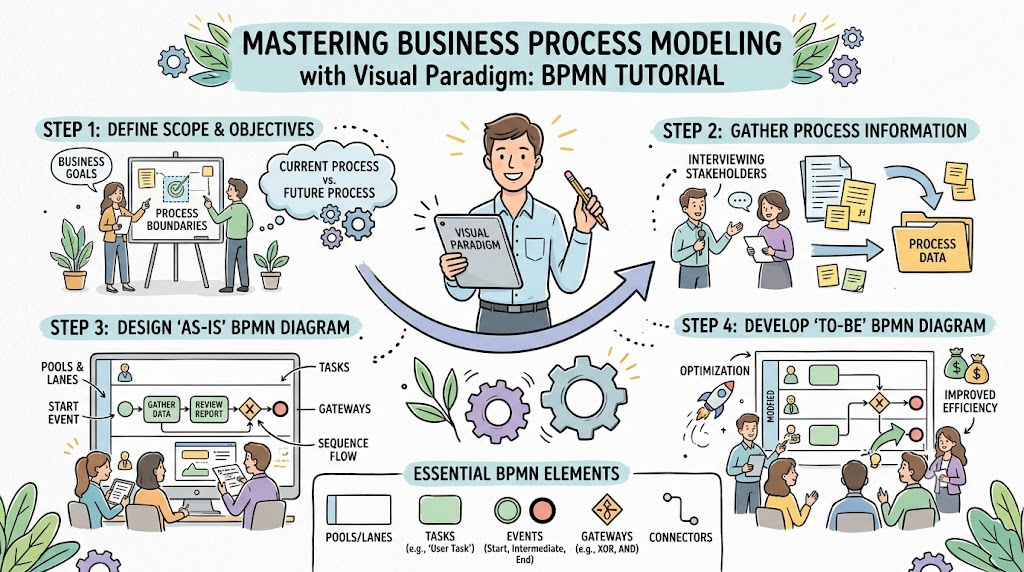
In the world of business process management (BPM), clarity is king. When a company needs to procure goods or services, the “Request of Quote” (RFQ) process is critical. It determines how efficiently a business finds the best vendor. Using Business Process Model and Notation (BPMN), we can visualize this complex logic into a clear, executable flow. Below, we will deconstruct a specific BPMN diagram representing an RFQ workflow, likely created using a tool like Visual Paradigm Online, to understand the underlying architecture and logic.
Key Workflow Components
-
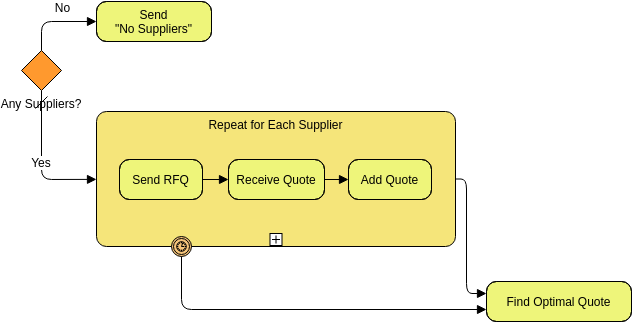
Decision Gateway (“Any Suppliers?”): The process begins at an exclusive gateway that evaluates whether any potential suppliers are available.
-
Negative Path (No): If no suppliers are found, the process routes immediately to a task to Send “No Suppliers” notification.
-
Positive Path (Yes): If suppliers are available, the workflow enters a looping subprocess.
-
-
Subprocess (“Repeat for Each Supplier”): This expanded sequential subprocess iterates through the list of identified suppliers, executing three internal tasks for each:
-
Send RFQ: Transmits a Request for Quotation to the current supplier.
-
Receive Quote: Waits for and captures the returned pricing information.
-
Add Quote: Records or logs the received quote into the system database or tracking sheet.
-
-
Boundary Event (Timeout/Interrupt): Positioned at the bottom border of the subprocess is a timer/interrupt boundary event, which provides an alternative escape route if collection takes too long or encounters a time constraint.
-
Final Convergence & Evaluation: Both the successful completion path out of the subprocess and the timer boundary path converge toward the final step, Find Optimal Quote, where the collected proposals are analyzed to select the best option.
Technical Implementation with Visual Paradigm
Tools like Visual Paradigm Online (VP Online) are designed to handle these specific architectural patterns. They allow users to:
- Visualize Logic: Clearly separate decision points from execution blocks.
- Model Iteration: Use the “Repeat” container to handle dynamic lists of data without cluttering the diagram.
- Ensure Completeness: By forcing a path for the “No” scenario, the tool ensures the process is robust even when data is missing.
By understanding these components—the gateway, the loop, and the sequence flow—you can effectively model complex business logic into a streamlined, efficient system.