


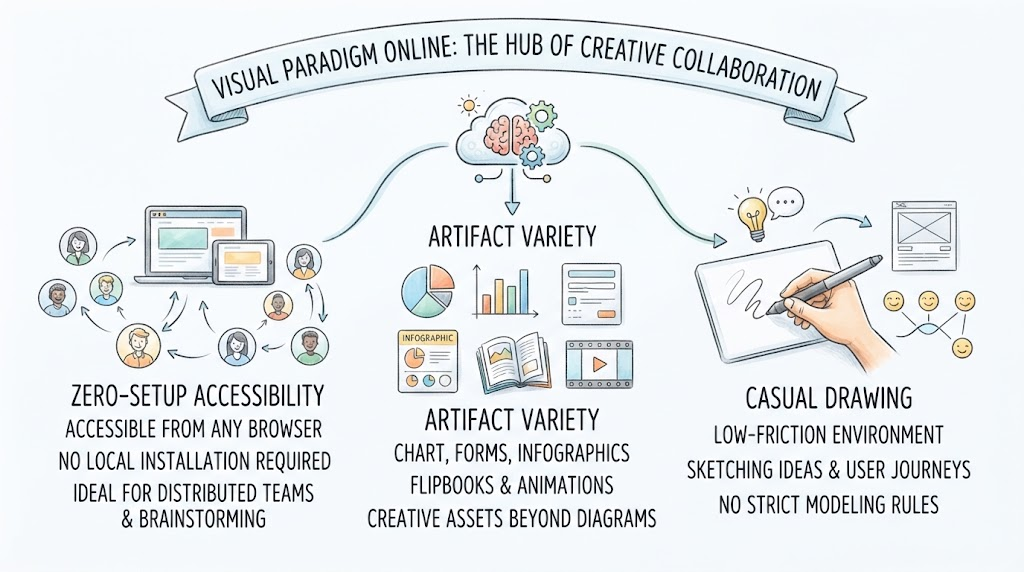
In the modern landscape of software development and systems analysis, the tools we use must adapt to the fluidity of remote work and the diverse needs of creative teams. Visual Paradigm Online (VP Online) represents a shift from rigid, desktop-bound modeling software to a flexible, cloud-native ecosystem. This tutorial explores the architectural philosophy and functional capabilities of VP Online, breaking down how it serves as a “hub of creative collaboration” for distributed teams.
1. The Architecture of Zero-Setup Accessibility
The foundational pillar of Visual Paradigm Online is its client-server architecture designed for maximum portability. Unlike traditional modeling tools that require heavy local installations and database dependencies, VP Online utilizes a browser-based rendering engine.
- Stateless Client Interaction: The application logic runs primarily on the server side. Your browser acts as a thin client, rendering the interface via standard web technologies (HTML5, CSS, JavaScript). This eliminates the need for local dependencies like Java runtimes or heavy database drivers.
- Distributed Team Synchronization: Because the data is stored centrally in the cloud, multiple users can access the same project simultaneously. This architecture supports real-time collaboration, allowing a distributed team to brainstorm without the version control conflicts common in local file systems.
- Platform Agnosticism: Whether a team member is using a Windows desktop, a Mac laptop, or an iPad, the “Zero-Setup” requirement ensures a consistent user experience (UX) without configuration overhead.
2. Expanding the Data Model: Artifact Variety
Traditional modeling tools often focus exclusively on structured data—think UML class diagrams, Entity Relationship Diagrams (ERD), or SQL schemas. VP Online, however, employs a multi-model data architecture that accommodates both structured and unstructured creative assets.
This versatility allows the system to handle a broader spectrum of project needs:
- Standard Diagrams: The backbone of technical modeling, supporting strict syntax for UML, BPMN, and ArchiMate.
- Infographics and Forms: These require a different rendering engine than code-based diagrams. VP Online treats these as visual data presentations, often utilizing vector graphics for crisp scaling.
- Flipbooks and Animations: This represents a significant architectural feature. Unlike a static diagram, these assets imply a timeline or a sequence of states. The system likely stores these as a series of frames or a timeline-based object model rather than a simple static canvas.
Why This Matters for Systems Analysis
By unifying these artifacts, VP Online allows a single project to house the technical specification (the database schema) alongside the marketing collateral (the infographic) and the user interface prototype (the wireframe). This reduces context switching for project managers and stakeholders.
3. The Philosophy of Casual Drawing
The third pillar, “Casual Drawing,” addresses the friction often found in formal modeling. In strict modeling environments, every line must adhere to specific rules (e.g., a specific arrow type for inheritance). VP Online offers a low-friction environment that prioritizes the speed of thought over syntactic correctness.
Techniques for Casual Modeling
- Wireframing and User Journeys: In this mode, the system treats the canvas as a whiteboard rather than a code editor. You can map out user flows (e.g., “Login” -> “Dashboard” -> “Settings”) without worrying about strict UML state machine definitions. This is crucial during the early requirements gathering phase.
- Idea Sketching: The tool provides a space to capture raw concepts. This is particularly useful for brainstorming sessions where the goal is quantity of ideas, not precision of diagram.
- Transitioning to Formalism: A key technical advantage of VP Online is the ability to evolve these casual sketches into formal diagrams. A user might sketch a quick wireframe and later apply strict formatting rules to turn it into a formal UI specification document.
Conclusion
Visual Paradigm Online bridges the gap between rigorous engineering and creative exploration. By leveraging a cloud-native architecture, it provides the accessibility needed for modern teams while offering the artifact variety required to document complex systems in diverse formats. Whether you are sketching a quick user journey or building a detailed system architecture, VP Online serves as a unified canvas for your technical narrative.
Related posts:
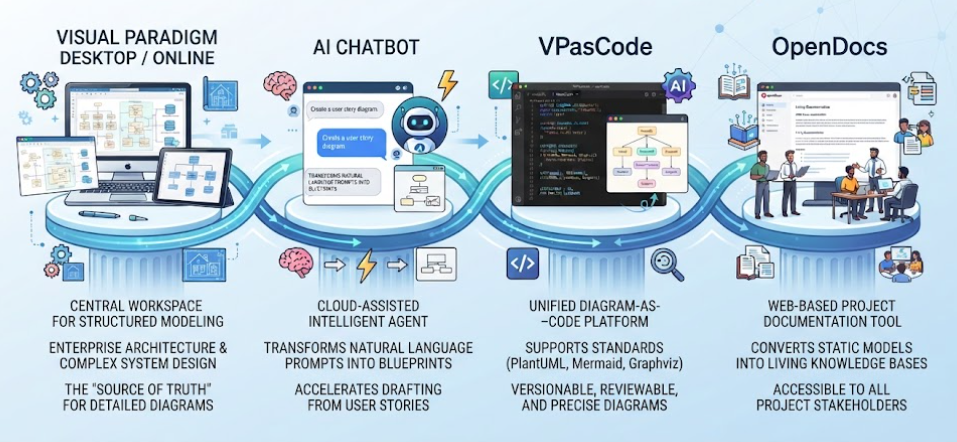 Mastering the Modern Software Design Workflow: From Ideation to Living Documentation with Visual Paradigm
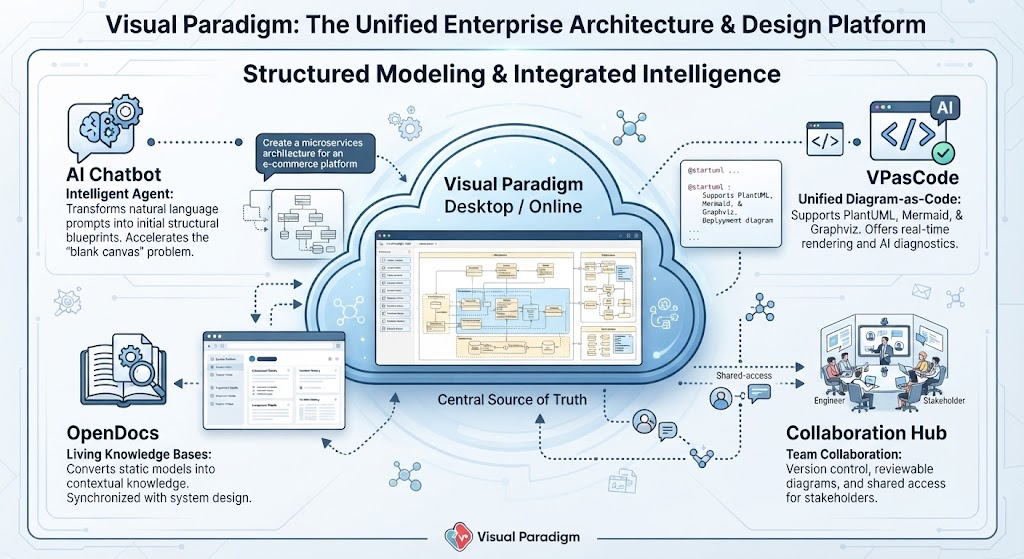 Mastering Enterprise Architecture with Visual Paradigm: A Unified Modeling Ecosystem
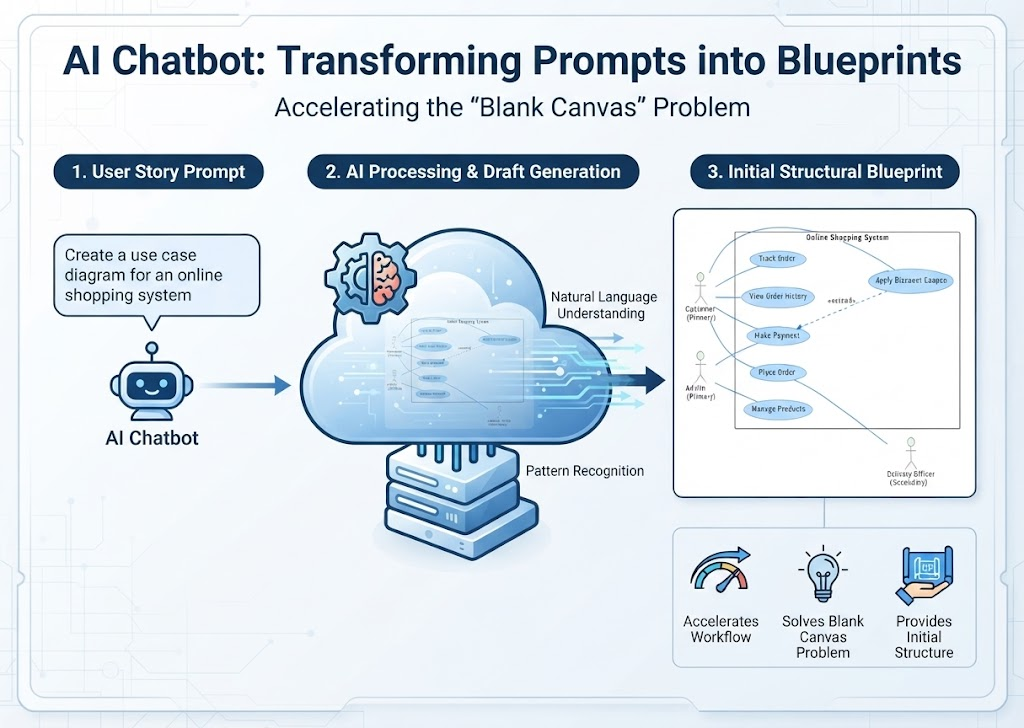 Mastering System Design: How AI Chatbots Transform Prompts into Structural Blueprints
 Mastering Diagram-as-Code with VPasCode: Architecture, AI, and Workflow