


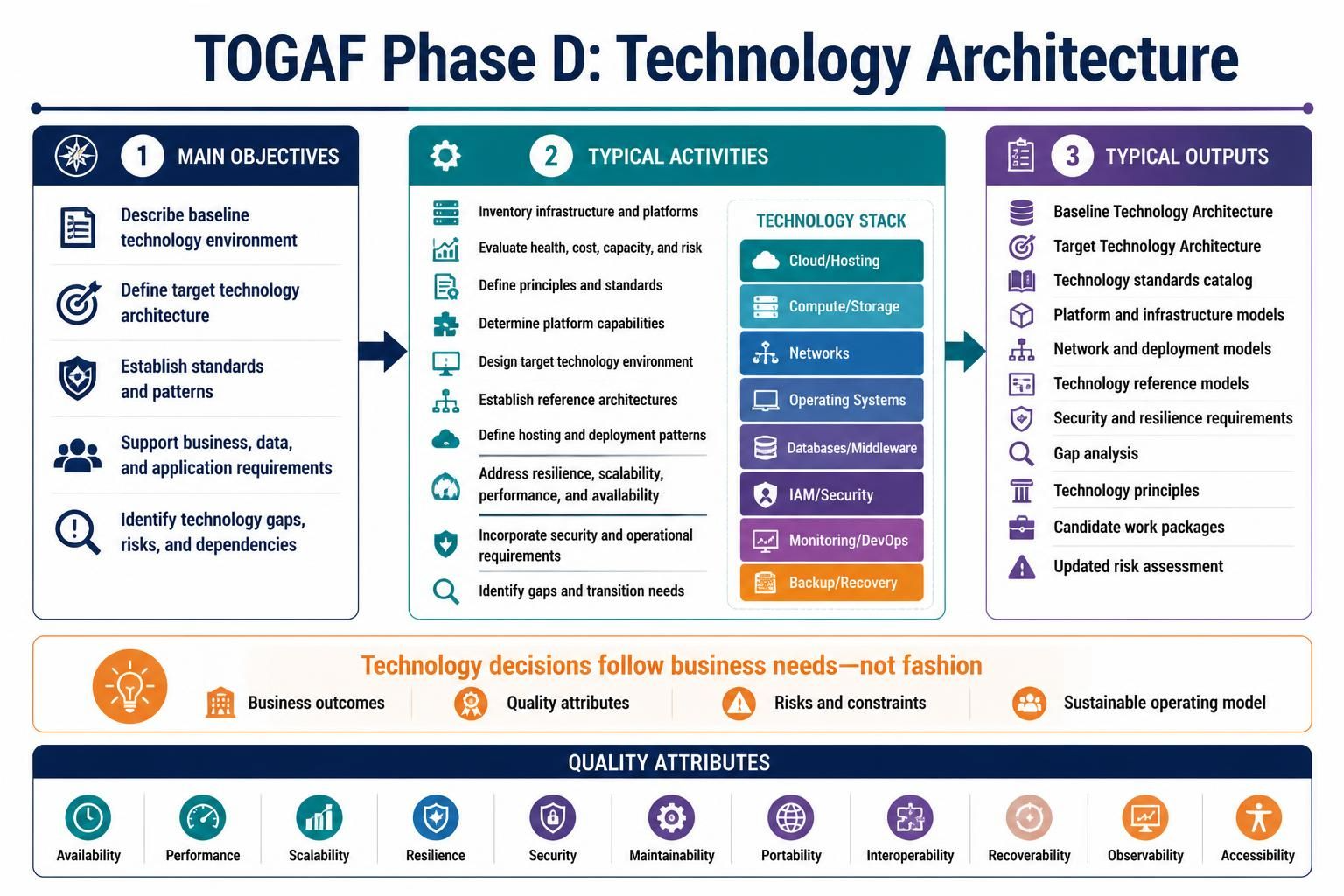
Welcome to this comprehensive tutorial on TOGAF Phase D: Technology Architecture. In the TOGAF Architecture Development Method (ADM), Phase D is the critical bridge between business strategy and the physical hardware that runs it. This phase defines the technology environment required to support the business, data, and application architectures.
Whether you are a solution architect, a CTO, or a student of enterprise architecture, understanding how to map out the technology stack, from cloud hosting to identity management, is essential. This guide will walk you through the core concepts, the process activities, and the quality attributes that define a robust technology architecture.
1. The Core Objectives of Phase D
Phase D is not merely about selecting the latest servers or software licenses. It is a strategic exercise aimed at ensuring the organization has a viable technical foundation. The main objectives include:
- Describe the Baseline: Document the current technology environment to understand what exists today.
- Define the Target: Design the future state technology architecture that aligns with business goals.
- Establish Standards: Create patterns and standards to ensure consistency across the enterprise.
- Ensure Supportability: Verify that the technology can actually support business and information systems requirements.
- Identify Gaps: Pinpoint technology gaps, risks, and dependencies that must be addressed.
2. Typical Activities: From Inventory to Design
The work done in Phase D involves a rigorous set of activities that transform abstract requirements into concrete architectural plans. Architects typically follow this workflow:
- Inventory Current Infrastructure: Catalog existing platforms and hardware to understand the “As-Is” state.
- Evaluate Health and Risk: Assess the current technology’s cost, capacity, and technical debt.
- Define Principles: Establish rules (e.g., “Cloud First” or “Open Source Preferred”) to guide future decisions.
- Design the Target Environment: Create the architecture that supports the application requirements.
- Define Deployment Patterns: Determine how software will be hosted and deployed (e.g., containerization, serverless).
- Identify Gaps: Compare the baseline against the target to find the “Gap” that needs filling.
3. The Technology Stack: What We Model
When modeling the technology architecture, you are essentially mapping the layers of the Technology Stack. This includes the specific components required to run the enterprise systems. Key areas commonly examined include:
- Cloud & Hosting: Decisions on public, private, or hybrid cloud environments.
- Compute & Storage: Processing power and data retention strategies.
- Networks: Connectivity, bandwidth, and latency requirements.
- Operating Systems: The underlying OS for servers and end-user devices.
- Databases & Middleware: Data storage engines and the software that connects applications to data.
- Identity & Access Management (IAM): Security protocols for user authentication.
- DevOps & Monitoring: Toolchains for continuous integration and system observability.
4. Business-Driven Decision Making
A common pitfall in architecture is focusing too much on technology for technology’s sake. As noted in the visual guide, technology decisions should follow business needs, not fashion. The key question is not “Which technology is most trendy?” but rather:
- What business outcomes must be supported?
- What quality attributes are required (e.g., high availability)?
- What risks and constraints exist?
- What operating model can the organization sustain?
5. Quality Attributes: The Non-Functional Requirements
Technology architecture is heavily influenced by non-functional requirements. These are often summarized as the “ilities” or quality attributes. A robust architecture must address:
- Availability: Is the system up and running when needed?
- Performance: Is the system fast enough?
- Scalability: Can the system grow to handle more load?
- Resilience: Can the system recover from failures?
- Security: Is the data protected?
- Portability & Interoperability: Can the system move or talk to other systems?
6. Typical Outputs
By the end of Phase D, the architecture team produces a set of tangible deliverables that guide the implementation phase. These outputs include:
- Baseline & Target Technology Architectures: The “Before” and “After” diagrams.
- Technology Standards Catalog: The approved list of tools and platforms.
- Platform and Network Models: Detailed diagrams of the infrastructure.
- Gap Analysis: A list of what needs to change.
- Candidate Work Packages: Projects derived from the gaps.
Recommended Tooling for Architecture Modeling
To effectively visualize the complex relationships between the Technology Stack, Business Outcomes, and Quality Attributes, professional modeling tools are essential. For a comprehensive TOGAF ADM experience, we highly recommend using Visual Paradigm TOGAF ADM Tool.
Visual Paradigm provides a robust environment to:
- Model the full ADM lifecycle, from Preliminary Phase to Implementation Governance.
- Create specific diagrams for Phase D, such as Technology Architecture diagrams and Deployment diagrams.
- Ensure your models align with TOGAF standards out of the box.
- Manage requirements and trace them to architectural elements.
Using a dedicated tool like Visual Paradigm ensures that your architecture is not just a static document, but a dynamic, manageable asset for your enterprise.
Related posts:
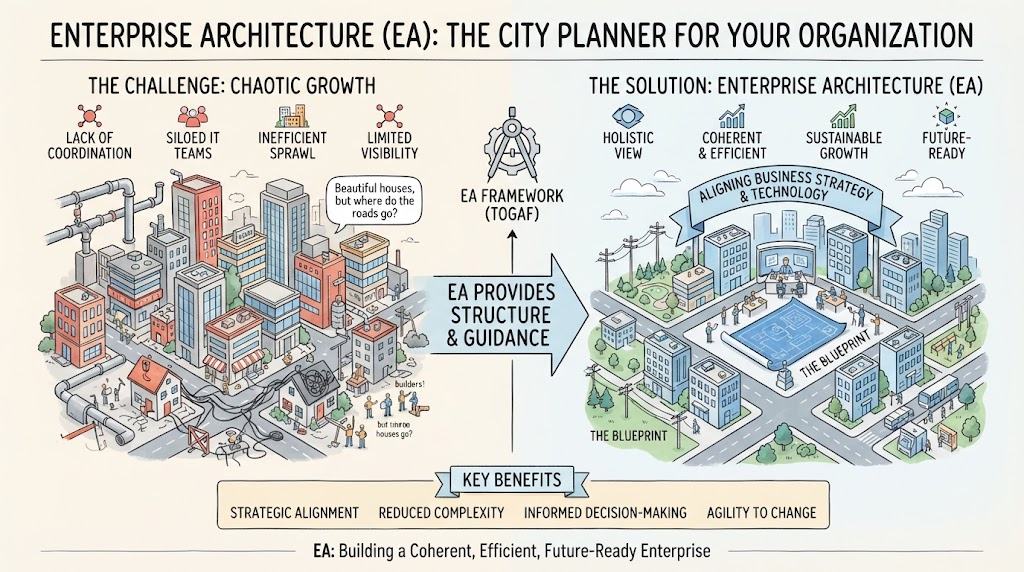 Enterprise Architecture as City Planning: A Visual Guide to TOGAF & Strategic Alignment
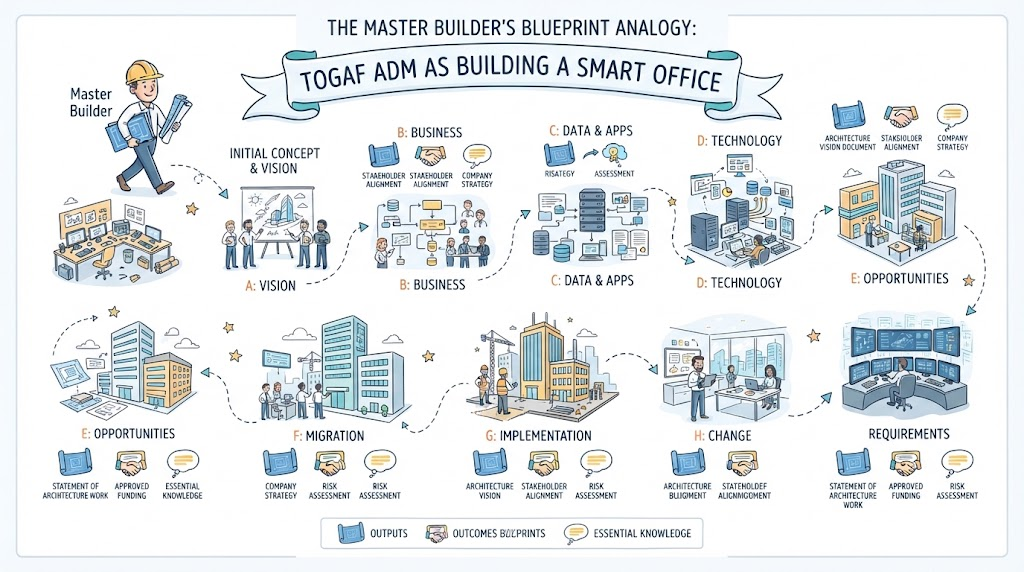 The Master Builder’s Blueprint Analogy: A Step-by-Step Guide to the TOGAF ADM
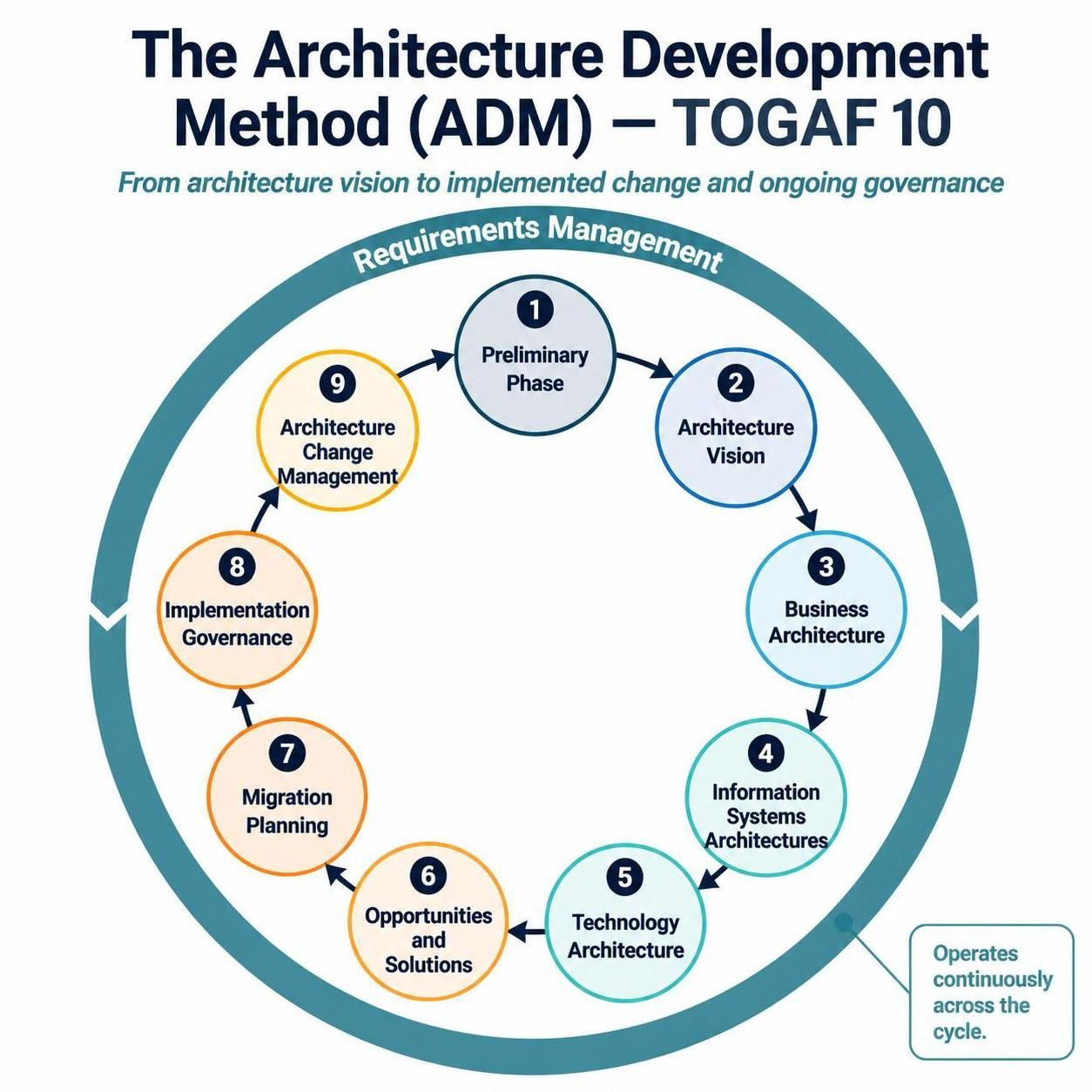 Mastering Enterprise Architecture: A Step-by-Step Guide to the TOGAF ADM Cycle
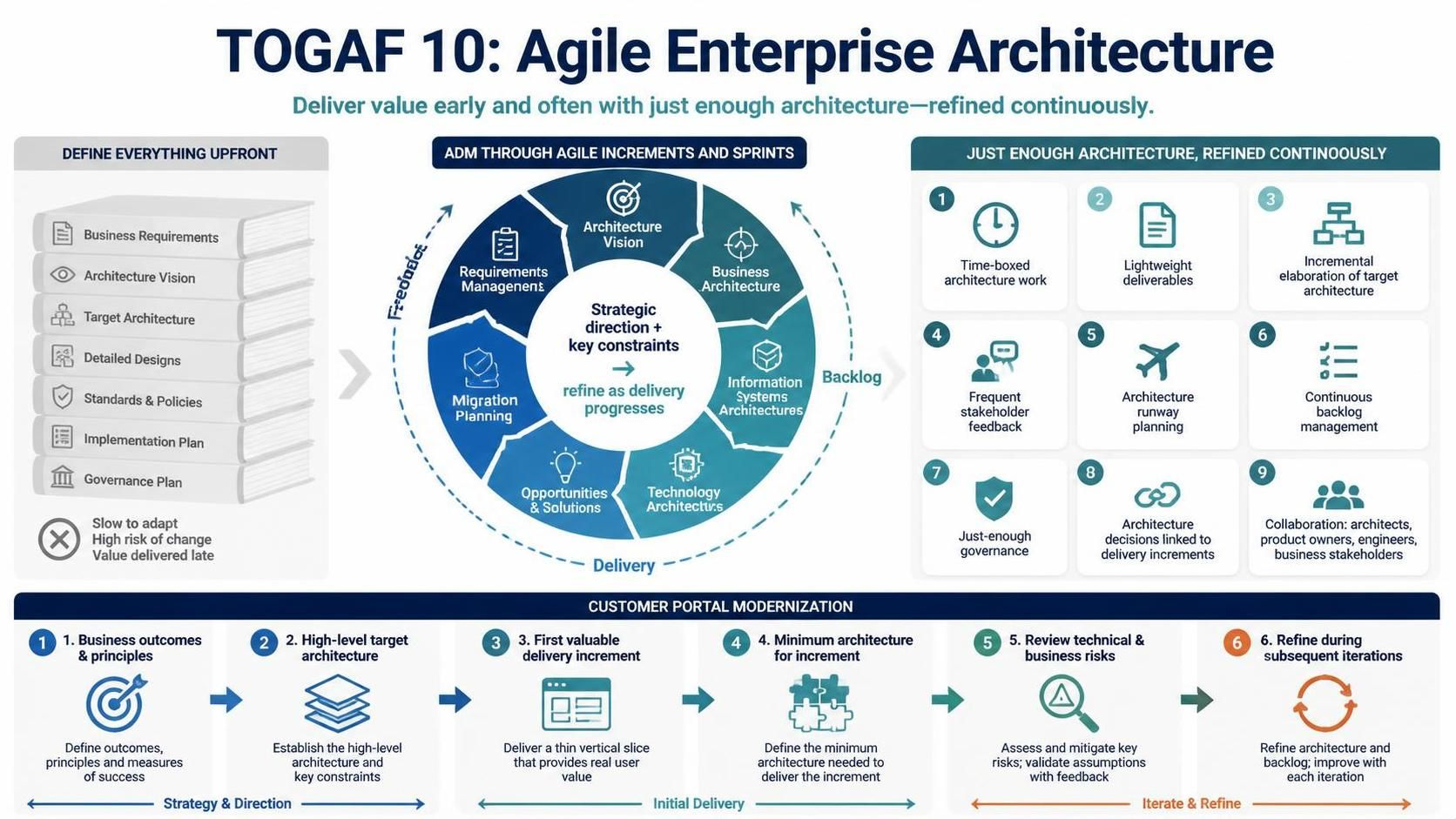 Mastering Agile Enterprise Architecture: A Step-by-Step Guide to TOGAF 10