


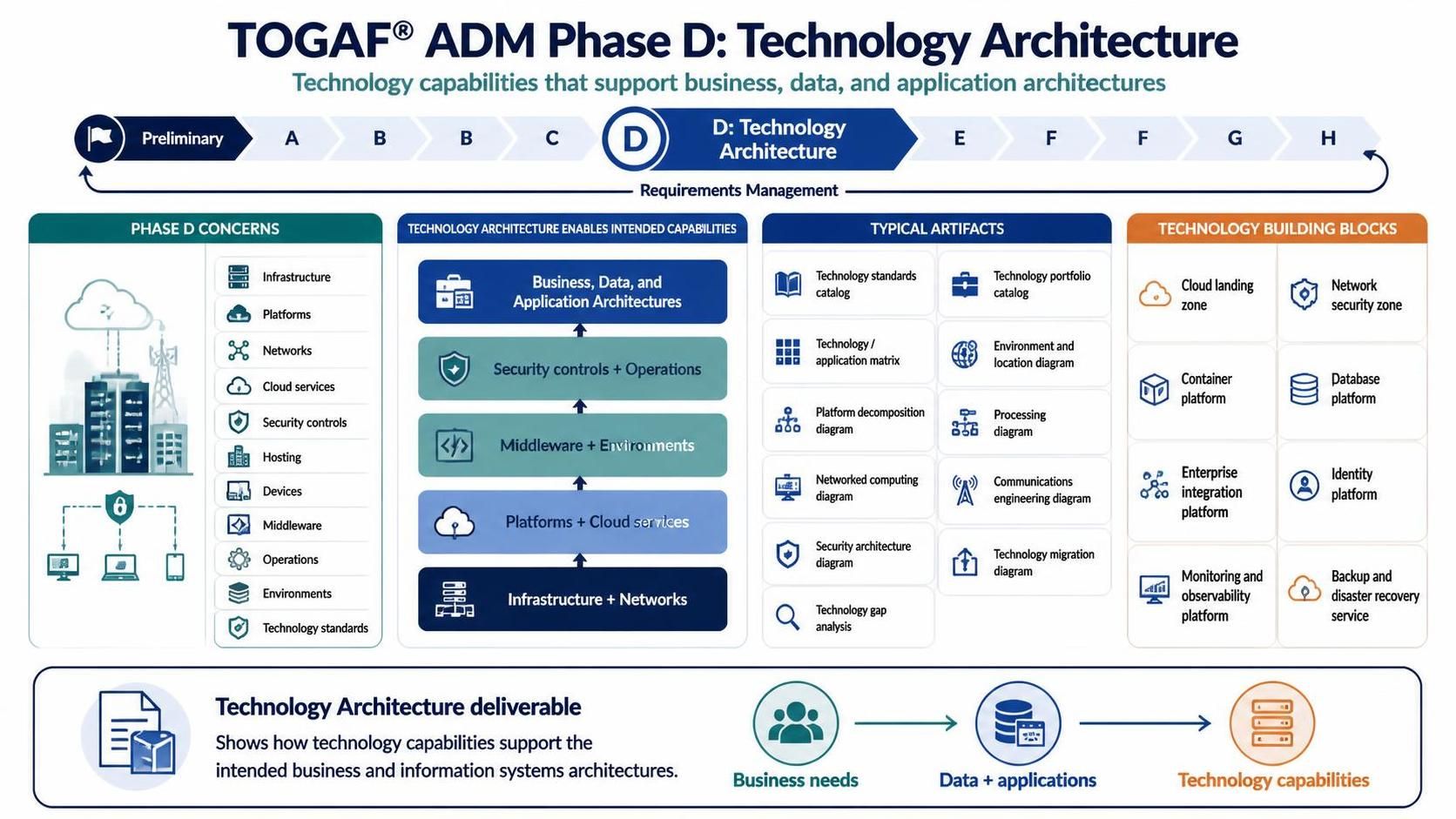
In the TOGAF Architecture Development Method (ADM), Phase D: Technology Architecture is a pivotal stage where abstract business requirements are translated into concrete technical specifications. It is the phase where we answer the critical question: “How do we build it?” This tutorial explores the core concepts, artifacts, and building blocks defined in this phase, demonstrating how technology capabilities are engineered to support business, data, and application architectures.
1. The Core Objective of Phase D
The primary goal of Phase D is to develop the Technology Architecture required to support the Business, Data, and Application Architectures defined in the preceding phases. It is not merely about listing hardware; it is about defining the “Technology Building Blocks” (TBBs) that will form the foundation of your enterprise’s digital capabilities.
As illustrated in the architecture flow, this phase acts as the bridge between logical systems and physical reality. The Technology Architecture deliverable must clearly demonstrate how technology capabilities support the intended business and information systems architectures.
2. Defining Typical Concerns
When architecting Phase D, professionals must navigate a wide range of concerns. These are the specific areas of focus that ensure the technology is robust, scalable, and secure. Based on the phase definition, these concerns include:
- Infrastructure: The foundational hardware and physical resources.
- Platforms: The software environments (Operating Systems, Runtimes) upon which applications run.
- Networks & Cloud Services: Connectivity, bandwidth, and cloud-based resources.
- Security Controls: Mechanisms to protect data and infrastructure.
- Hosting & Devices: Where applications reside and the endpoints users access them from.
- Middlewares: Software that connects different applications or services.
- Operations & Environments: The ITIL processes and environment classifications (Dev, Test, Prod).
- Technology Standards: The governance rules that dictate which technologies are approved for use.
3. The Stack: From Infrastructure to Security
To understand how these concerns interlock, we look at the layered architecture model. The technology stack is built from the ground up, with each layer supporting the one above it:
- Infrastructure + Networks (The Base): This layer represents the physical or virtual compute, storage, and network connectivity. It is the “plumbing” of the organization.
- Platforms + Cloud Services: Built on top of infrastructure, this layer provides the runtime environments (e.g., Docker containers, Kubernetes clusters, managed databases) necessary for applications to function.
- Middlewares + Environments: This layer handles the integration logic, service buses, and the separation of development, testing, and production environments.
- Security Controls + Operations: Running parallel to the stack, these provide the essential governance, monitoring, and protection required to maintain the integrity of the system.
- Business, Data, and Application Architectures: The top layer is supported by all the layers below. The technology architecture exists solely to enable these logical architectures.
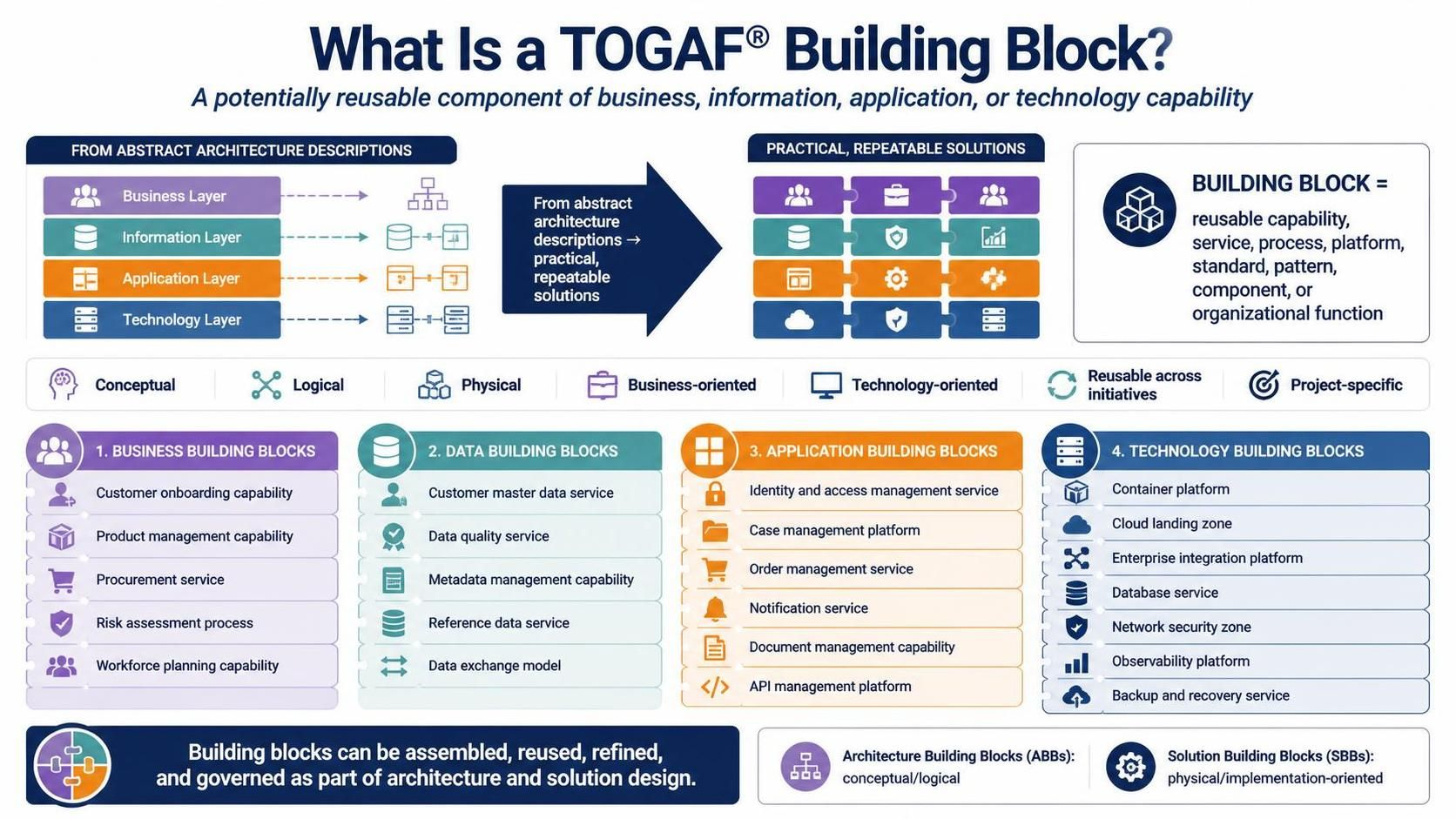
4. Technology Building Blocks (TBBs)
A key output of Phase D is the definition of Technology Building Blocks. These are reusable technology components that are selected to meet the architectural requirements. The diagram highlights several critical TBBs:
- Cloud Landing Zone: A pre-configured, secure, multi-account environment for cloud resources.
- Network Security Zone: Segmented network environments (e.g., DMZ, internal) to isolate traffic.
- Container Platform: Infrastructure for deploying containerized applications (e.g., Kubernetes).
- Database Platform: The strategy for data persistence and management.
- Enterprise Integration Platform: Tools for connecting disparate systems (ESB, API Gateways).
- Identity Platform: Systems managing authentication and authorization (IAM).
- Monitoring and Observability Platform: Tools for tracking system health and performance.
- Backup and Disaster Recovery Service: Ensuring business continuity.
5. Essential Artifacts and Diagrams
To communicate the Technology Architecture effectively, specific artifacts are produced. These serve as the blueprints for the engineering teams. Key artifacts include:
- Technology Standards Catalog: A “whitelist” of approved technologies.
- Technology Portfolio Catalog: A comprehensive list of all technology assets.
- Technology/Application Matrix: A mapping of which applications run on which platforms.
- Environment and Location Diagram: Showing where systems are deployed physically or logically.
- Platform Decomposition Diagram: Breaking down complex platforms into their constituent parts.
- Processing Diagram: Visualizing the flow of data processing.
- Networked Computing Diagram: Showing the connectivity between nodes.
- Communications Engineering Diagram: Detailing network protocols and interfaces.
- Security Architecture Diagram: Mapping security controls and zones.
- Technology Gap Analysis: Identifying the difference between the current state and the target state.
- Technology Migration Diagram: The roadmap for moving from legacy to new systems.
Conclusion
Successfully navigating TOGAF Phase D requires a deep understanding of both business drivers and technical constraints. By defining clear building blocks and producing robust artifacts, architects ensure that the technology landscape is aligned with enterprise goals. To streamline this complex modeling process, the recommended tooling is the Visual Paradigm TOGAF ADM Tool. This software empowers architects to visualize these complex relationships, manage technology catalogs, and generate the necessary diagrams efficiently.
Related posts:
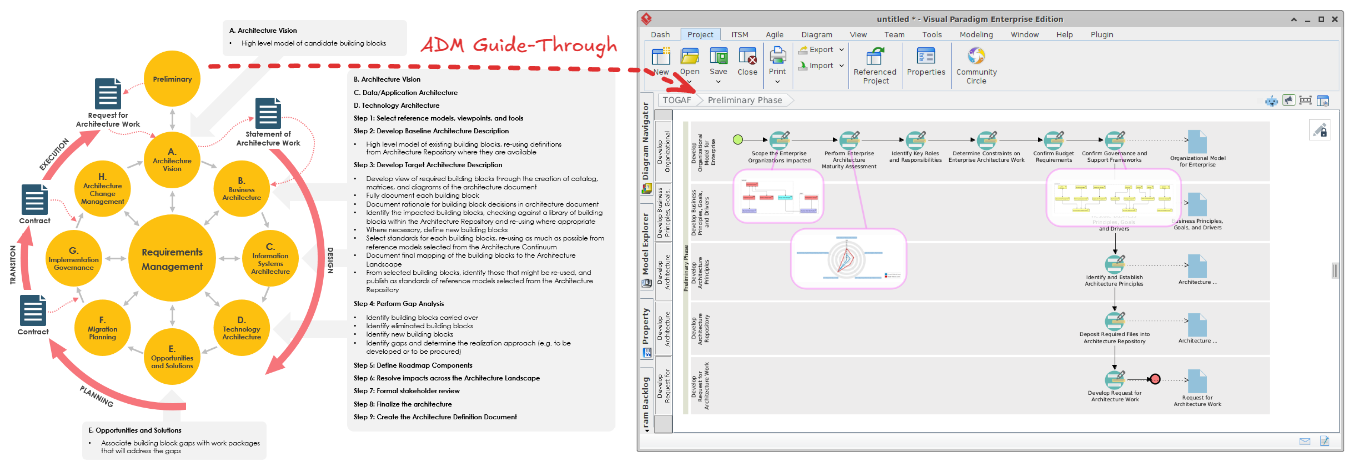 Mastering the TOGAF ADM: A Visual Paradigm Step-by-Step Guide
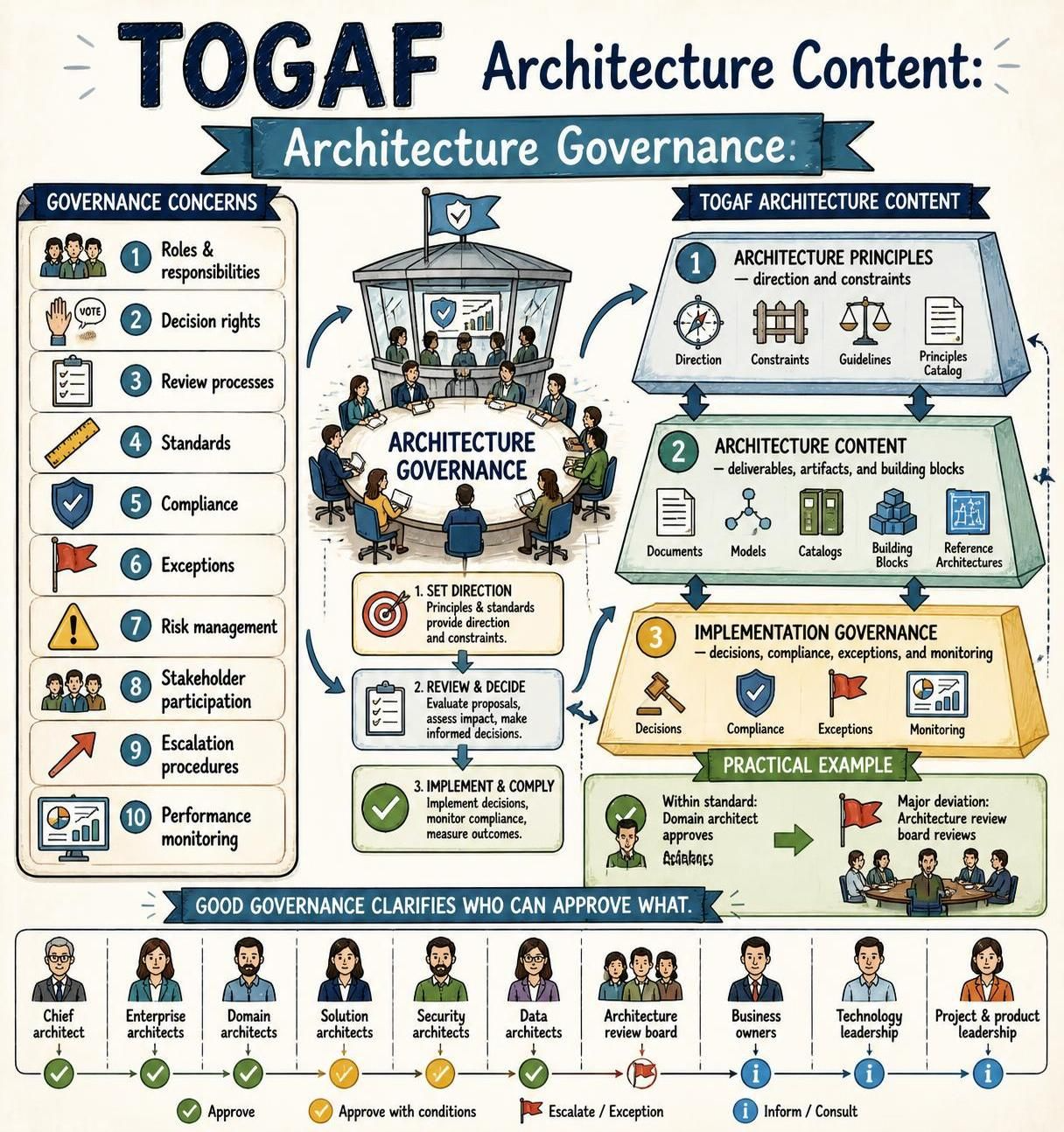 Mastering TOGAF Architecture Governance: A Comprehensive Guide to Roles, Principles, and Decision Rights
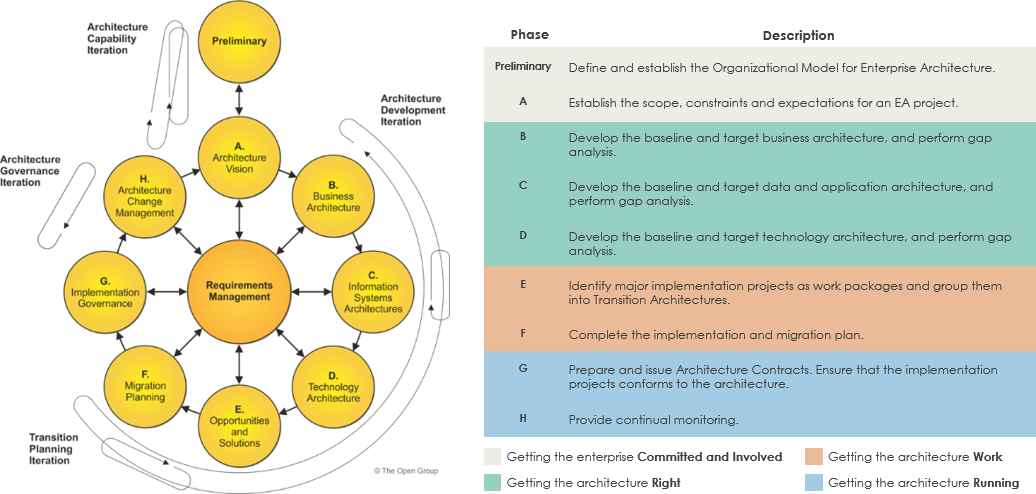 Mastering the TOGAF ADM: A Comprehensive Guide to Enterprise Architecture Development
 Mastering TOGAF Building Blocks: From Abstract Architecture to Practical Implementation