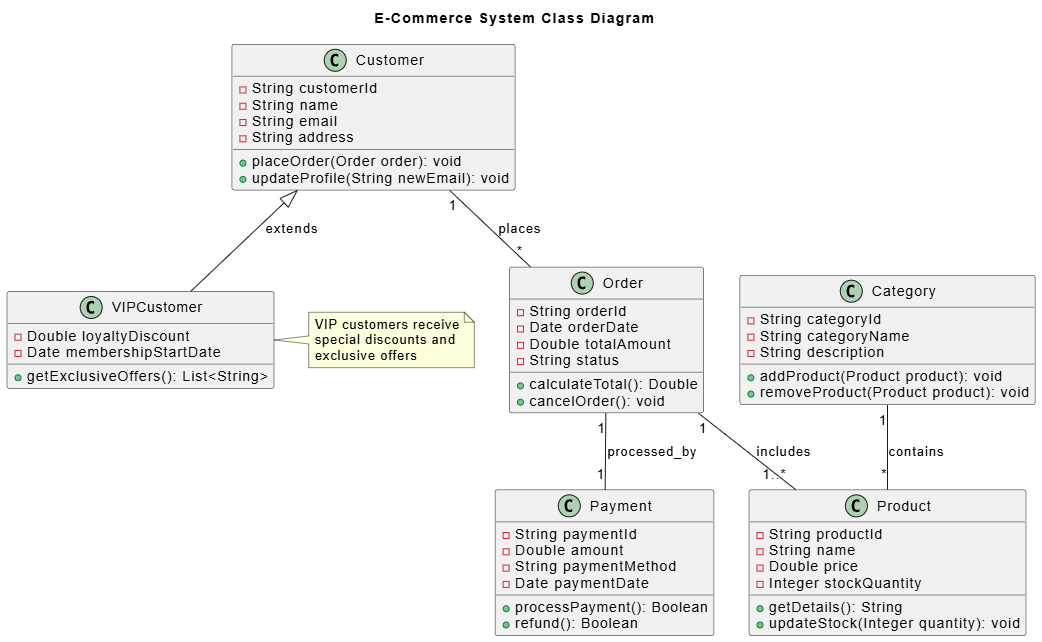
In the rapidly evolving landscape of software development, the bridge between abstract requirements and concrete implementation is often built upon solid architectural models. This tutorial explores a practical implementation of an E-Commerce System Class Diagram using the PlantUML syntax, demonstrating how Agile teams can leverage tools like Visual Paradigm UML, AI Chatbots, and the VPasCode Workflow to streamline their design process.
1. The Power of Text-Based UML in Agile
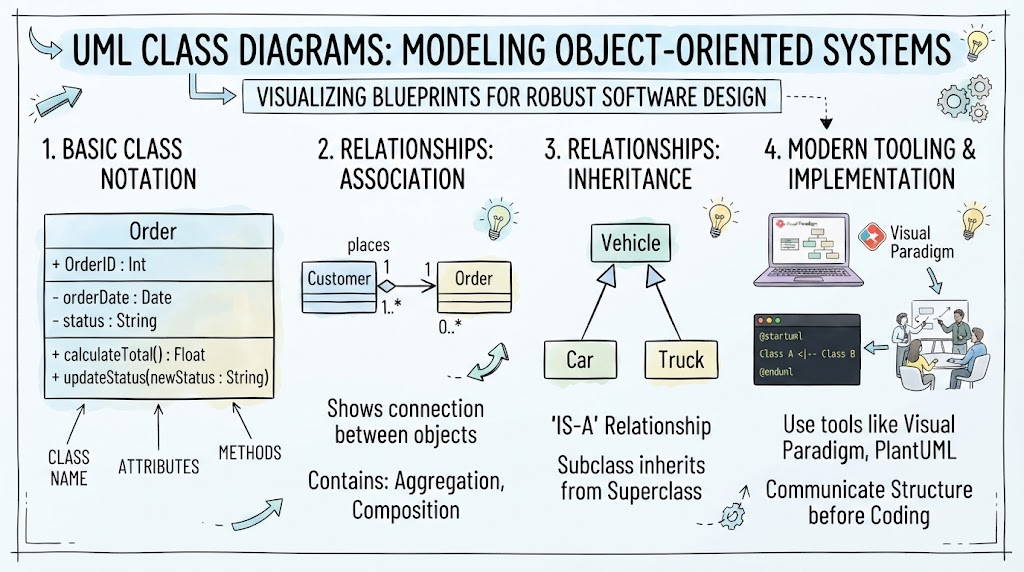
Traditionally, creating complex UML diagrams required dragging and dropping shapes into a GUI, which often led to version control nightmares and disconnected documentation. The approach shown here utilizes PlantUML, a powerful tool that allows developers to describe diagrams using a simple text language.
Why this matters for Agile Teams:
- Version Control Friendly: Since the diagram is text, it can be committed to Git alongside your source code.
- Collaboration: Developers can review design changes using standard pull requests.
- Maintainability: Updating a diagram is as easy as editing a string of text, reducing the friction of documentation maintenance.
2. Analyzing the Class Structure
The diagram presented represents the core domain model of an E-Commerce application. Let’s break down the critical components and relationships depicted in the visual.
The Customer Hierarchy
At the top of the hierarchy is the Customer class, representing the core entity with attributes like customerId, name, and email. It exposes methods to place orders or update profiles.
Notice the relationship to VIPCustomer. This is an Inheritance (Generalization) relationship, indicated by the solid line with a hollow triangle pointing to the parent class. The VIPCustomer class extends the base functionality of Customer by adding specific attributes such as loyaltyDiscount and membershipStartDate. A supplementary note in the diagram clarifies the business logic: VIP customers receive exclusive offers.
The Order and Product Ecosystem
The Order class acts as the central transaction hub. It has a composition or aggregation relationship with Customer (labeled “places”), indicating that a customer generates orders.
Furthermore, the relationship between Order and Product (labeled “includes”) demonstrates that an order is composed of one or more products. This is a classic Many-to-Many relationship in the real world, often resolved in code via an OrderItem table, but here visualized as a direct association for architectural clarity.
Payment Processing
The Payment class is linked to Order via a “processed_by” relationship. This encapsulates the financial aspect of the system, handling attributes like amount and methods for processPayment() and refund().
3. The Modern Tooling Workflow: VPasCode
Implementing a model like this requires a modern workflow. Here is how an Agile team integrates these tools:
Step 1: AI-Assisted Design
Instead of manually typing syntax, teams can use an AI Chatbot. You can prompt an AI: “Generate a PlantUML class diagram for an E-commerce system with VIP customers and payment processing.” The AI can instantly generate the boilerplate code, which the developer then refines.
Step 2: Visual Paradigm UML
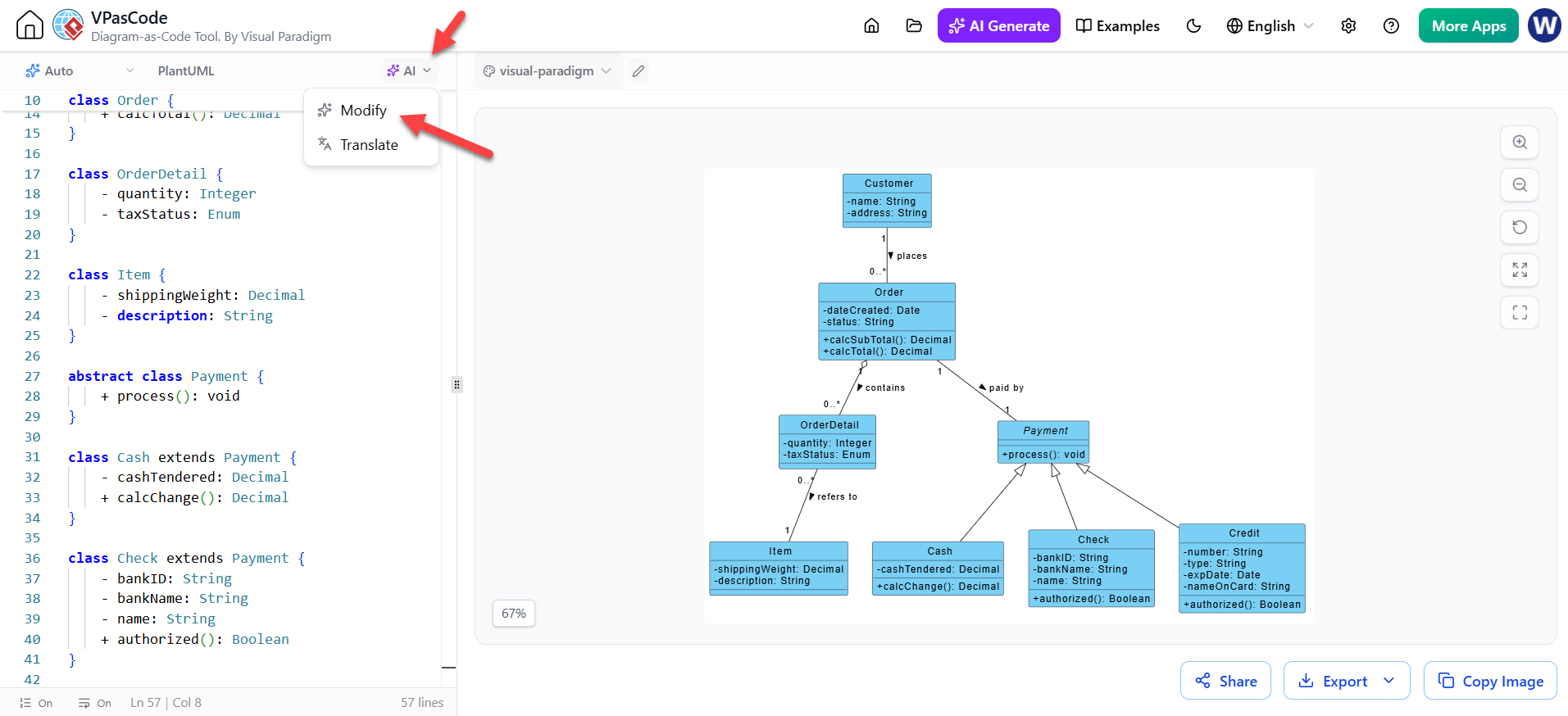
Once the text is generated, it is imported into Visual Paradigm UML. This tool serves as the authoritative rendering engine, converting the text into the professional-grade diagram seen above. It allows for drag-and-drop adjustments if the AI output isn’t perfect.
Step 3: VPasCode Workflow
The VPasCode workflow automates the lifecycle. By treating UML as code, the team can embed these diagrams directly into their CI/CD pipeline. If a developer modifies the class structure in the code, the VPasCode workflow can automatically regenerate the PlantUML source, ensuring the documentation never drifts from reality.
4. Key Takeaways for Developers
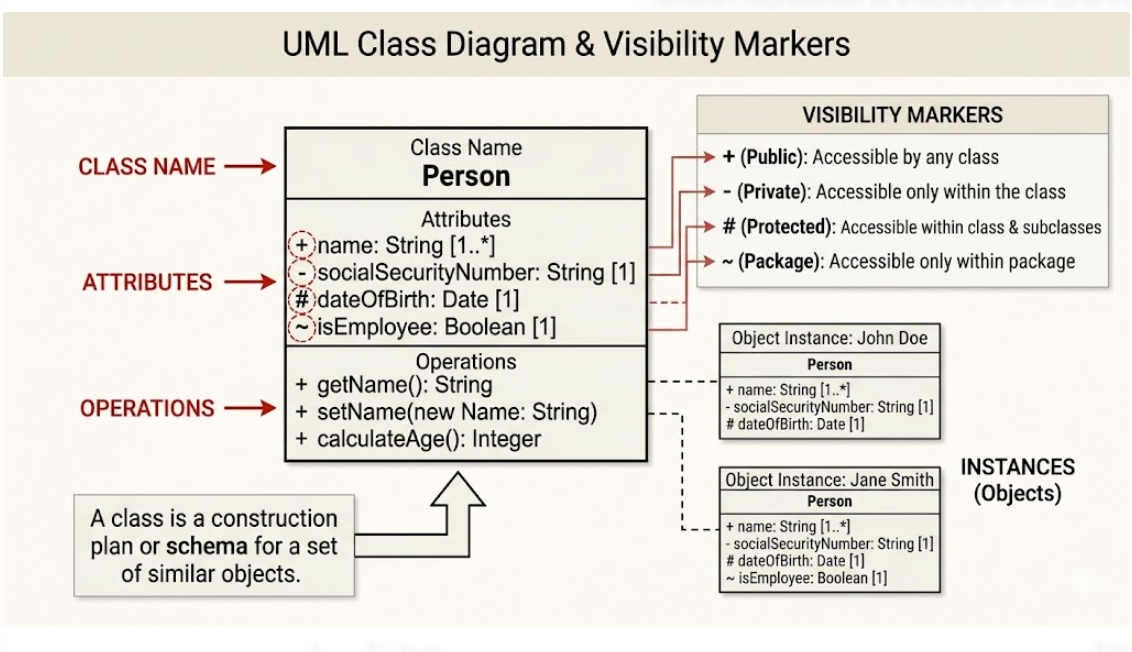
Understanding the attributes (like Double totalAmount in the Order class) and methods (like calculateTotal()) is crucial for translating design into code. The diagram clearly defines the contract each class must fulfill.
By adopting this text-based approach, teams move away from static, outdated images and towards living, breathing documentation that evolves with every sprint.