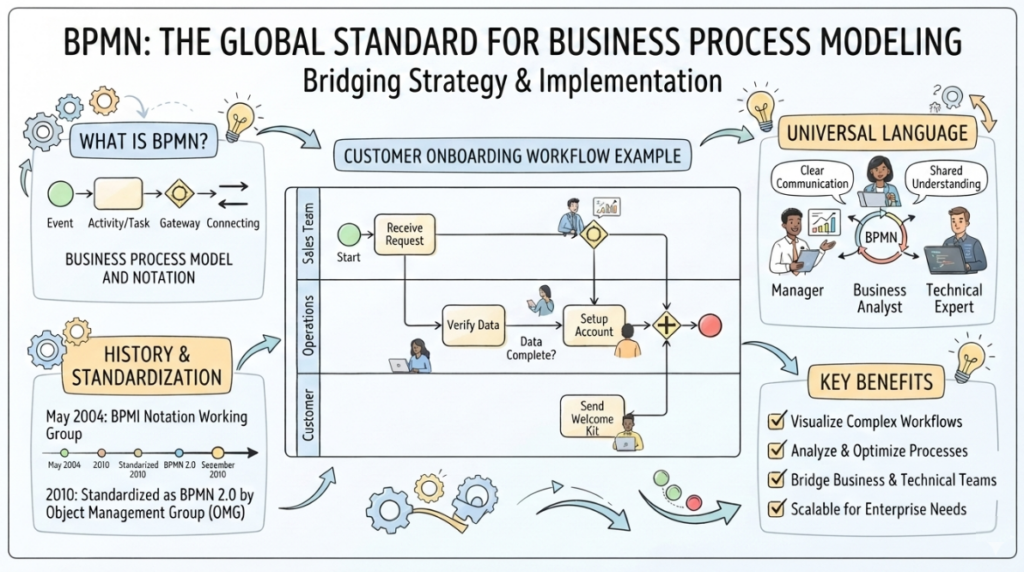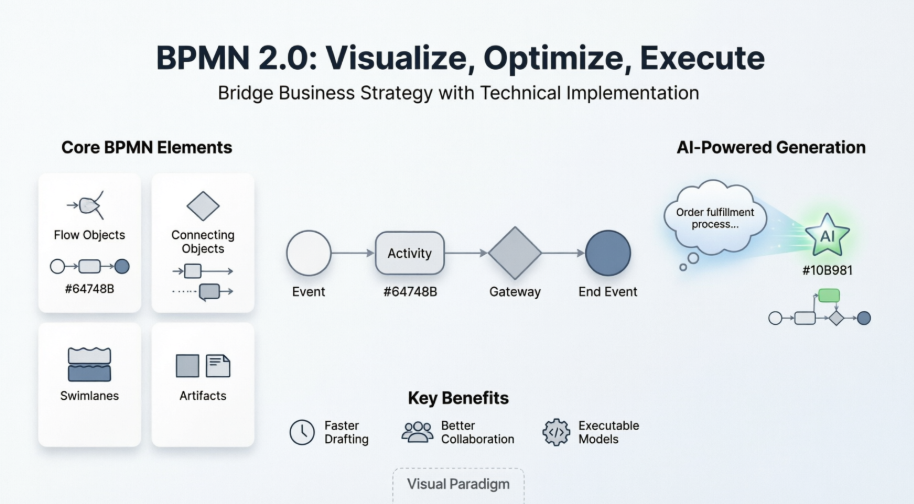
In the world of Business Process Model and Notation (BPMN), clarity is king. While basic shapes represent tasks and events, the Gateway is the brain of the diagram. It controls the flow of the process, determining whether the system should split into multiple paths, merge back together, or wait for specific conditions to be met. Understanding these symbols is crucial for developers, business analysts, and agile teams to translate complex business rules into executable workflows.
This tutorial will guide you through the core architecture of BPMN Gateways, breaking down their symbols, logical functions, and practical applications in modern software development.
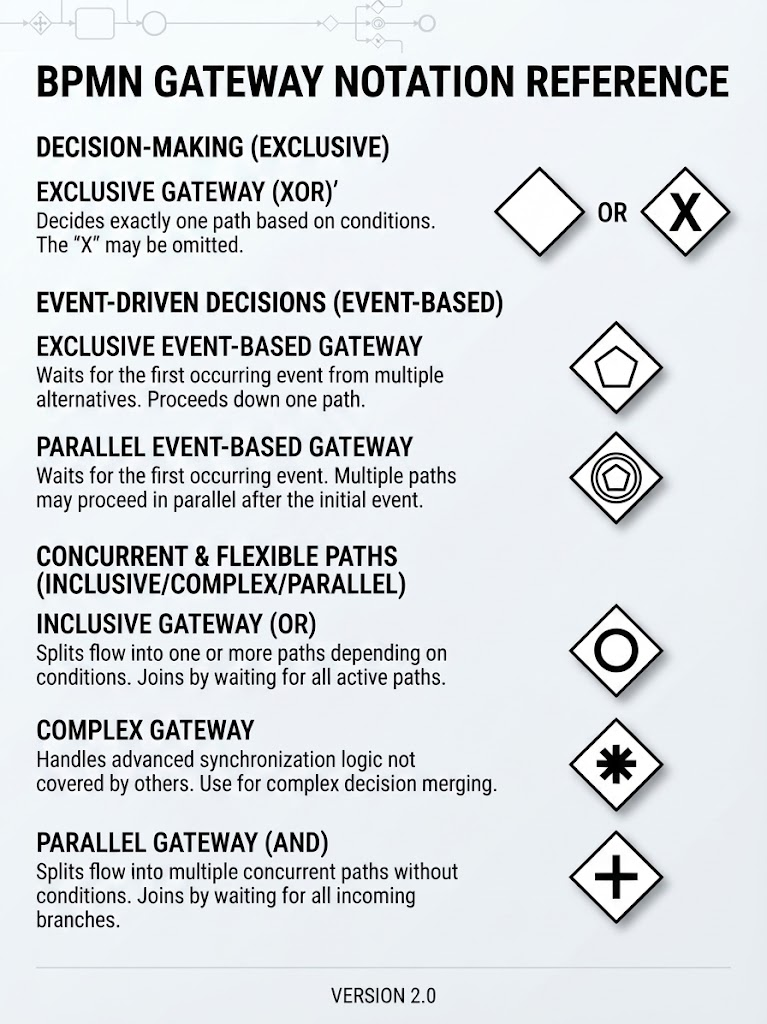
1. The Decision Maker: Exclusive Gateway (XOR)
The Exclusive Gateway is the most fundamental decision point in any process model. It represents the classic if/then/else logic that every programmer encounters in their daily coding.
Symbol & Logic
- Symbol: A diamond shape. It may contain an “X” or be left plain.
- Logic: “One Path Only.”
When the process flow hits an Exclusive Gateway, the system evaluates a set of conditions. Based on the data, exactly one outgoing sequence flow is selected. All other paths are ignored for that specific instance.
Agile Usage Case: Loan Approval
Imagine a fintech startup building a loan approval feature. The logic is strictly binary or ternary based on a single data point.
- Scenario: A user submits an application.
- The Gate: The system evaluates the Credit Score.
- Outcomes:
- If Score > 700: Flow to “Auto-Approve.”
- If Score < 500: Flow to "Auto-Reject."
- If 500 <= Score <= 700: Flow to "Manual Review."
Why it matters: This clearly defines acceptance criteria. The development team knows exactly which user story path to trigger based on the input data.
2. The Multiplier: Parallel Gateway (AND)
While the Exclusive Gateway chooses one path, the Parallel Gateway chooses all of them. This symbol is the key to modeling true concurrency and identifying bottlenecks in a system.
Symbol & Logic
- Symbol: A diamond with a + (plus sign) inside.
- Logic: “All Paths Simultaneously.”
There are no conditions to evaluate. When a flow enters a Parallel Gateway, it splits into multiple concurrent paths that are all activated at once. Conversely, when merging, it waits for all incoming paths to complete before proceeding.
Agile Usage Case: Employee Onboarding
Consider an HR tech company streamlining the onboarding of a new hire. Once a candidate accepts an offer, several independent tasks must happen.
- Split: The system triggers “IT Setup” (provisioning a laptop), “HR Paperwork” (signing the contract), and “Team Intro” (scheduling a meeting) at the same time.
- Merge: The process pauses and waits for all three tasks to be completed before moving to “First Day Orientation.”
Why it matters: This helps the team visualize dependencies. Developers can build these modules in parallel sprints, knowing they only need to synchronize at the merge point.
3. The Flexible Branch: Inclusive Gateway (OR)
Sometimes, business rules are not mutually exclusive. An Inclusive Gateway handles scenarios where multiple conditions can be true simultaneously, offering a middle ground between strict decision-making and parallel processing.
Symbol & Logic
- Symbol: A diamond with a circle (O) or “O” inside.
- Logic: “One or More Paths.”
Based on conditions, the system can take one path, multiple paths, or even all paths. It allows for flexible branching where the decision is not binary.
Agile Usage Case: Insurance Claim Processing
An insurance company is digitizing its claims handling. A single claim for a car accident might involve several distinct actions.
- Condition A: Is there vehicle damage? (Yes -> Trigger “Repair Estimate”)
- Condition B: Was anyone injured? (Yes -> Trigger “Medical Review”)
- Condition C: Is liability disputed? (Yes -> Trigger “Legal Assessment”)
Why it matters: A single claim could trigger just A, just B, A + B, or all three. The Inclusive Gateway prevents over-engineering, allowing the team to model the natural flexibility of the business rule without creating complex nested Exclusive Gateways.
4. The Reactor: Event-Based Gateway
Not all process decisions are based on data; some are based on time or external triggers. The Event-Based Gateway is used to model reactive processes where the system must wait for something to happen.
Symbol & Logic
- Symbol: A diamond with a thin border containing event icons (e.g., message, timer, signal).
- Logic: “Wait for Something to Happen.”
The process path is determined by which event occurs first. It is used for modeling timeouts, cancellations, or external system triggers.
Agile Usage Case: Order Fulfillment with Timeout
An e-commerce platform wants to improve customer experience during the payment phase.
- Path 1: A “Payment Confirmation” message is received -> Proceed to “Ship Order.”
- Path 2: A “Timer Event” (30 minutes elapsed) triggers -> Proceed to “Cancel Order & Notify User.”
Why it matters: This clarifies edge cases. Developers know exactly how long to wait for a response and what fallback mechanism (the timeout) to implement, reducing ambiguity in sprint planning.
Conclusion
Mastering BPMN Gateway notation allows technical teams to move beyond simple linear flows. By understanding the nuances of Exclusive, Parallel, Inclusive, and Event-Based gateways, you can create robust process models that accurately reflect the complexity of real-world business logic.