


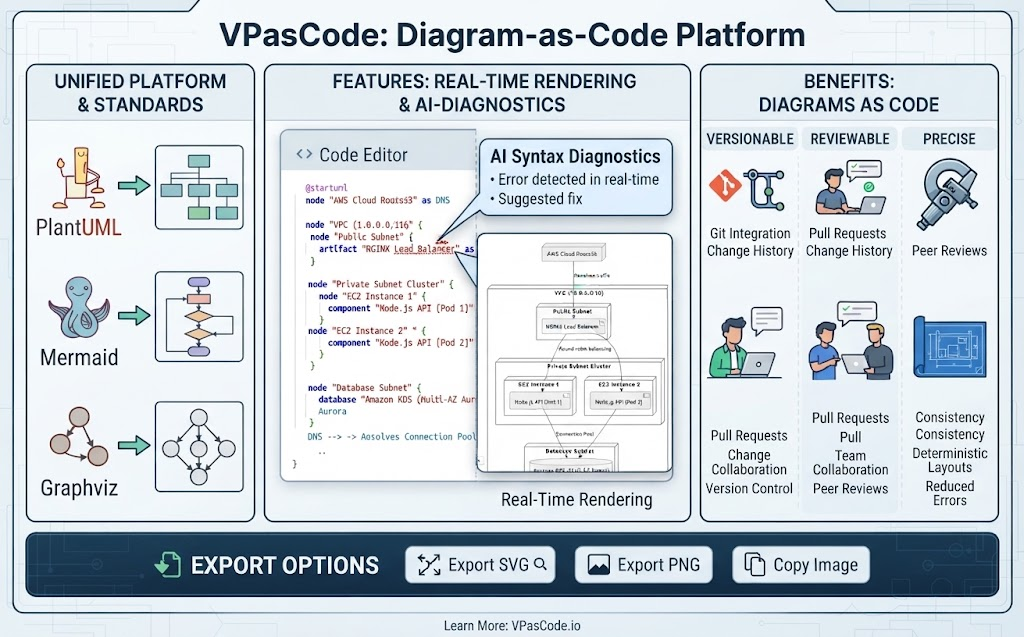
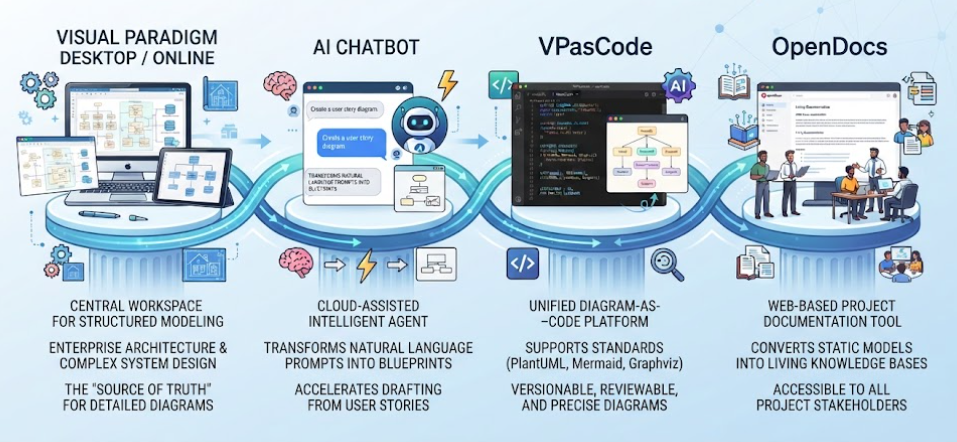
In the modern software development lifecycle, technical diagrams are often treated as secondary artifacts—static images that quickly become outdated and disconnected from the source code. VPasCode challenges this status quo by introducing a unified Diagram-as-Code platform. This tutorial explores the system architecture and modeling concepts behind VPasCode, demonstrating how it integrates real-time rendering, AI diagnostics, and rigorous version control to make diagrams precise, reviewable, and maintainable.
1. The Unified Platform & Standards
One of the primary architectural challenges in diagramming is fragmentation. Different teams often prefer different syntaxes: some favor the simplicity of Mermaid, others the power of PlantUML, and legacy systems often rely on Graphviz. VPasCode solves this by acting as a unified abstraction layer.
Supporting Industry Standards
VPasCode does not force developers into a proprietary syntax. Instead, it supports the three major industry standards:
- PlantUML: Ideal for complex structure diagrams and sequence flows.
- Mermaid: Perfect for quick flowcharts and sequence diagrams within documentation.
- Graphviz: Best for graph-based visualizations and network topology.
This unified approach allows teams to adopt the tool that fits their specific use case without sacrificing the ability to share or version-control their diagrams alongside their application code.
2. Core Features: Real-Time Rendering & AI Diagnostics
The heart of the VPasCode platform is its ability to bridge the gap between text-based syntax and visual representation instantly.
The Code Editor Experience
Unlike traditional drag-and-drop tools, VPasCode places the user in a Code Editor environment. This is where the “Diagram-as-Code” philosophy comes alive. You write logical structures—defining nodes, subnets, and database clusters—and the platform interprets this text to generate the visual output.
AI Syntax Diagnostics
A critical feature highlighted in the architecture is the integration of AI-powered syntax diagnostics. Diagramming languages are notoriously sensitive to syntax errors (e.g., a missing bracket or a typo in a node ID). VPasCode addresses this with:
- Real-time Error Detection: The system scans your code as you type. If a syntax error is detected, it is flagged immediately, preventing the generation of broken diagrams.
- Suggested Fixes: Leveraging AI, the platform doesn’t just say “there is an error”; it often provides a suggested fix, guiding the developer toward the correct syntax.
3. Benefits: Diagrams as Code
The shift to treating diagrams as code unlocks significant benefits in terms of workflow and quality assurance. VPasCode categorizes these benefits into three pillars: Versionable, Reviewable, and Precise.
Versionable & Reviewable
Because diagrams are essentially text files, they can be managed by standard version control systems like Git. This enables:
- Git Integration & Change History: You can track exactly when a diagram changed, who changed it, and why. You can revert to previous versions if a refactoring attempt goes wrong.
- Pull Requests (PRs): Diagrams can be submitted via Pull Requests. This brings the rigor of code review to architecture documentation. Teams can discuss architectural changes in comments before merging the visual update.
Precise & Consistent
Manual drawing tools often suffer from “pixel drift” and inconsistent styling. VPasCode ensures:
- Consistency & Deterministic Layouts: The rendering engine guarantees that the same code always produces the same diagram. There is no manual dragging of boxes to align them.
- Reduced Errors: By relying on code, you eliminate human error in drawing connections or labeling nodes.
4. Exporting and Recommended Tooling
Once your diagram is rendered and verified, VPasCode offers flexible export options to integrate your work into various documentation platforms:
- Export SVG: For scalable vector graphics suitable for high-resolution documentation.
- Export PNG: For raster images compatible with all standard viewers.
- Copy Image: For quick sharing in chat tools or ticketing systems.
Recommended Tooling: For teams looking to implement this workflow, Visual Paradigm VPasCode is the recommended platform. It stands out specifically for its embedded AI new features that assist with syntax diagnostics, ensuring that your diagrams remain accurate and up-to-date as your infrastructure evolves.
Related posts:
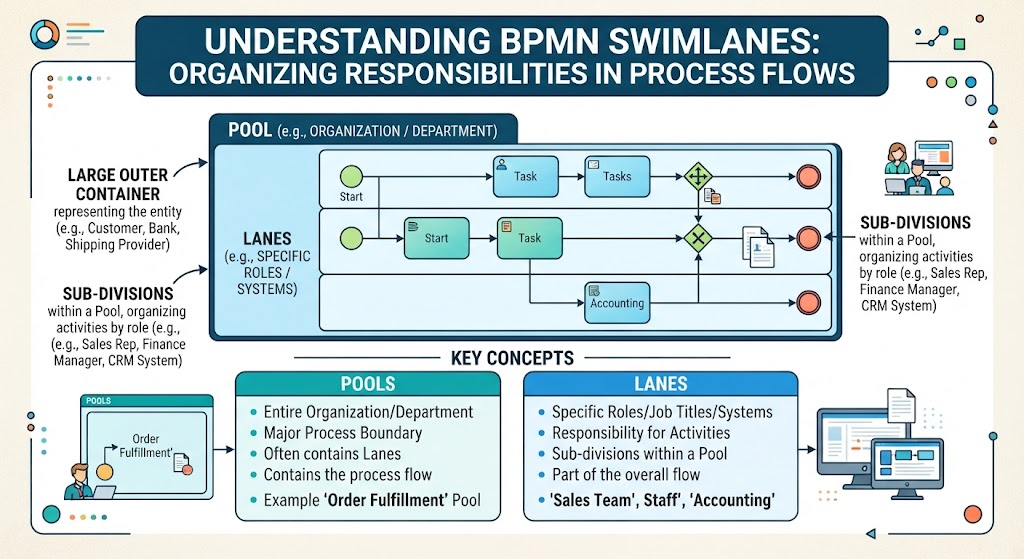 Mastering BPMN Swimlanes: A Visual Guide to Process Responsibilities
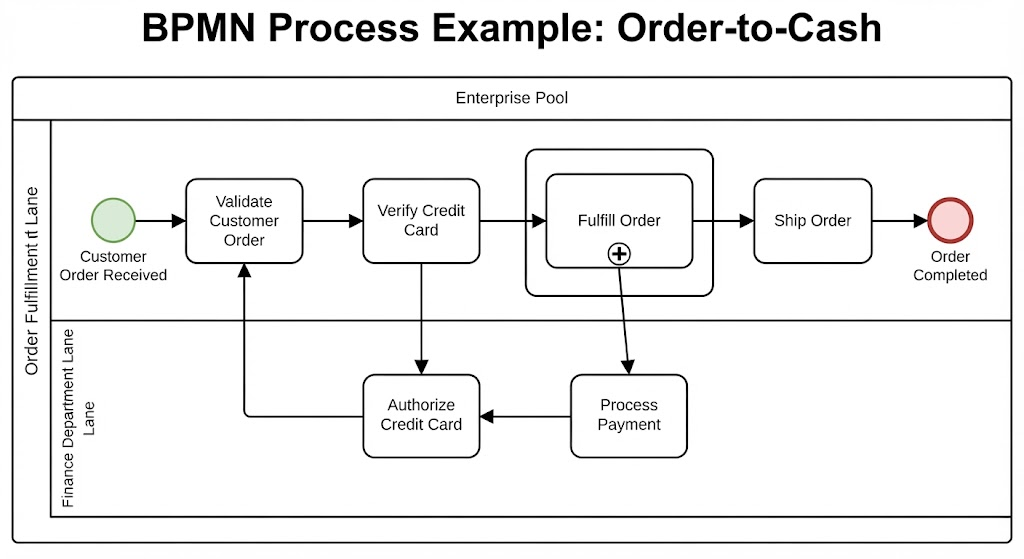 Mastering BPMN: A Step-by-Step Guide to the Order-to-Cash Process Diagram
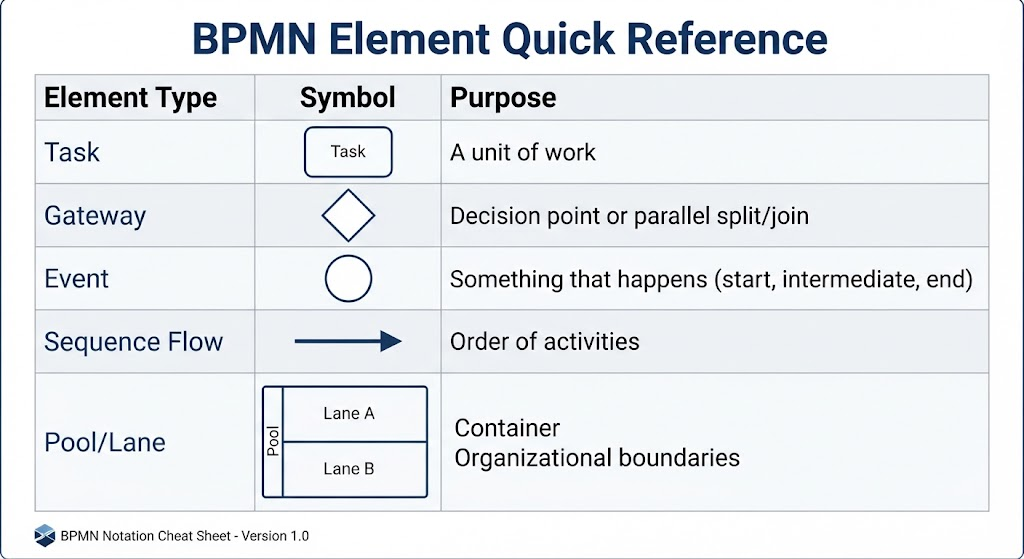 Mastering BPMN: A Comprehensive Guide to Process Modeling Elements & Best Practices
 Mastering the Modern Software Design Workflow: From Ideation to Living Documentation with Visual Paradigm