


In the modern software development and enterprise architecture landscape, documentation is often a bottleneck. Traditionally, the workflow involves creating a complex diagram, taking a static screenshot, saving it as a JPEG or PNG, and manually pasting it into a Word document or a wiki. This approach is fragile; when the model changes, the documentation becomes outdated, leading to a “communication rot” where stakeholders rely on stale information.
Visual Paradigm solves this through the OpenDocs and Pipeline Integration. This tutorial explores how this system architecture bridges the gap between technical visual modeling and knowledge management, transforming static images into living, breathing assets.
The Architecture of the Integration Hub
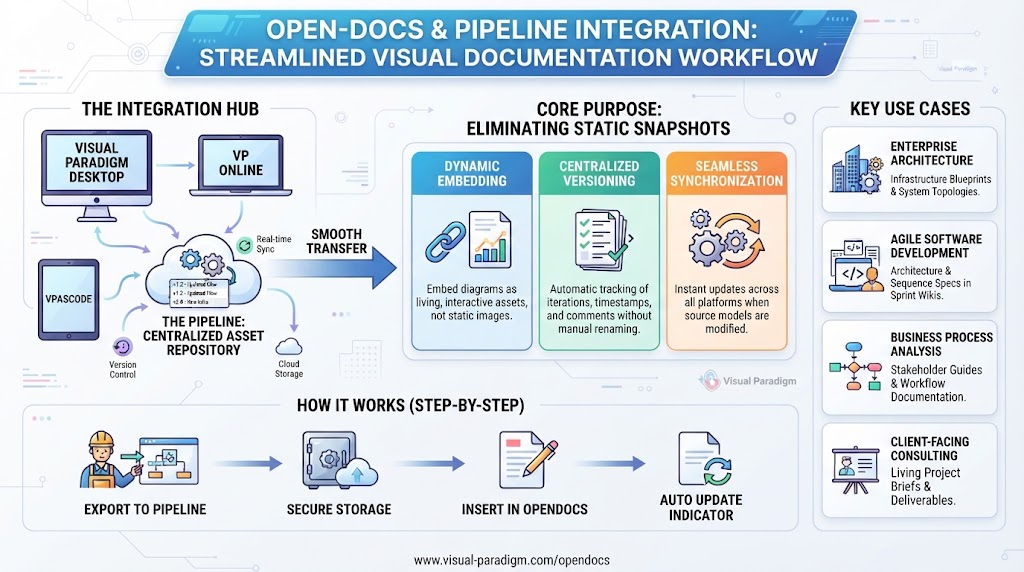
The core of this system is the Pipeline, which acts as an intelligent connective tissue. It is a secure, cloud-based repository designed to unify various modeling environments with a centralized knowledge base.
1. The Sources (Visual Paradigm Ecosystem)
The integration aggregates data from across the Visual Paradigm suite, ensuring that models created in any environment are captured:
- Visual Paradigm Desktop: The traditional, powerful client for heavy-duty modeling.
- VP Online: The browser-based editor for collaborative, lightweight work.
- VPasCode: A specialized tool for generating diagrams from code syntax, bridging the gap between developers and architects.
2. The Pipeline (Centralized Asset Repository)
When you export a diagram to the Pipeline, it is not merely “uploaded.” It is routed to a cloud-based repository that handles:
- Version Control: It tracks iterations, timestamps, and user comments automatically.
- Cloud Storage: It removes the need for local file clutter.
- Real-time Sync: It maintains the link between the source model and the destination document.
3. The Destination (OpenDocs)
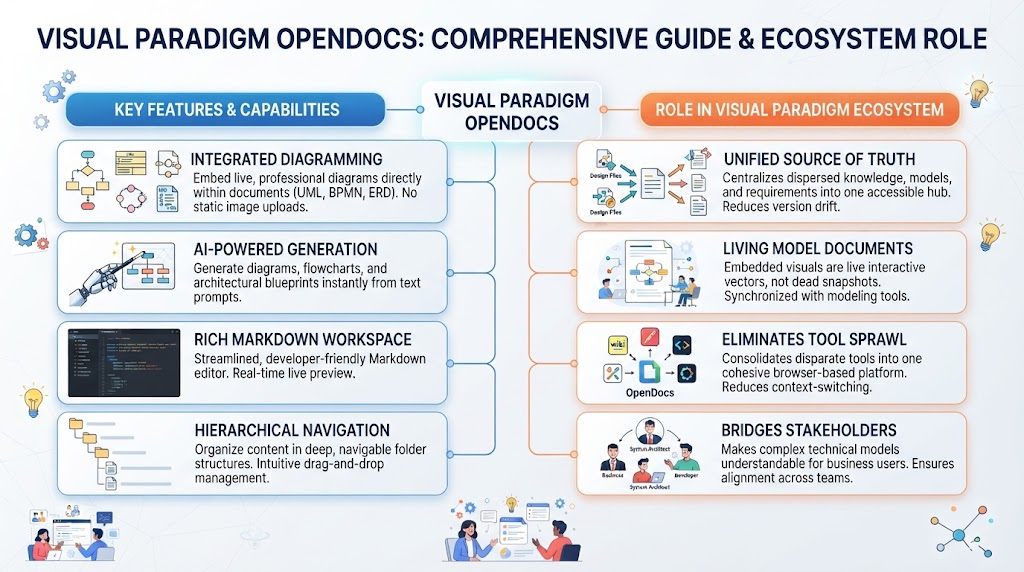
OpenDocs serves as the knowledge management interface. Unlike a standard text editor, it allows users to insert “live” references to the diagrams stored in the Pipeline.
Core Purpose: Eliminating Static Snapshots
The integration is built on three pillars that fundamentally change how documentation is maintained.
Dynamic Embedding
Instead of embedding a “dead” image file, the Pipeline preserves diagrams as dynamic, interactive assets. These are linked directly to their source models. When a user views the document, they are seeing a representation of the actual model, not a frozen picture of it.
Centralized Version Control
Manual file management (e.g., diagramfinalv2.pdf) is eliminated. The system automatically tracks asset iterations, timestamps, and user comments (e.g., "v2.1 - Updated authentication flow"). This ensures that the document history is preserved without manual intervention.
Seamless Synchronization
The workflow reduces asset transfer times to a single click. If the source model changes, the system detects the discrepancy. An update indicator lights up in OpenDocs, allowing the user to swap to the latest revision instantly.
Step-by-Step Workflow: How It Works
Implementing this workflow requires a simple four-step process that fits naturally into a standard modeling session.
Step 1: Export to Pipeline
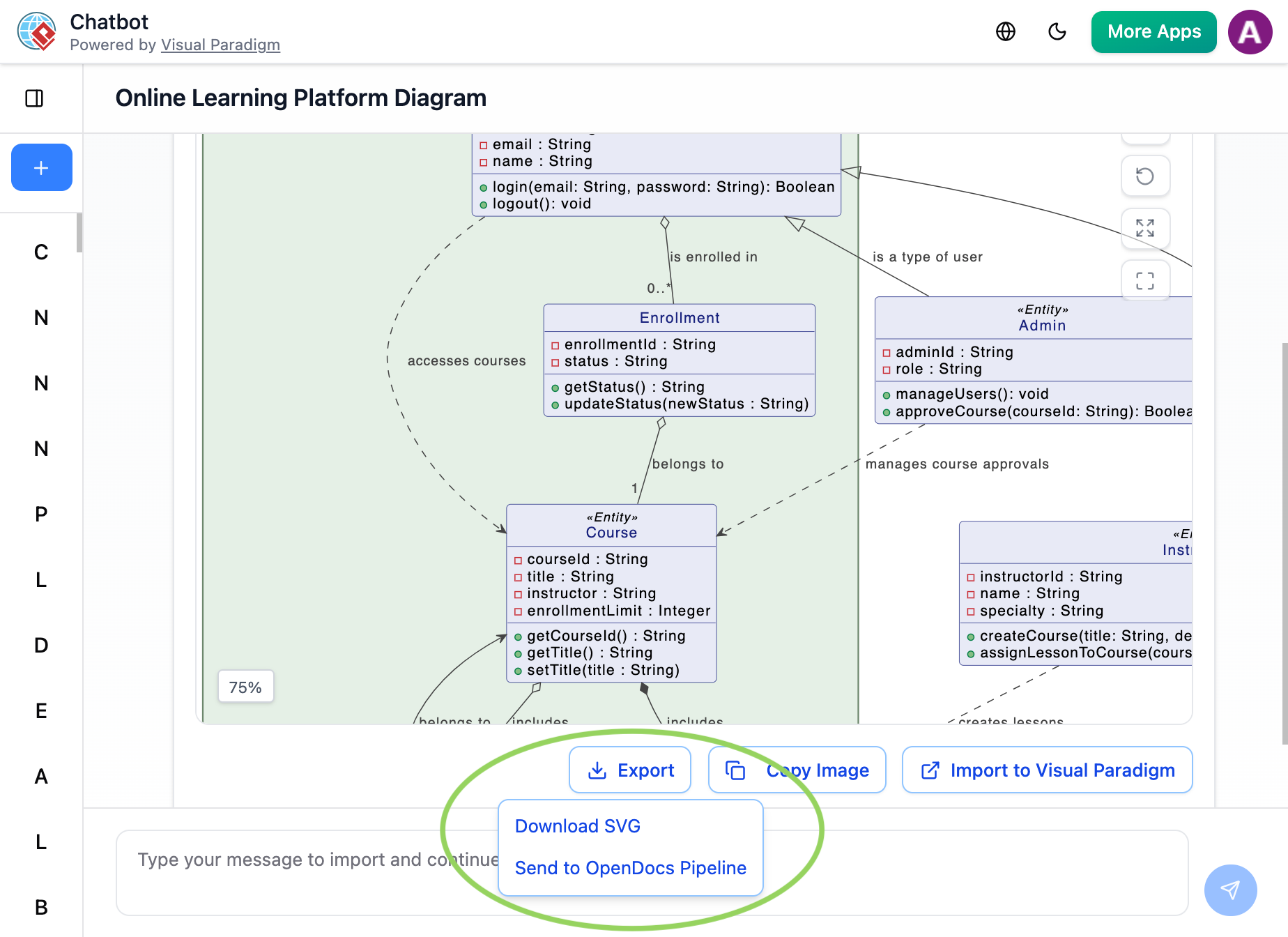
While working on a diagram in Visual Paradigm Desktop, VP Online, or VPasCode, you initiate the transfer. Simply right-click the diagram or select the export menu and choose Send to OpenDocs Pipeline. You can optionally add version comments at this stage.
Step 2: Secure Storage
The artifact is securely routed to the cloud Pipeline pane. This acts as the “single source of truth” for the visual asset, complete with metadata like timestamps and version numbers.
Step 3: Insert in OpenDocs
When writing your documentation in OpenDocs, you do not copy and paste images. Instead, access the editor toolbar, select Insert > Pipeline, and choose your diagram from the list. It embeds directly at the cursor position.
Step 4: Auto-Update Indicator
If the source model is modified later, the link in OpenDocs remains valid. The system displays an update indicator. With a single click, you can refresh the document to pull in the latest revision of the diagram.
Key Use Cases
This architecture is particularly powerful in specific industry scenarios where accuracy and up-to-date information are critical.
Enterprise Architecture & IT Planning
Enterprise architects maintaining complex microservices or system topologies can push revised infrastructure blueprints straight into living documentation. This ensures that stakeholders always see the current system topology, preventing deployment errors based on old designs.
Agile Software Development
Development teams can combine code-based syntax diagrams (via VPasCode) with text documentation. Architecture or sequence specs can be instantly routed into sprint wikis and project briefs without the friction of manual image formatting.
Business Process Analysis
Business analysts designing workflows, user journeys, or data flow charts can build “living” stakeholder guides. Process maps update automatically alongside project pivots, ensuring the business logic is never out of sync with the documentation.
Client-Facing Consulting
Consultants compiling deliverables can assemble structured Markdown spaces backed by live-updating visual charts. This minimizes communication errors and the risk of referencing outdated diagrams in final reports.
Related posts:
 Online Learning Platform ER Diagram
 Mastering Knowledge Management: A Deep Dive into Visual Paradigm OpenDocs & Pipeline Architecture
 Mastering the Modern Modeling Workflow: AI Chatbot vs. VPasCode in Visual Paradigm
 Mastering Modern Documentation: A Deep Dive into Visual Paradigm OpenDocs Architecture