


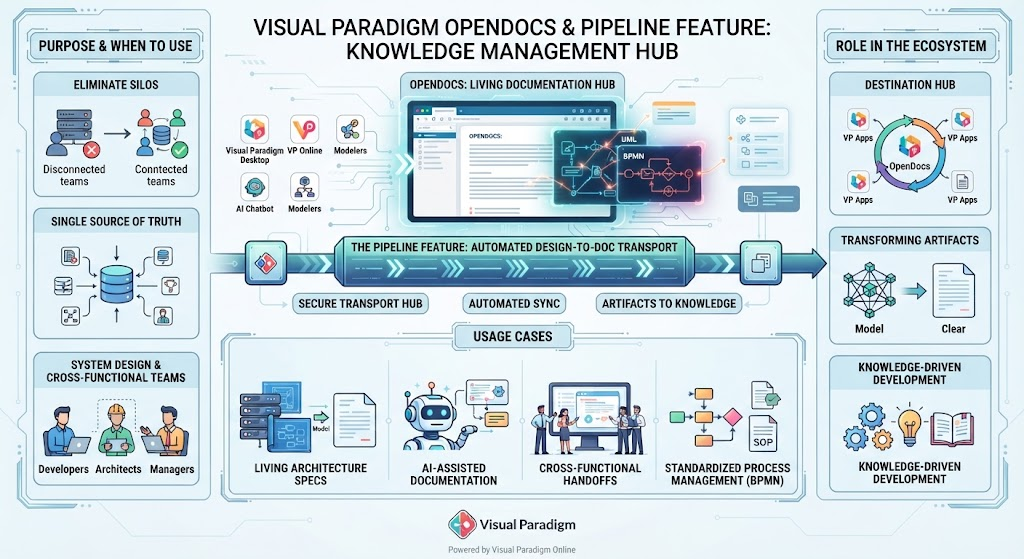
In the modern software development lifecycle, one of the most persistent challenges is the disconnect between technical system design and the written documentation that supports it. Engineers often create complex models in desktop software, only for that knowledge to become trapped in static files, creating information silos that hinder collaboration.
This tutorial explores Visual Paradigm OpenDocs and its revolutionary Pipeline Feature. We will walk through the system architecture that transforms static design artifacts into living, breathing knowledge repositories, ensuring that your documentation always matches reality.
1. The Core Architecture: The Pipeline Feature
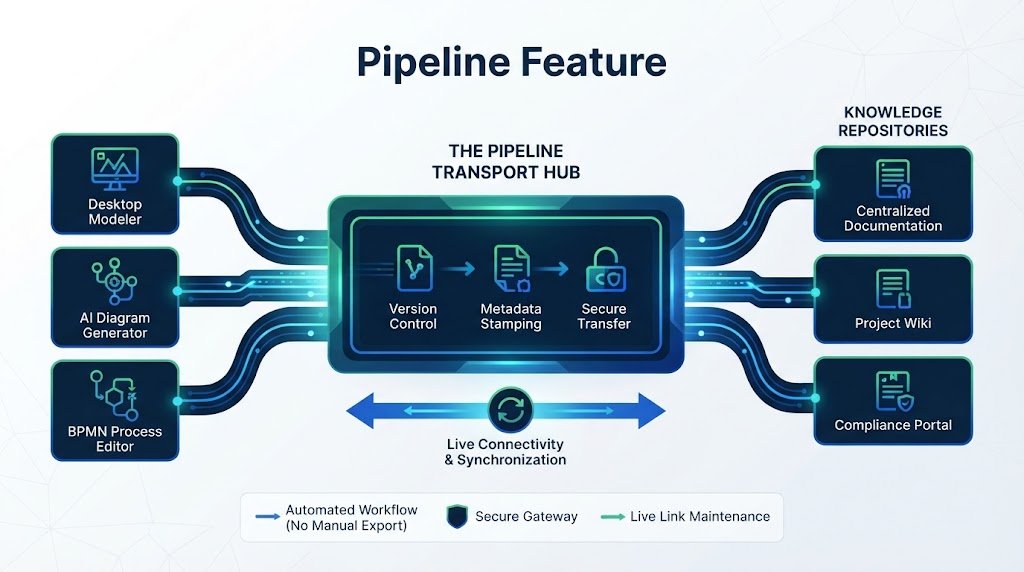
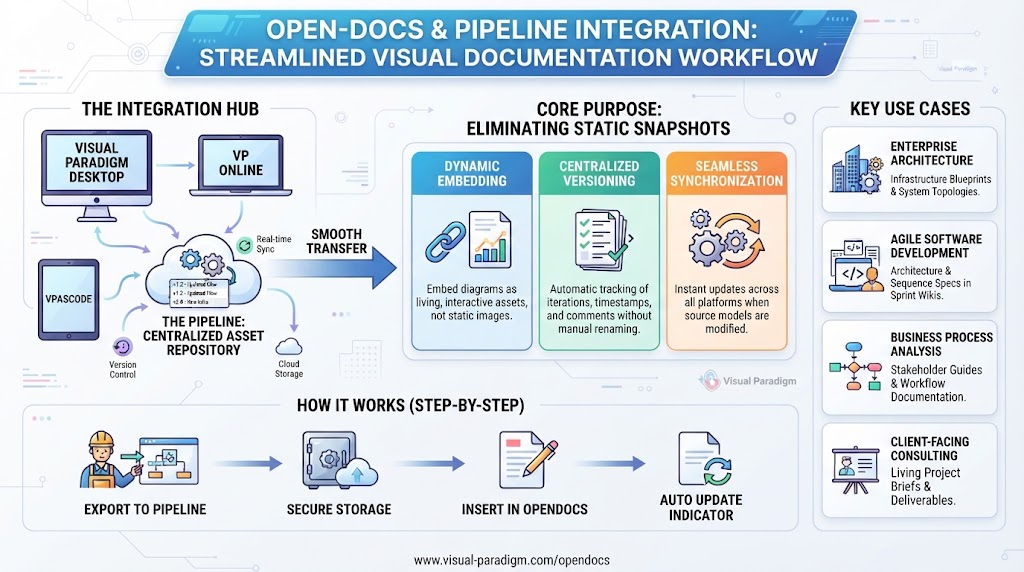
At the heart of the Visual Paradigm ecosystem lies the Pipeline Feature. Think of this not merely as a file transfer tool, but as a secure, cloud-based “connective tissue” or an automated assembly line.
- The Transport Hub: The Pipeline acts as the secure gateway that stores, tracks, and transfers design artifacts directly from your creation tools into your knowledge repositories.
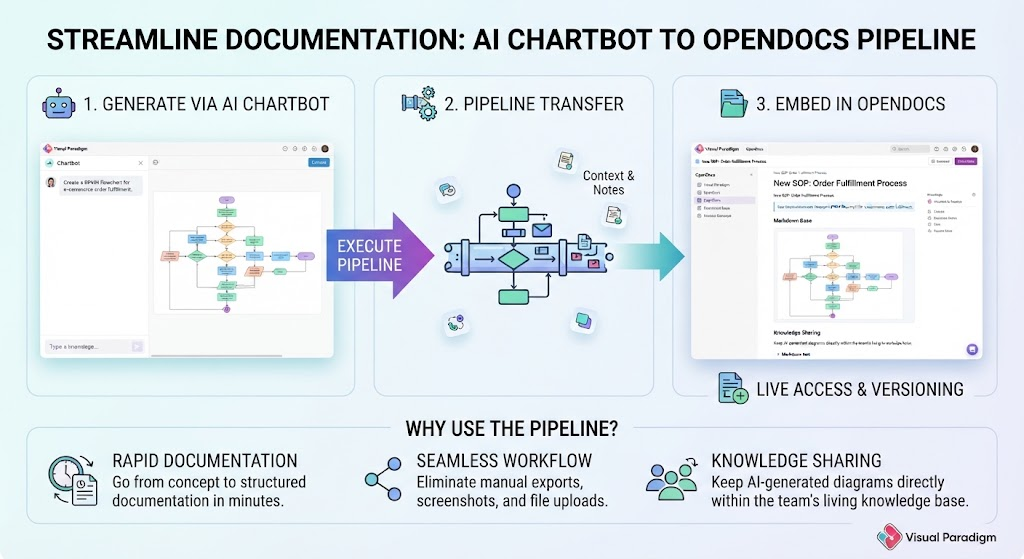
- Automated Workflow: It eliminates the need for manual file exports or downloads. Whether you are dealing with UML models, BPMN processes, or AI-generated graphics, the Pipeline ensures these artifacts move seamlessly into the documentation layer.
- Live Connectivity: Unlike traditional methods where a diagram is exported as a dead image file (like a JPEG or PNG), the Pipeline maintains the link between the model and the document.
2. What is OpenDocs? The Living Documentation Hub
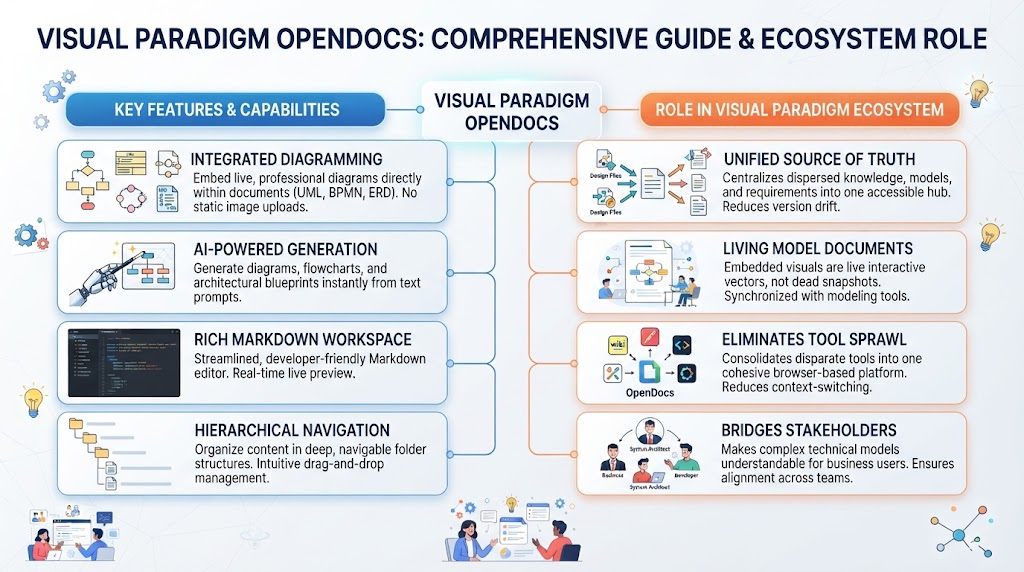
OpenDocs is designed to be the ultimate destination hub for your entire Visual Paradigm suite. It is a collaborative platform that fundamentally changes how we view technical documentation.
Diagram-Aware vs. Static Images
In traditional tools like Confluence or Google Docs, diagrams are often just static images. If the underlying system changes, the image in the document does not update automatically. OpenDocs treats visual artifacts as live, interactive components.
By combining a rich Markdown editor with diagram-aware capabilities, OpenDocs allows you to:
- Embed live UML and BPMN diagrams directly into text.
- Ensure that if the architecture model changes, the documentation updates globally and automatically.
- Create a “Single Source of Truth” where operational manuals and system specs coexist with living diagrams.
3. Integration: The Role in the Visual Paradigm Ecosystem
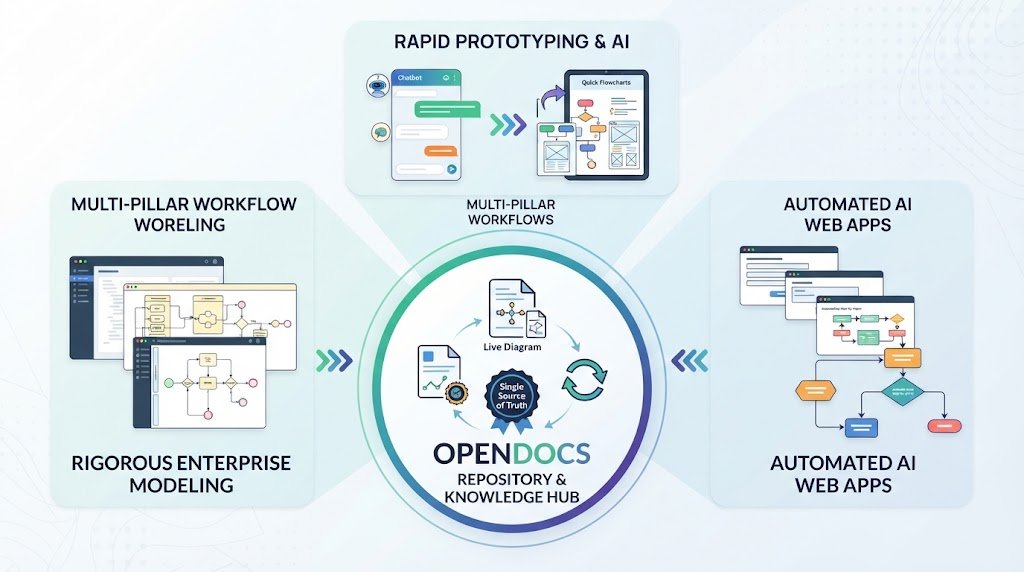
OpenDocs acts as the central aggregation point for multi-pillar workflows. It collects outputs generated across the entire Visual Paradigm suite, transforming raw artifacts into structured knowledge.
Key Integration Points
- Visual Paradigm Desktop: For rigorous enterprise modeling, architects build complex models which are then pushed via the Pipeline.
- VP Online & AI Diagram Chatbots: Rapid prototyping and AI-assisted generation happen here, with outputs immediately funneled into the documentation hub.
- Step-by-Step AI Web Apps: Automated workflows generated by AI are captured and organized.
The Philosophy: While modeling tools focus on how a system is built and AI tools focus on how it is generated, OpenDocs focuses on how it is communicated and maintained over time.
4. Practical Usage Cases
To understand the practical application of this architecture, let’s examine four specific scenarios where OpenDocs and the Pipeline are indispensable.
Case A: Living Software Architecture Specs
Enterprise architects often struggle with documentation lagging behind code. By modeling system components in the Desktop environment and pushing them through the Pipeline, architects can embed these diagrams directly into technical specs. If a microservice changes, updating the source model syncs the change globally, keeping the documentation current.
Case B: AI-Assisted Brainstorming & Documentation
For business analysts and product managers, the barrier to entry is often the complexity of modeling tools. OpenDocs integrates an AI assistant that allows users to converse, generate user journeys, or create flowcharts via text prompts. These concepts are instantly pinned into project wikis, bridging the gap between abstract ideas and structured documentation.
Case C: Cross-Functional Team Handoffs
One of the primary purposes of OpenDocs is to eliminate silos between developers, architects, and non-technical stakeholders (like executives or QA). Product teams can share a single, clean OpenDocs link. Reviewers can click directly into embedded diagrams to inspect deep operational logic without needing to install complex modeling software.
Case D: Standardized Business Process Management (BPMN)
Operations teams can map out compliance workflows and Standard Operating Procedures (SOPs) by pairing step-by-step Markdown guides with live process maps. This ensures that the “how-to” text is perfectly synchronized with the visual workflow logic.
Conclusion: Eliminating Information Silos
Visual Paradigm OpenDocs and its Pipeline feature represent a shift from static documentation to dynamic knowledge management. By centralizing operational manuals, system architecture specs, and project wikis alongside living diagrams, organizations can ensure that their documentation is not just a record of the past, but a living reference for the future.
Related posts:
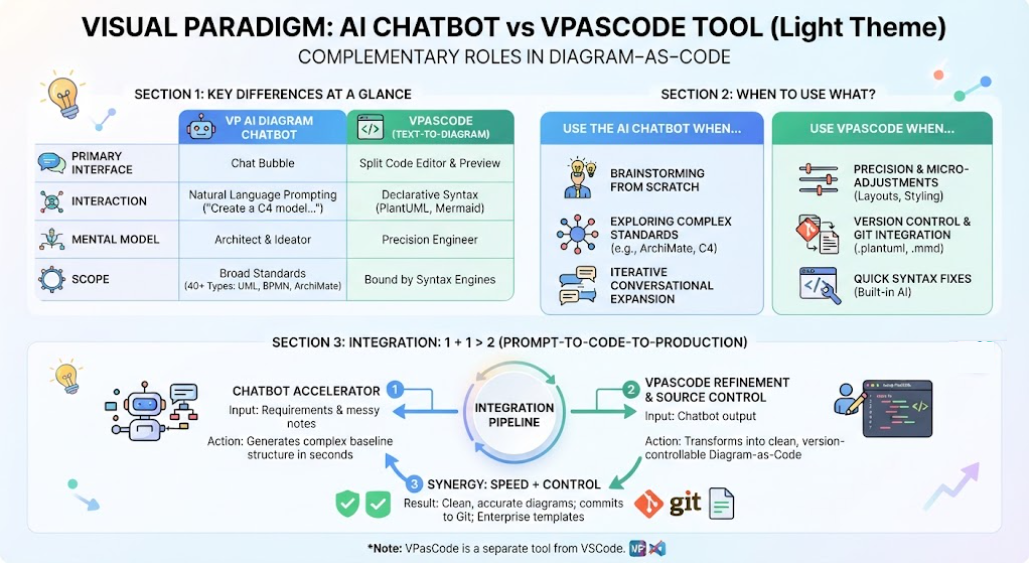 Mastering the Modern Modeling Workflow: AI Chatbot vs. VPasCode in Visual Paradigm
 Mastering Modern Documentation: A Deep Dive into Visual Paradigm OpenDocs Architecture
 Mastering Dynamic Documentation: A Deep Dive into Visual Paradigm’s OpenDocs & Pipeline Integration
 Mastering the AI-to-Documentation Pipeline: From Chatbot Prompts to Living Knowledge Bases