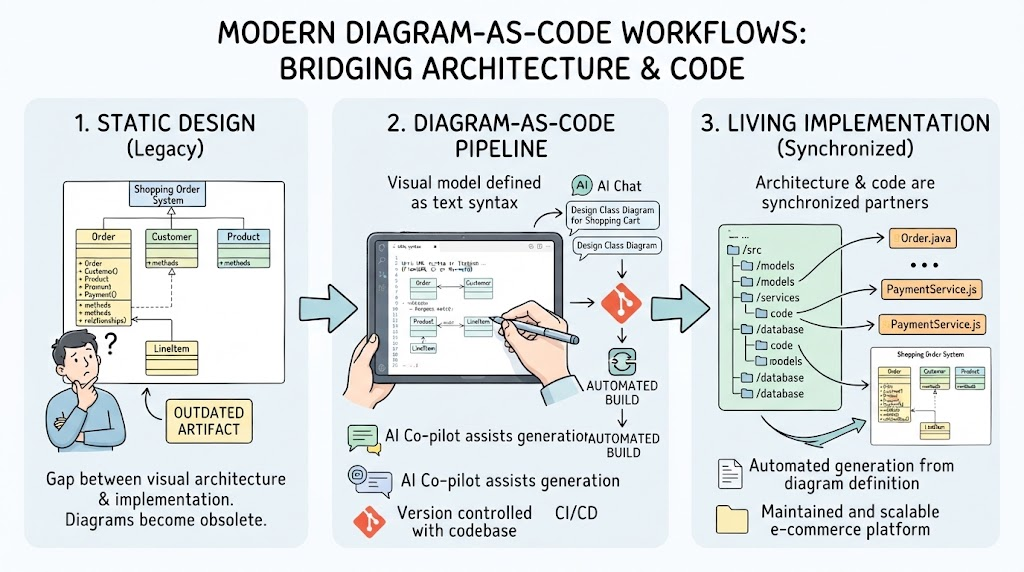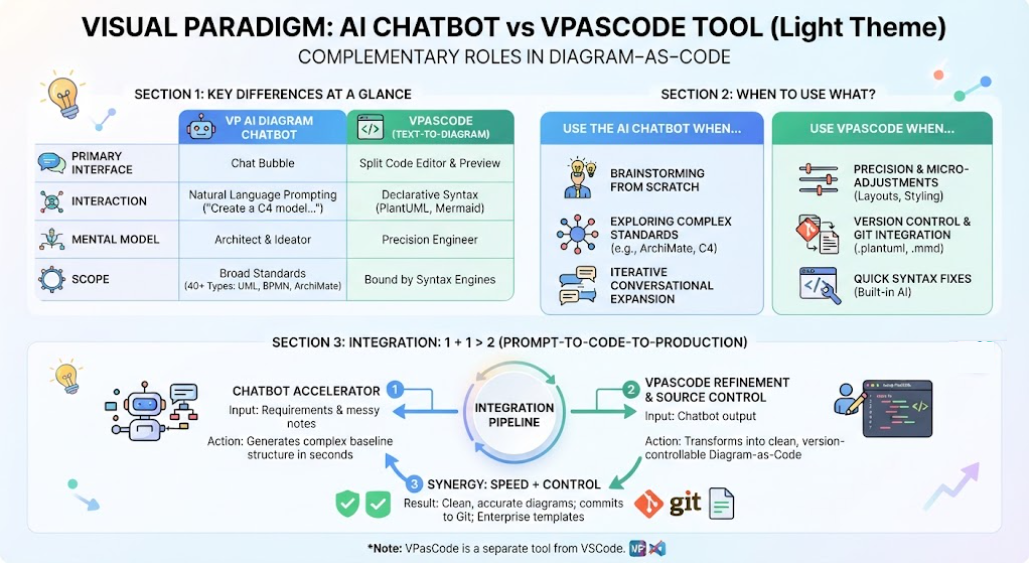
In the rapidly evolving landscape of software architecture and business process management, the gap between human thought and structured technical documentation has often been a bottleneck. The Visual Paradigm AI Chatbot represents a significant shift in how we approach diagramming. Unlike general-purpose conversational agents that excel at creative writing or general knowledge, this tool is purpose-built to bridge the gap between natural language descriptions and structured, standards-compliant software architecture.
This tutorial explores the system architecture, core capabilities, and strategic applications of this specialized modeling assistant, explaining how it transforms the way engineers and business analysts visualize complex systems.
Core Features & Capabilities
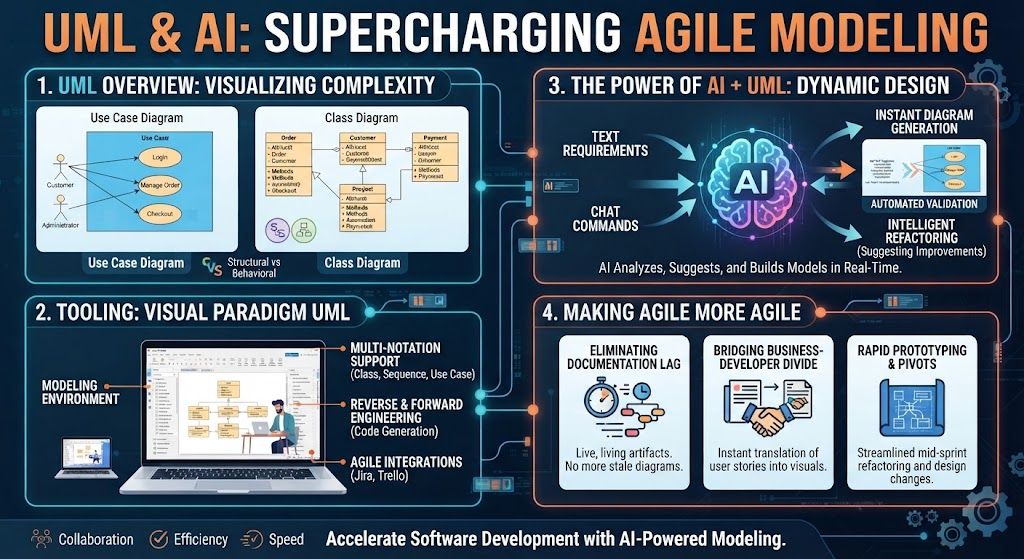
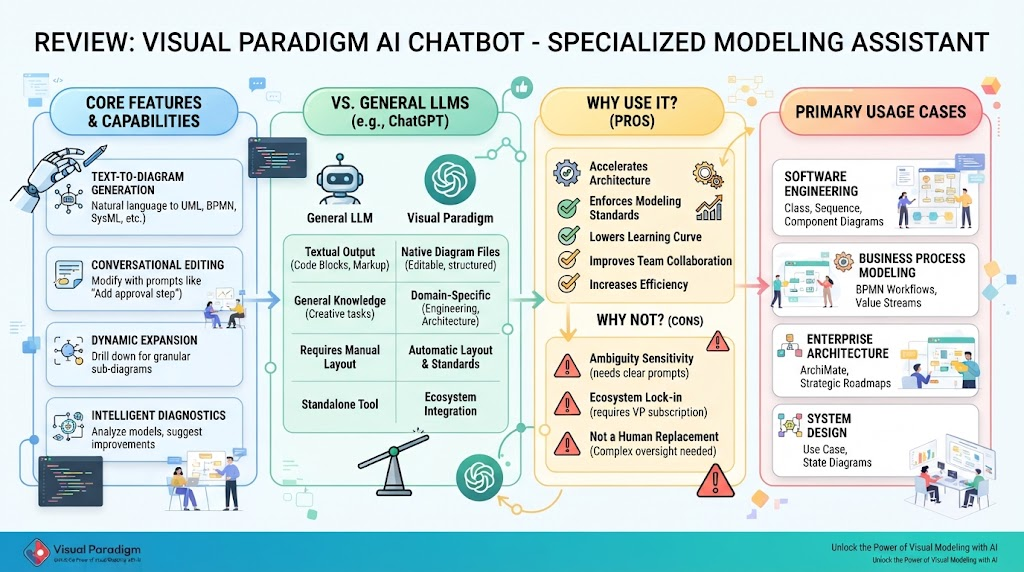
The Visual Paradigm AI Chatbot is not merely a text generator; it is an integrated engine capable of understanding and rendering complex modeling standards. Its primary functionalities are designed to streamline the creation of diagrams such as UML, SysML, C4, BPMN, and ArchiMate.
1. Text-to-Diagram Generation
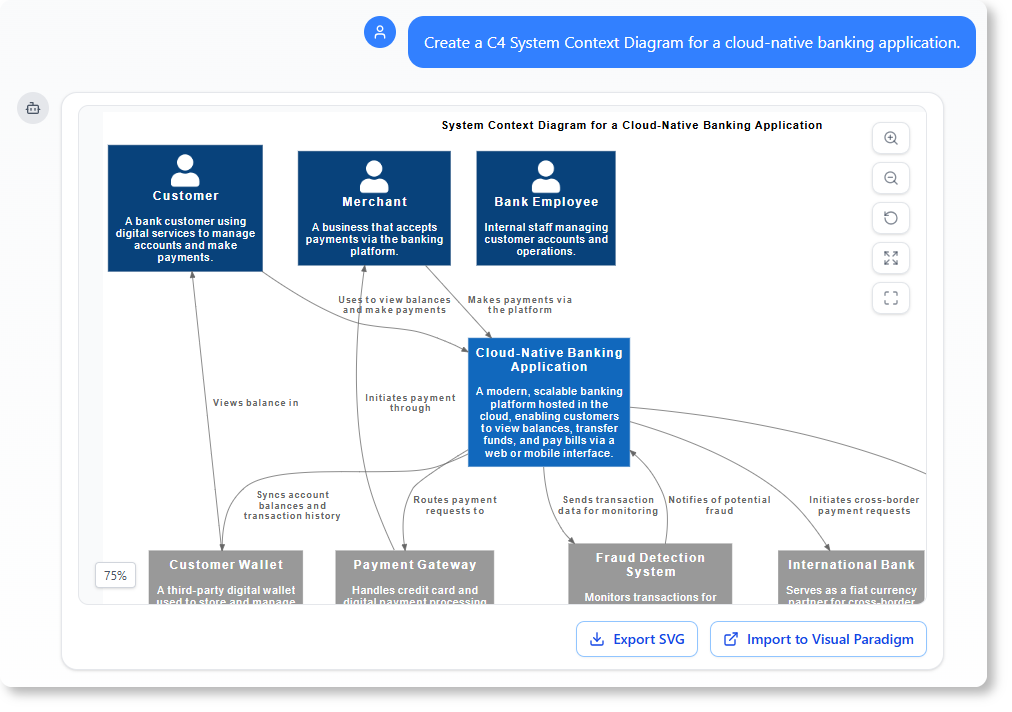
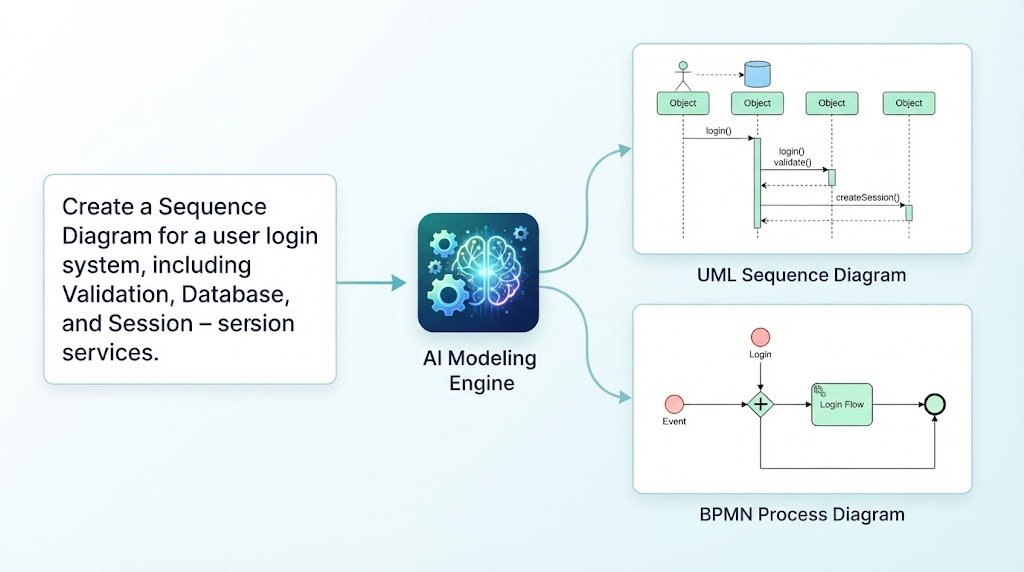
The most immediate benefit of the chatbot is its ability to instantly convert natural language descriptions or user stories into fully-rendered visual layouts. Instead of manually dragging and dropping shapes, users can describe a system, and the AI constructs the diagram structure.
- Example: Describing a “Login System” automatically generates the appropriate UML Class or Sequence diagram elements.
- Standards Compliance: It understands the strict syntax rules of modeling languages, ensuring that the generated diagrams are technically valid.
2. Conversational Editing & Refinement
Once a diagram is generated, the refinement process is handled through plain conversational commands. This removes the need to navigate complex toolbars or memorize specific menu paths.
- Dynamic Updates: Commands like “Add a payment gateway step” or “Rename class Customer to Buyer” update specific model elements and their cascading relationships dynamically.
3. Dynamic Expansion & Drill-Down
Complex systems are often hierarchical. The chatbot enables users to click into specific components or shapes within a high-level diagram to generate more granular sub-diagrams. This allows for a seamless structural deep dive without losing the context of the overall system.
4. Intelligent Diagnostics & Analysis
Beyond creation, the AI acts as a quality assurance engine. It analyzes existing models to highlight structural gaps and suggest missing relationships. For instance, it might recommend adding a standard <<include>> or <<extend>> connector where logic dictates a dependency.
Visual Paradigm AI Chatbot vs. General LLMs
To understand the value proposition, one must distinguish between specialized modeling assistants and general Large Language Models (LLMs) like ChatGPT or Claude.
| Feature | Visual Paradigm AI Chatbot | General LLMs |
|---|---|---|
| Primary Output | Fully structured, interactive, editable native diagram files (UML, BPMN, etc.). | Textual code blocks (PlantUML, Mermaid code) or crude layout approximations. |
| Domain Understanding | Deeply trained on software engineering and enterprise architecture standards. | Broad text-based pattern recognition with limited structural constraints. |
| Iterative Editing | Conversational commands update specific model elements and relationships. | Requires rewriting entire code blocks or prompting major text modifications. |
| Ecosystem Synergy | Direct integration into enterprise modeling suites for code generation and reverse-engineering. | Standalone text output; requires manual copying into external drawing tools. |
Strategic Analysis: Why Use It vs. Why Not?
Implementing AI-assisted modeling requires a balanced view of its advantages and limitations.
Why Use It? (Pros)
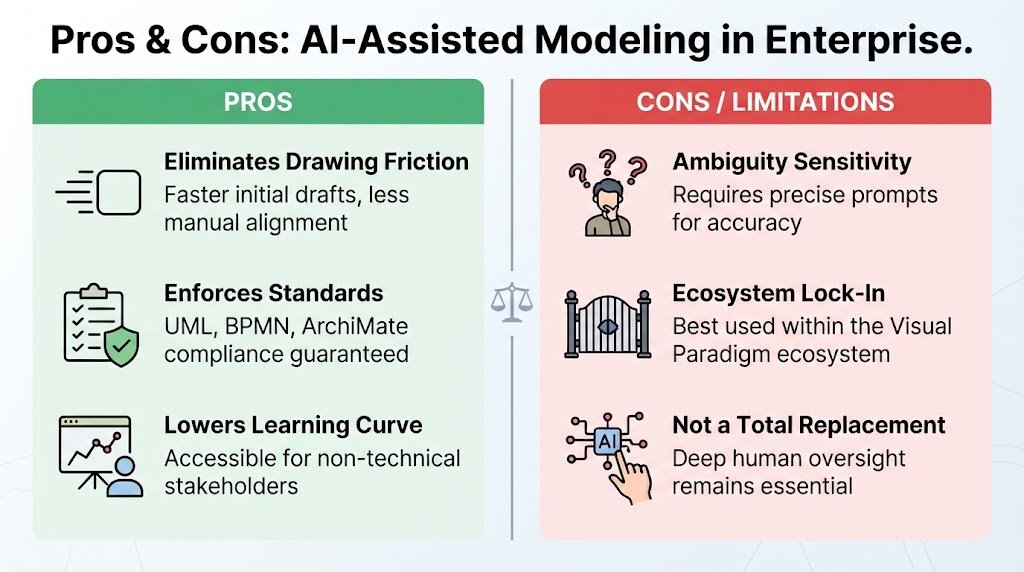
- Eliminates Drawing Friction: It drastically speeds up initial architecture drafts by removing manual shape dragging and alignment.
- Enforces Standards: It automatically applies strict notation rules for UML, BPMN, and ArchiMate, minimizing human error in diagram syntax.
- Lowers the Learning Curve: It allows non-technical stakeholders or junior developers to outline complex workflows without memorizing rigid syntax rules.
Why Not? (Cons / Limitations)
- Ambiguity Sensitivity: Highly ambiguous or poorly framed prompts can lead to inaccurate architectural interpretations that require manual cleanup.
- Ecosystem Lock-In: It functions best as part of the paid Visual Paradigm subscription ecosystem rather than an open standalone tool.
- Not a Total Replacement: Complex enterprise environments still require deep human oversight and custom refinement beyond what an AI generation pass provides.
Primary Use Cases
The versatility of the Visual Paradigm AI Chatbot makes it applicable across various disciplines within the technology and business sectors.
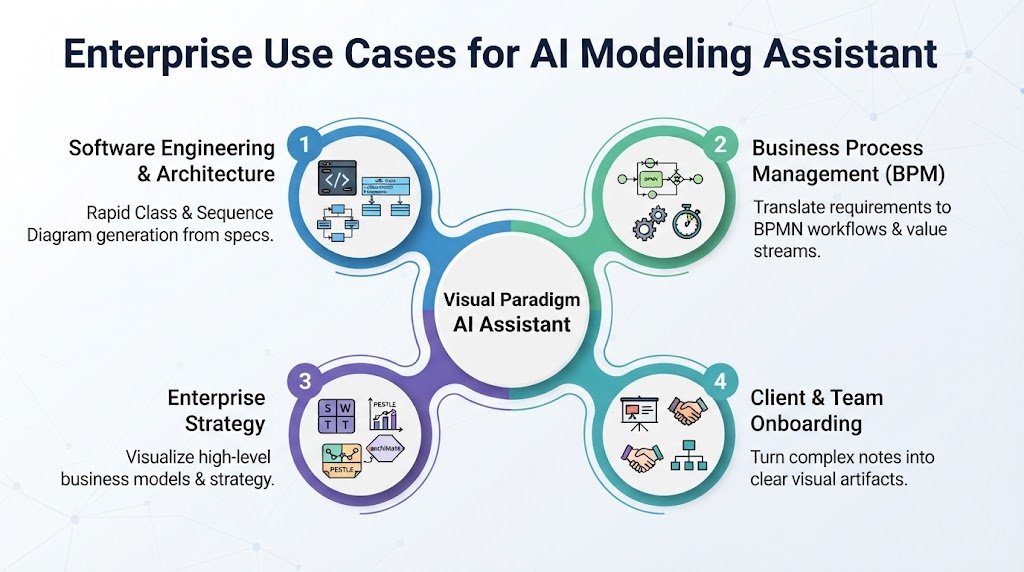
1. Software Engineering & Architecture
Developers can rapidly generate class, sequence, and component diagrams directly from early technical feature specifications. This accelerates the “blueprint” phase of the software development lifecycle.
2. Business Process Management (BPM)
Business analysts can translate textual requirements into clear BPMN workflows or value stream maps. This is particularly useful during stakeholder alignment meetings where visual clarity is paramount.
3. Enterprise Strategy
Strategists can quickly map out business models using frameworks like SWOT, PESTLE, or ArchiMate structural viewpoints to visualize the high-level enterprise architecture.
4. Client & Team Onboarding
Technical teams can turn complex architecture notes into clear visual artifacts to present software capabilities to non-technical audiences, facilitating better communication and understanding.