In the fast-paced ecosystem of modern software development, the gap between conceptual ideation and technical implementation is often a source of significant friction. Traditional modeling tools can feel cumbersome, while natural language discussions often fail to capture the structural precision required for engineering. However, a new paradigm is emerging that bridges this gap by integrating Conversational AI, Diagram-as-Code, and Living Documentation.
This tutorial explores the architecture of the Visual Paradigm Unified Platform, a system designed to transform natural language ideas into structured, maintainable, and shareable system models. We will walk through the four distinct pillars of this workflow and how they interact to create a seamless design environment.
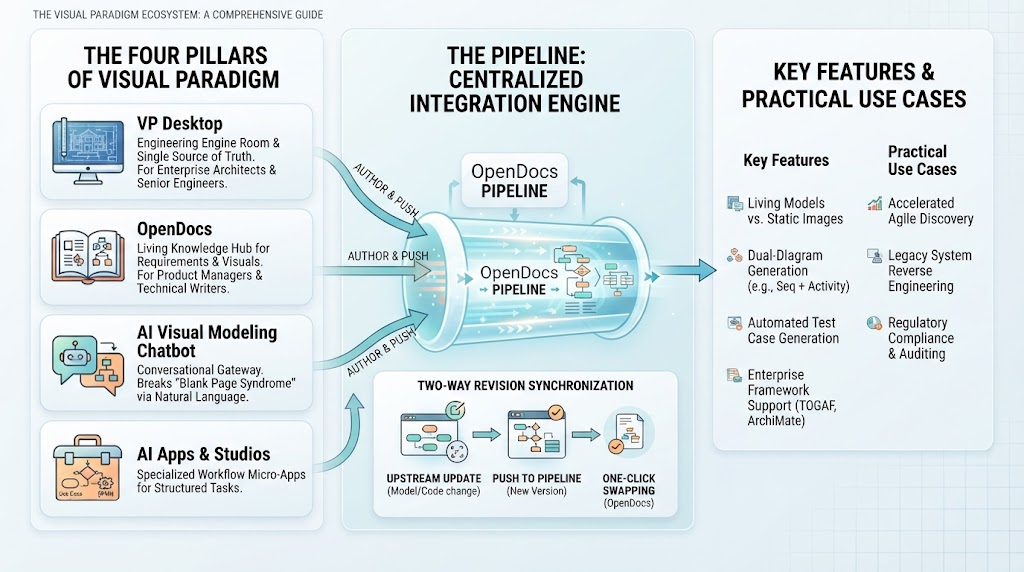
The Four Pillars of the Visual Paradigm Unified Ecosystem
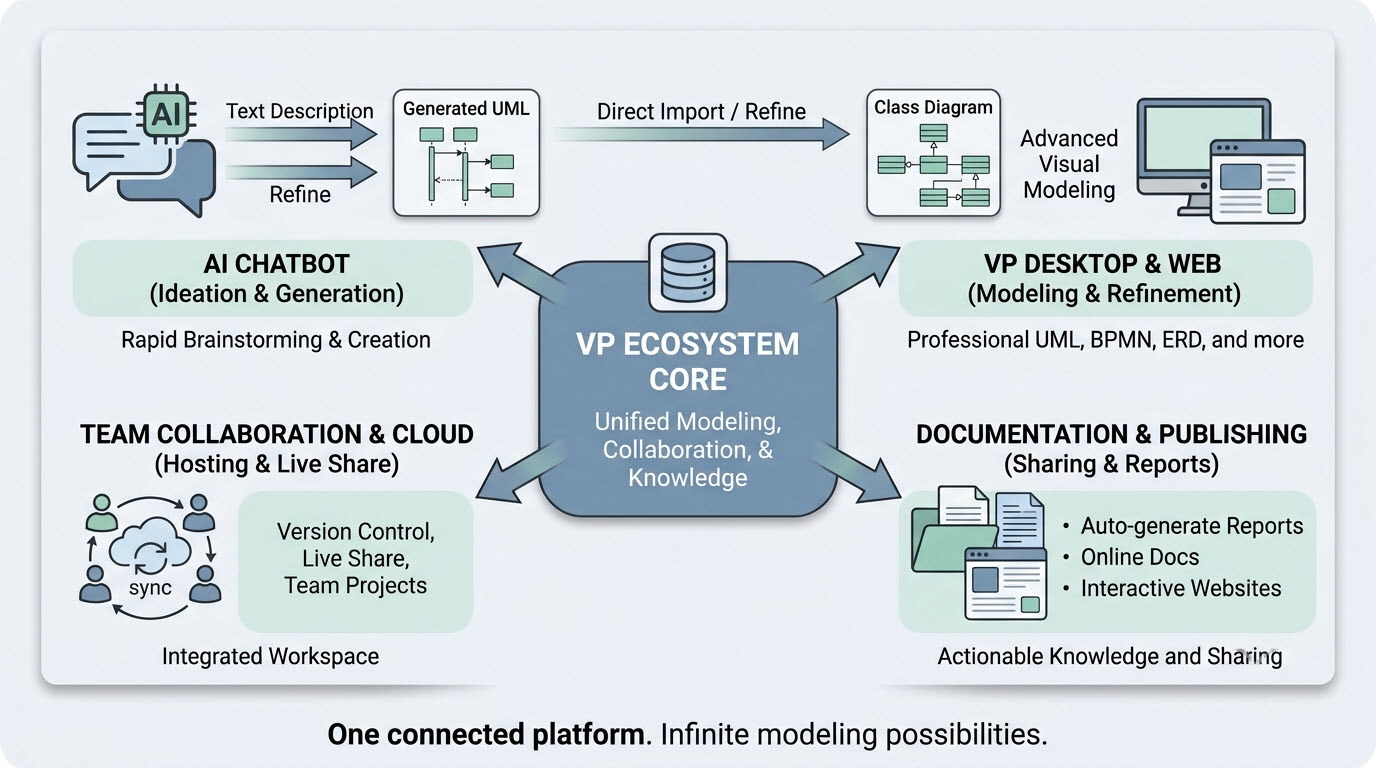
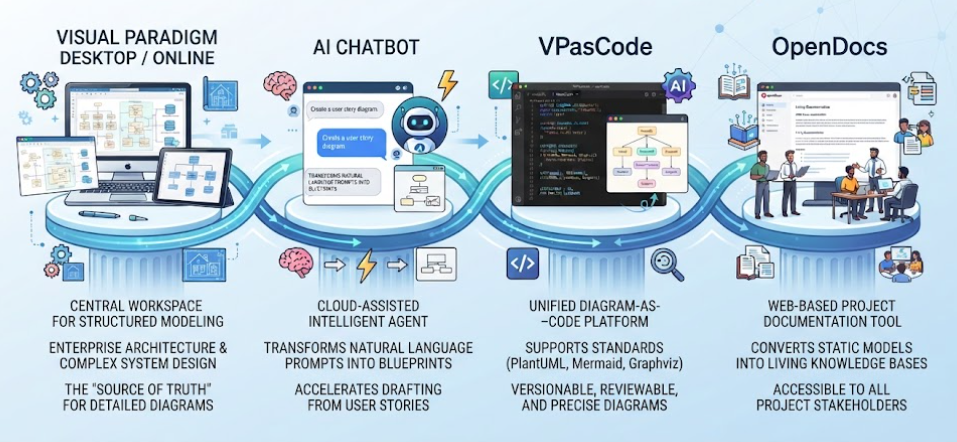
To understand how this workflow functions, we must first deconstruct the four key components illustrated in the system architecture. Each pillar serves a specific role in the lifecycle of software modeling.
1. Visual Paradigm Desktop / Online: The Central Workspace
This is the “Source of Truth” for the entire ecosystem. Acting as the central hub, the Desktop and Online versions of Visual Paradigm provide a robust environment for structured modeling and enterprise architecture.
- Function: It hosts complex system designs, enterprise architecture, and detailed diagrams.
- Role: Unlike disconnected tools, this workspace ensures that all models are stored centrally, allowing for real-time collaboration and a single version of the system design.
2. AI Chatbot: The Cloud-Assisted Intelligent Agent
At the heart of the rapid prototyping phase is the AI Chatbot. This component transforms the way developers and architects interact with modeling tools by leveraging Large Language Models (LLMs).
- Function: It transforms natural language prompts into blueprints. Instead of manually dragging and dropping shapes, a user can simply type a request like “Create a user story diagram”.
- Role: It accelerates the drafting process, allowing teams to move from abstract user stories to concrete visual models instantly.
3. VPasCode: The Unified Diagram-as-Code Platform
For teams that prefer precision and version control, VPasCode represents the engineering-grade layer of the platform. It treats diagrams as code, enabling a developer-centric workflow.
- Function: It supports industry-standard syntaxes such as PlantUML, Mermaid, and Graphviz.
- Role: This allows diagrams to be versionable, reviewable, and precise. Developers can maintain their models using Git, review changes via pull requests, and ensure that the visual documentation stays in sync with the codebase.
4. OpenDocs: The Web-Based Project Documentation Tool
The final pillar, OpenDocs, bridges the gap between technical models and business stakeholders. It converts static, often hard-to-maintain models into Living Knowledge Bases.
- Function: It renders models into a web-friendly format that is accessible to all project stakeholders.
- Role: By converting static models into dynamic web pages, OpenDocs ensures that documentation is never outdated, fostering seamless alignment between product management, engineering, and clients.
Step-by-Step: The Integrated Workflow
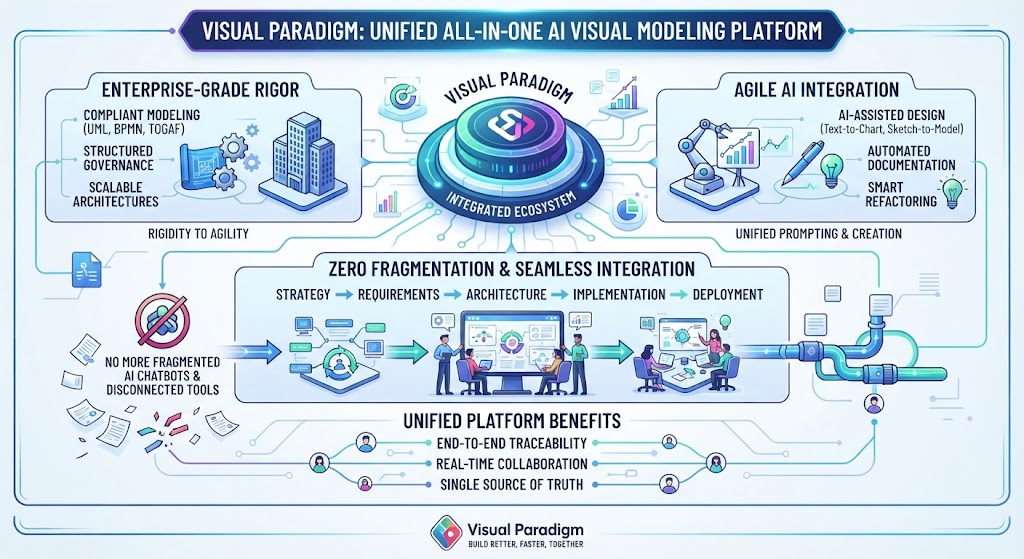
Understanding the individual tools is only half the battle. The true power of the Visual Paradigm Unified Platform lies in how these components connect to form a continuous loop of design and documentation.
Step 1: Ideation and Natural Language Input
The process begins with the AI Chatbot. A product owner or architect inputs a requirement or user story. The AI agent interprets this natural language and generates a preliminary blueprint. This reduces the “friction of creation,” allowing the team to focus on the logic of the system rather than the mechanics of drawing.
Step 2: Structured Modeling in the Workspace
Once the AI generates the initial draft, it flows into the Visual Paradigm Desktop/Online workspace. Here, the model is refined, validated, and expanded into a comprehensive system architecture. This ensures that the “Source of Truth” is accurate and complete.
Step 3: Engineering Precision via VPasCode
For the engineering team, the model is then brought into VPasCode. Here, the diagram is represented as code. This is critical for DevOps integration. Teams can use standard Git workflows to manage changes to the architecture, ensuring that the design evolves alongside the software implementation.
Step 4: Dissemination through OpenDocs
Finally, the finalized, version-controlled model is published via OpenDocs. Stakeholders access a live, interactive web page that displays the current state of the system. This creates a feedback loop where non-technical users can validate the design without needing specialized modeling software.
Conclusion: The Future of System Architecture
By integrating these four pillars, the Visual Paradigm Unified Platform offers a solution that is not just a tool, but a comprehensive workflow. It moves away from the siloed approach of “drawing in Visio and coding in IDEs” and moves toward a unified environment where ideation, engineering, and documentation exist in a single, cohesive ecosystem.
Whether you are leveraging the speed of Conversational AI, the precision of Diagram-as-Code, or the clarity of Living Documentation, this architecture empowers teams to build better systems, faster.