


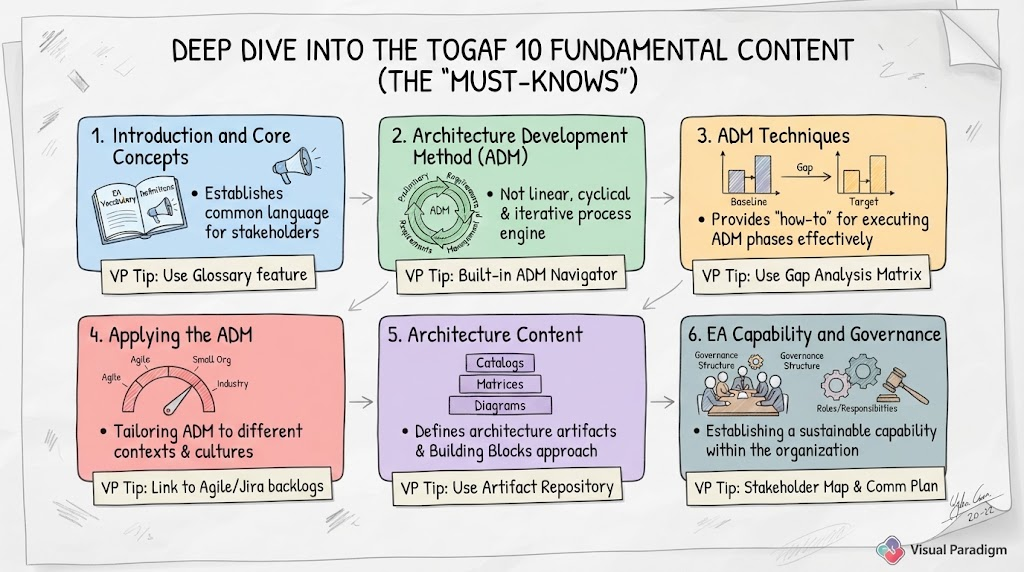
Welcome to this deep dive into the TOGAF 10 Fundamental Content. If you are an Enterprise Architect, a TOGAF practitioner, or simply looking to understand how modern organizations structure their technology and business goals, you have arrived at the right place. This tutorial will break down the six core documents that form the heart of the TOGAF 10 standard, explaining not just what they are, but how to apply them effectively using industry-leading tooling.
Introduction: The “Must-Knows” of Enterprise Architecture
TOGAF 10 is not a single book; it is a suite of content designed to guide you from the initial spark of an idea to the governance of a sustainable architecture function. The Fundamental Content consists of six distinct but interconnected areas. Think of these six areas as the engine room of your architecture practice.
In this guide, we will walk through each of these six pillars. We will also introduce a powerful practical tip for each: how to leverage Visual Paradigm to automate, visualize, and streamline these complex processes.
1. Introduction and Core Concepts
The journey begins with the basics. Before you can build a skyscraper, you must understand the materials and the language of construction. Similarly, before building an Enterprise Architecture, you must establish a common language.
Key Concept: Establishing Common Vocabulary
This section provides the executive overview and the “dictionary” of the TOGAF world. It defines terms like Enterprise, Architecture, and Building Block. Without this shared vocabulary, stakeholders (business leaders, IT teams, and architects) will talk past each other, leading to misalignment.
Visual Paradigm Tip: The Glossary Feature
How do you ensure everyone uses the same definitions? Visual Paradigm offers a centralized Glossary feature. Instead of defining terms in scattered documents, you can maintain a repository of terms directly within your project. This ensures that when you create an artifact, the terminology is consistent and standardized across your entire architecture.
2. Architecture Development Method (ADM)
If the previous section was the dictionary, the ADM is the engine. It is the repeatable, iterative process engine that drives the development of enterprise architectures. It consists of a cycle of phases, ranging from the Preliminary Phase to Requirements Management.
Key Concept: Iterative, Not Linear
A common misconception is that the ADM is a straight line from A to Z. It is not. The ADM is cyclical and iterative. It allows for continuous refinement as new information comes to light. You might start in Phase B (Business Architecture), realize you need more data, loop back, and then move forward again.
Visual Paradigm Tip: The Built-in ADM Navigator
Don’t get lost in the phases. Visual Paradigm provides a built-in ADM Navigator that guides users through each phase, ensuring no step is missed. You can create ADM projects directly from the toolbar by selecting the TOGAF 10 template, which automatically sets up the structure for you.
3. ADM Techniques
Once you have the process (ADM), you need the tools to execute it. This section defines the specific techniques to support ADM execution. This includes Gap Analysis, Stakeholder Management, and Business Scenarios.
Key Concept: The “How-To”
These techniques provide the practical “how-to” for executing ADM phases effectively. For example, how do you actually perform a Gap Analysis? The ADM tells you to do it, but the Techniques section tells you how to do it.
Visual Paradigm Tip: The Gap Analysis Matrix
Visual Paradigm includes a specialized Gap Analysis Matrix. Instead of manually comparing baseline and target architectures in a spreadsheet, you can use the tool to visually compare them. The tool can auto-generate heatmaps and difference reports, saving you hours of manual work and highlighting critical gaps instantly.
4. Applying the ADM
Every organization is unique. A Fortune 500 bank operates differently than a small startup, and a government agency has different constraints than a software firm. This section provides guidance on tailoring the ADM to different contexts.
Key Concept: Adaptation is Key
The core concept here is that “one size does not fit all.” The ADM must be adapted to fit the organization’s culture and pace. You might need to run the ADM in a fast-paced Agile environment or scale it down for a small organization.
Visual Paradigm Tip: Agile Integration
Visual Paradigm supports Agile integration seamlessly. You can link ADM artifacts directly to user stories and backlogs in tools like Jira. This allows architects to maintain traceability between high-level architecture and the agile delivery team, ensuring that the “big picture” never gets lost in the sprint.
5. Architecture Content
Architecture is not just about thinking; it is about communication. This section defines the types of architecture artifacts (catalogs, matrices, diagrams) and the Building Blocks approach.
Key Concept: Structured Communication
Architecture is communicated through structured artifacts that provide clarity and consistency. Whether it’s a catalog of applications or a matrix of processes and data, these artifacts are the tangible output of the ADM.
Visual Paradigm Tip: The Artifact Repository
To manage these artifacts, you need a home. Use Visual Paradigm’s Artifact Repository to store and manage all architecture building blocks (ABBs) and solution building blocks (SBBs). The tool ensures reusability and version control, so you always know which version of an architecture is the current one.
6. Enterprise Architecture Capability and Governance
The final pillar is about sustainability. This section provides guidance on setting up and running the EA function, including roles, responsibilities, and governance structures.
Key Concept: Beyond Diagrams
The key takeaway is that EA is not just about diagrams. It is about establishing a sustainable capability within the organization. It requires defined roles, governance boards, and a clear structure to ensure the architecture remains relevant over time.
Visual Paradigm Tip: Stakeholder Maps
Use Visual Paradigm’s Stakeholder Map and Communication Plan templates to define and manage stakeholder engagement. The tool helps visualize influence and interest levels, aiding in effective governance and ensuring the right people are involved at the right time.
Recommended Tooling: Visual Paradigm TOGAF ADM Tool
As you navigate these six pillars, you need a tool that keeps up with the complexity of the standard. Visual Paradigm is designed specifically to support the TOGAF 10 Fundamental Content, offering features like the ADM Navigator, Gap Analysis Matrix, and Artifact Repository to make your journey from theory to practice seamless.
Related posts:
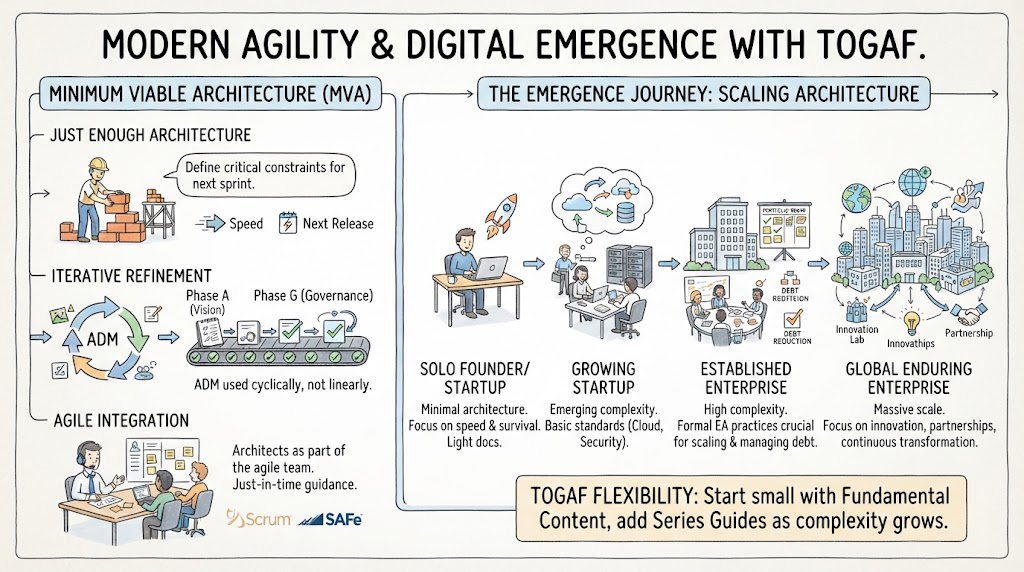 Mastering Modern Agility: A Tutorial on Minimum Viable Architecture and the Digital Emergence Journey
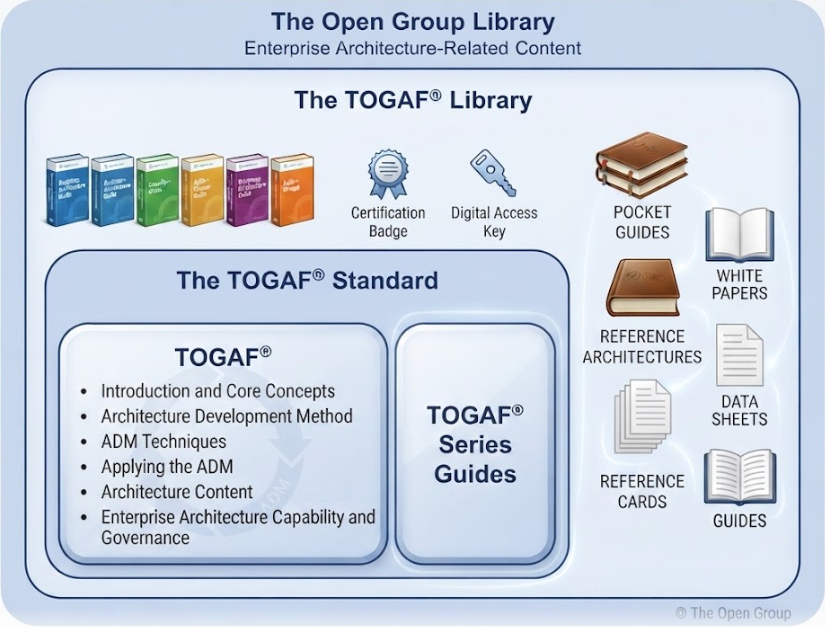 Mastering TOGAF 10: Navigating the Modular Library and Architecture Content
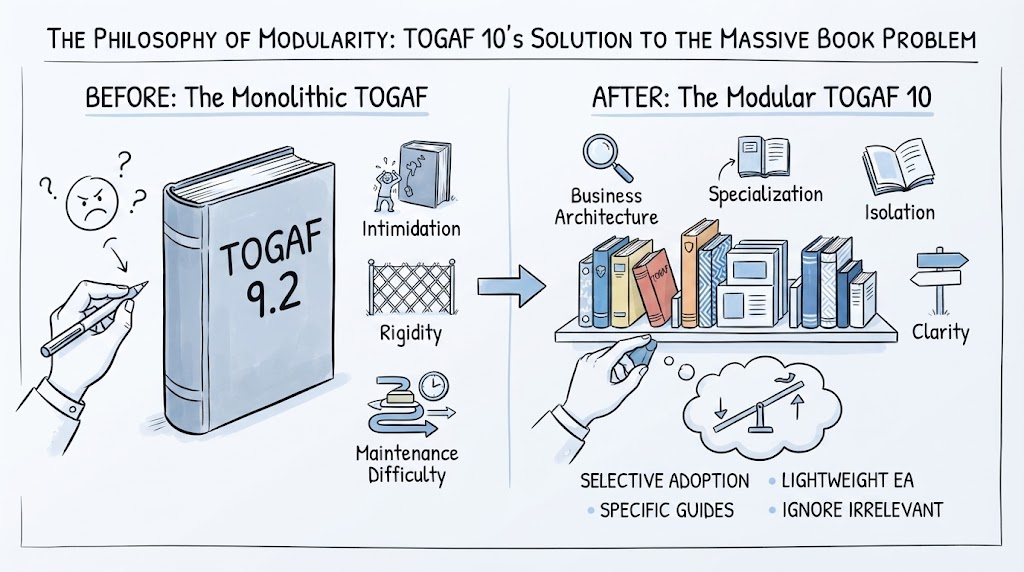 Mastering Modularity: How TOGAF 10 Solves the “Massive Book Problem” with Strategic Flexibility
 Navigating TOGAF 10: A Deep Dive into the Three-Tier Hierarchy System