The Power of Instant Visualization
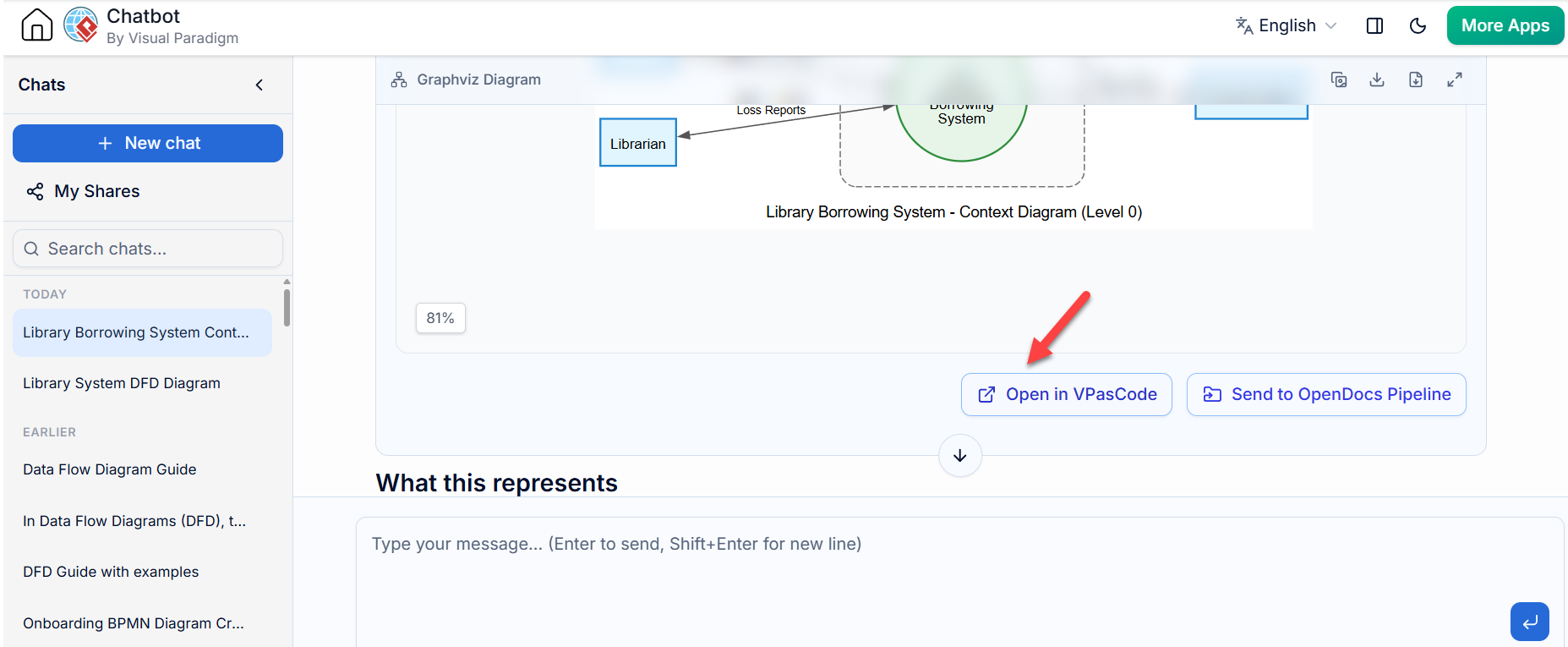
When we are in the early stages of software analysis, our primary goal is often clarity. We want to see our ideas come to life immediately. In the context of Visual Paradigm’s AI capabilities, generating a diagram like a Context Diagram (Level 0) is just the beginning. The screenshot we are looking at demonstrates a critical workflow step: taking that initial AI-generated output and moving it into a professional environment where you can truly own it.
You might be wondering, “I have this nice-looking diagram on my screen; what do I do with it next?” This is where the bridge between conversational AI and structured modeling comes into play.
Understanding the Workflow
Let’s look at the specific interface elements shown here. You have generated a Library Borrowing System – Context Diagram. It displays the external entity, such as the ‘Librarian’, interacting with the central process, the ‘Borrowing System’. This is a classic Level 0 Data Flow Diagram (DFD).
However, diagrams generated within a chat interface are often static or limited in terms of deep editing features. To take full advantage of your system design, you need to move this artifact into the core modeling engine. Notice the button highlighted by the red arrow: “Open in VPasCode”.
Bridging the Gap with VPasCode
This feature represents a significant leap in productivity. Instead of manually redrawing your diagram based on the image provided by the AI, you can export the underlying model data directly.
- Seamless Transition: Clicking “Open in VPasCode” allows you to instantly transfer the graph structure. You don’t lose the relationships or the flow direction you just defined.
- Advanced Modeling: Once opened in VPasCode, the diagram transforms from a simple visualization into a fully editable model. You can refine the data flows, add more complex processes, or integrate it into a larger project hierarchy.
- Graphviz Integration: The label “Graphviz Diagram” at the top indicates the format being used. This ensures compatibility and high-quality rendering when you move between different parts of the Visual Paradigm ecosystem.
Why This Matters for Your Analysis
In systems engineering, precision is key. A context diagram provides the boundaries of your system, but it is rarely the final deliverable. By using the export functionality, you ensure that your documentation remains consistent. If you decide later to break down the “Borrowing System” into sub-processes (creating a Level 1 DFD), having the exported file means you can start building those details without losing the original scope.
This workflow—Generate -> Review -> Export -> Refine—is the backbone of efficient modern system design. It allows you to leverage AI for rapid prototyping while retaining the robust power of Visual Paradigm for detailed specification.
Key Takeaways
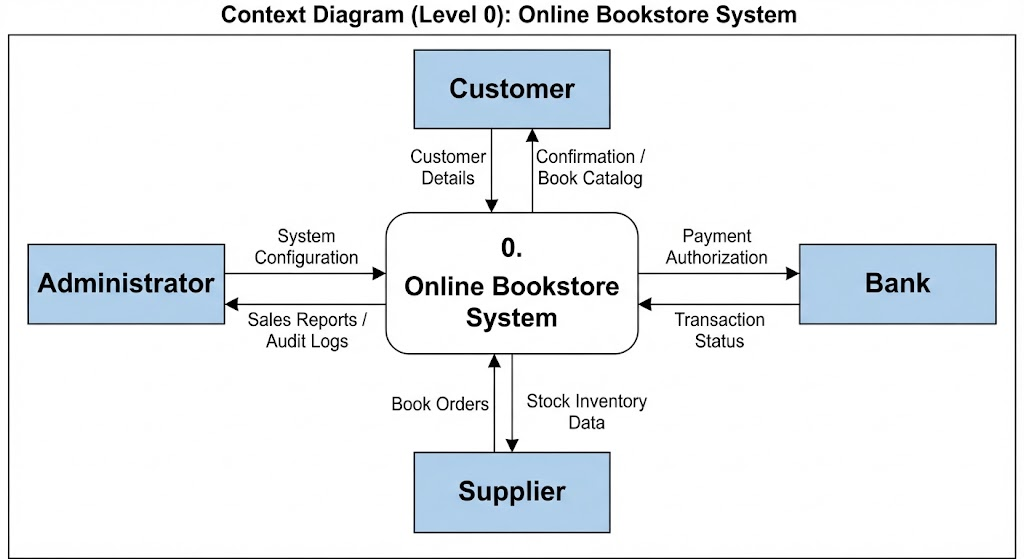
- Context Diagrams: Understand that a Level 0 DFD defines the system boundary and its interaction with external entities.
- Export Capability: Utilize the “Open in VPasCode” button to move diagrams from the chat interface to the main editor.
- Efficiency: Avoid manual recreation of diagrams; use the export feature to save time and maintain accuracy.