Introduction: The Power of Code-Based Modeling
Welcome, future architects. Today, we are going to explore a fascinating intersection of software engineering and visual design. We often think of diagramming tools as drawing boards where you drag and drop shapes. However, in modern development, speed and precision are paramount. This is where the concept of “Diagram-as-Code” comes into play.
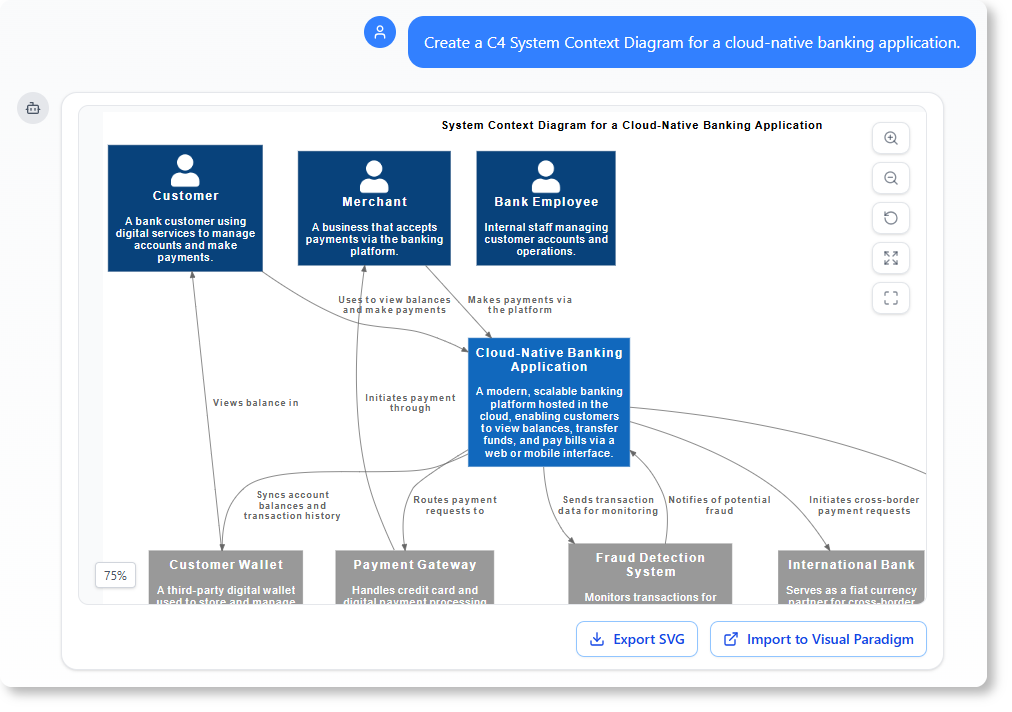
In this session, we will walk through a specific example: an E-Commerce Platform architecture. We’ll be looking at how VPasCode, a tool from Visual Paradigm, allows us to define complex system structures using simple text, which then instantly renders into a professional C4 Container Diagram.
Understanding the Context: What is C4?
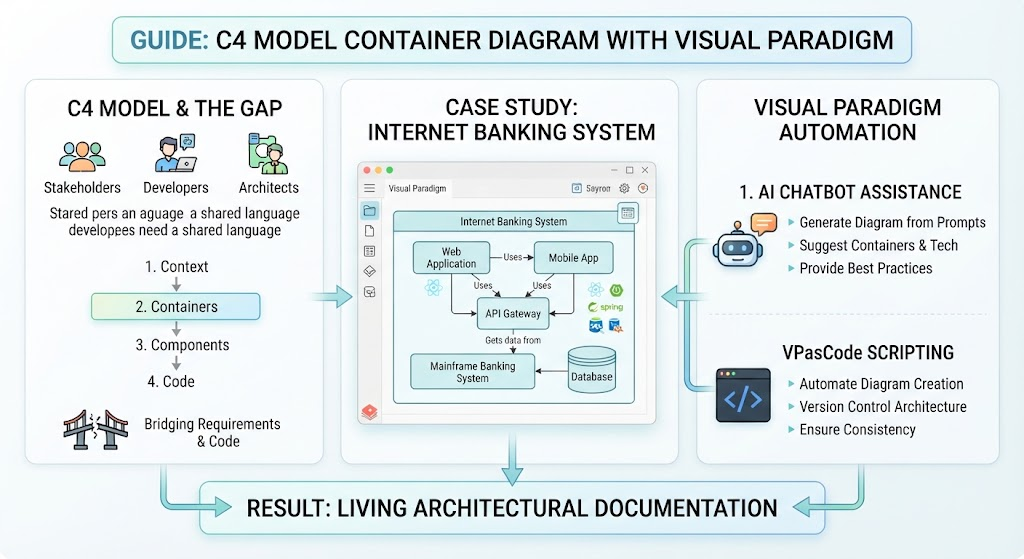
Before we dive into the code, let’s briefly ground ourselves in the methodology. The C4 model is designed to help us visualize software architecture at different levels of abstraction. While there are several levels (Context, Container, Component, Code), today we are focusing on the Container level.
A Container represents a distinct, deployable unit of software—like a web application, a mobile app, or a database. It acts as a boundary between your internal systems and external users or other services. Understanding these boundaries is crucial for designing scalable systems.
Step-by-Step: Building the E-Commerce Architecture
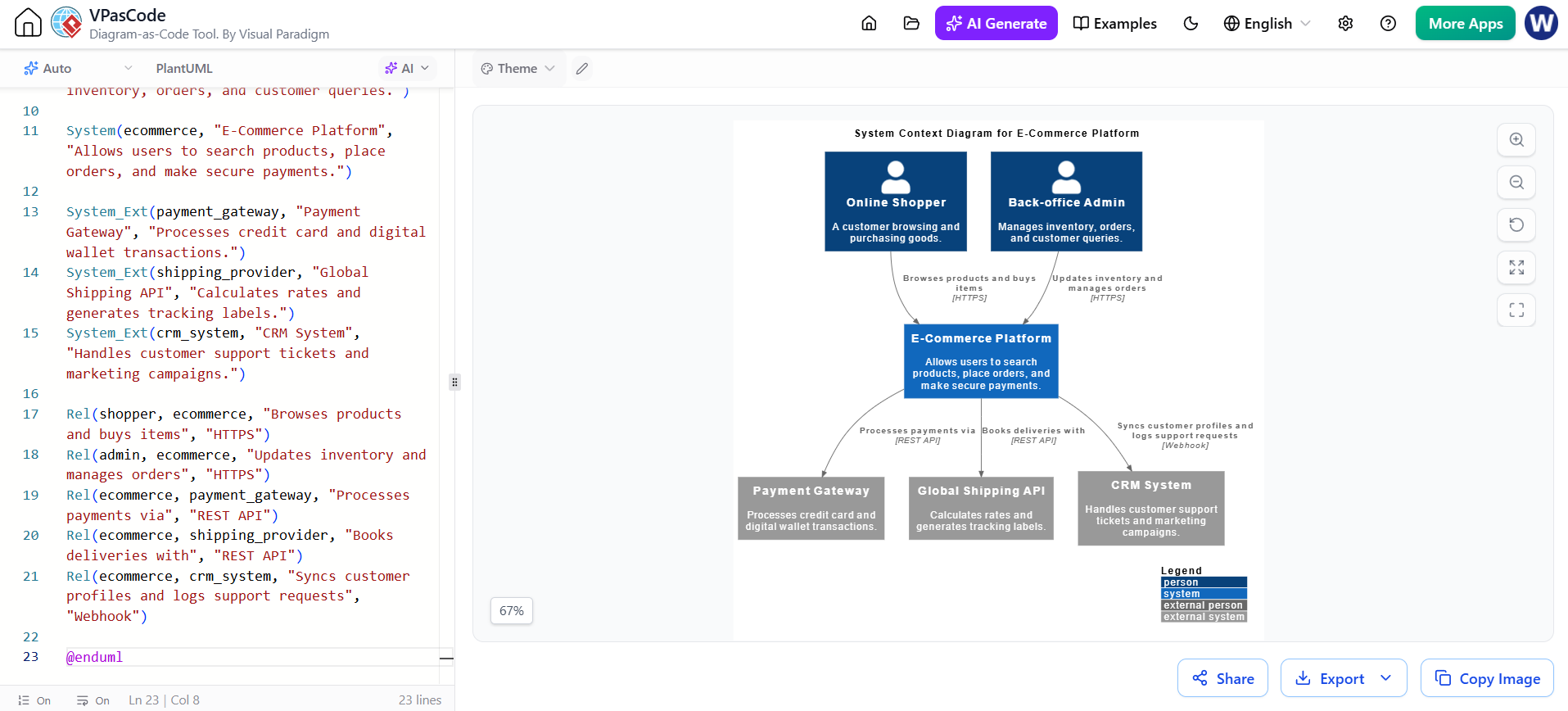
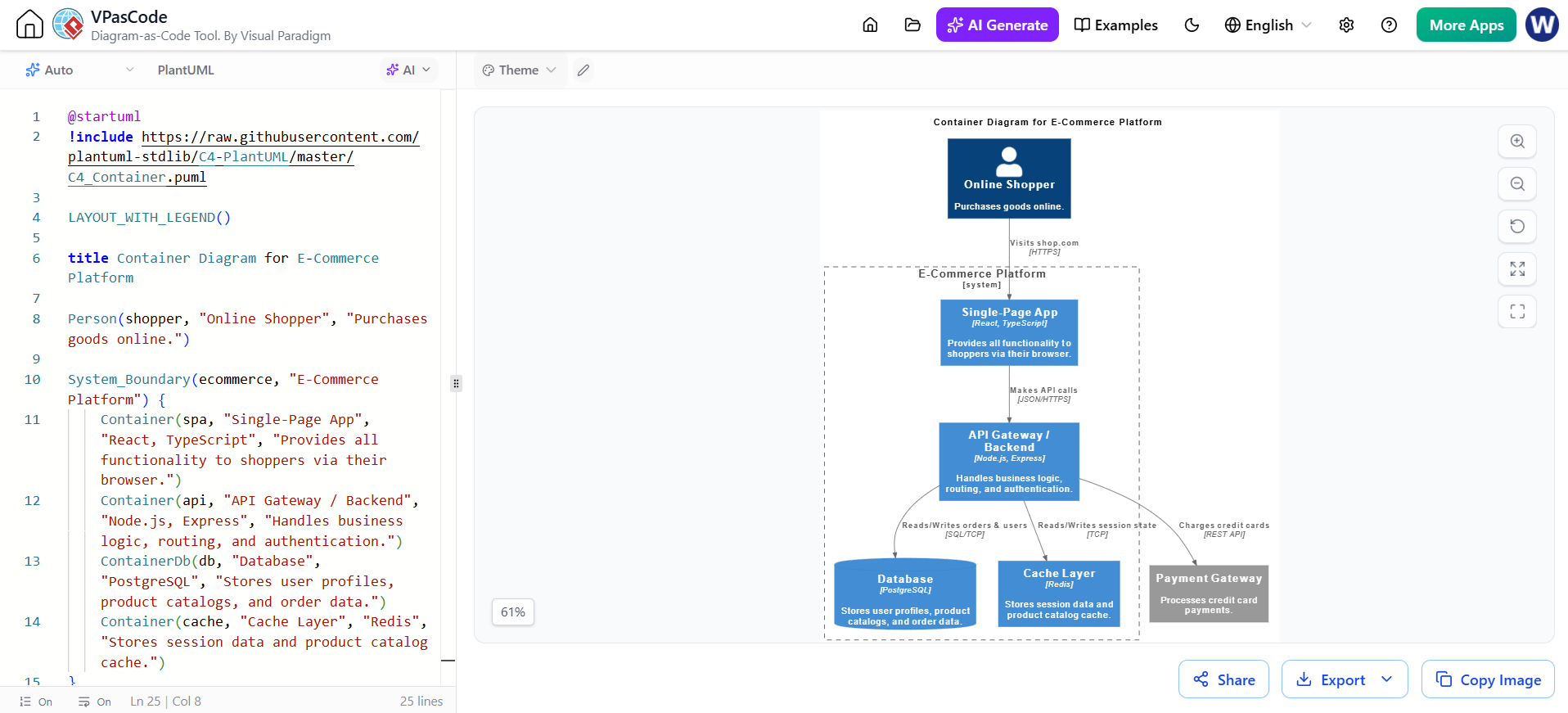
Let’s look at the left side of our interface, where the magic happens. Instead of clicking buttons, we are writing PlantUML code. This isn’t just syntax; it’s a structured way to define relationships.
1. Setting the Stage
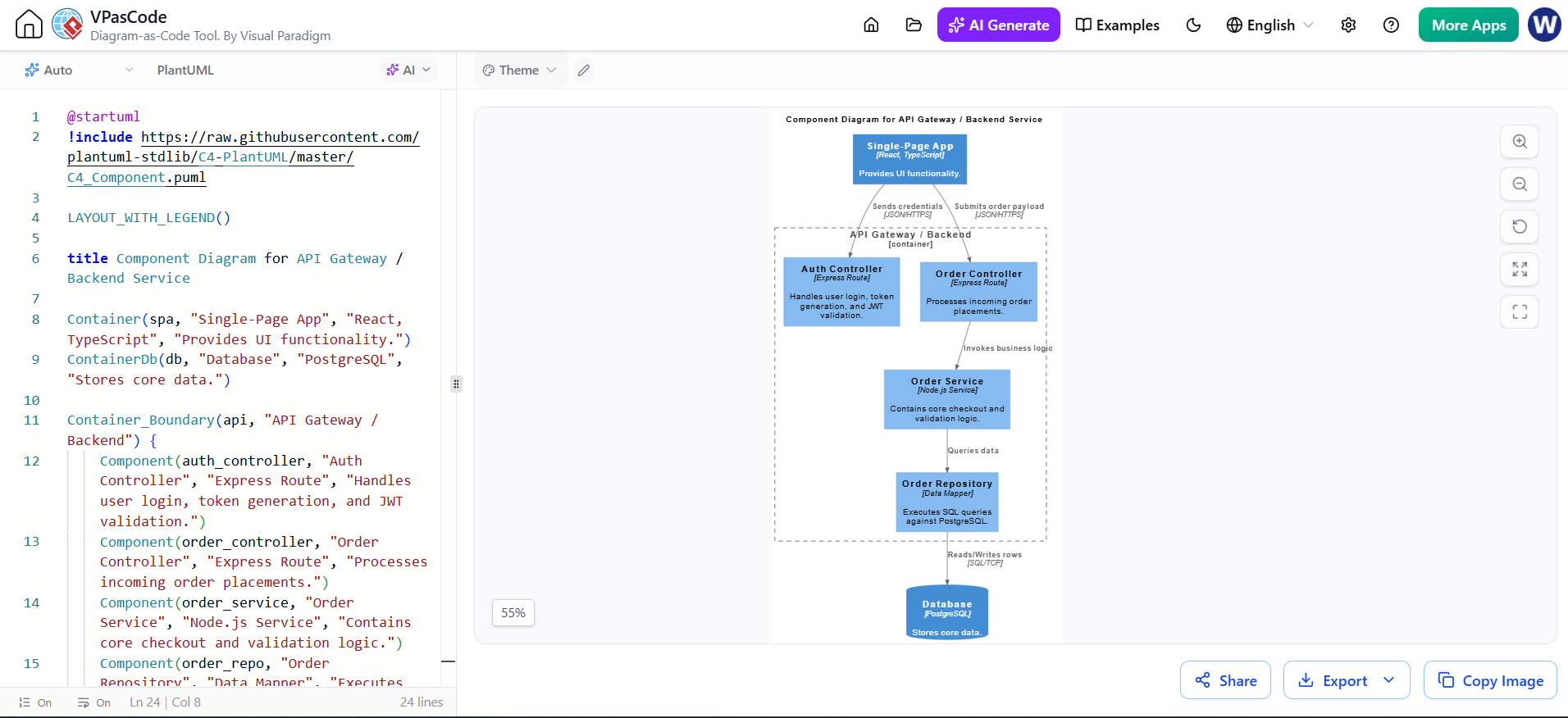
First, notice the includes and layout commands at the top. These tell the engine which standard library to use (in this case, the C4 library) and how to arrange the elements. By setting LAYOUT_WITH_LEGEND(), we ensure that anyone viewing the diagram knows exactly what each color and shape represents without guessing.
2. Defining the Actor
We start with the human element:
Person(shopper, "Online Shopper", "Purchases goods online.")This defines our primary user. In the rendered diagram on the right, this appears as the silhouette icon at the top. It establishes who starts the interaction.
3. Creating the System Boundary
Next, we group our components under a logical umbrella:
System_Boundary(ecommerce, "E-Commerce Platform") { ... }This dashed box represents the scope of our project. Everything inside belongs to the platform, while everything outside (like the shopper or payment gateway) interacts with it but exists independently.
4. The Single-Page App (SPA)
Inside our boundary, the first container is the frontend:
Container(spa, "Single-Page App", "React, TypeScript", "...")This component handles the user interface directly in the browser. Notice how we explicitly mention the tech stack (React, TypeScript). This helps stakeholders understand the capabilities and constraints of the front end immediately.
5. The API Gateway / Backend
The bridge between the user and the data is the backend:
Container(api, "API Gateway / Backend", "Node.js, Express", "...")This is the brain of the operation. It receives requests from the SPA, handles business logic, and manages authentication. The connection line between the SPA and the API shows the flow of JSON over HTTPS.
6. Data Persistence and Performance
A robust e-commerce system needs two types of storage. First, the permanent record keeper:
ContainerDb(db, "Database", "PostgreSQL", "...")PostgreSQL is used here to store critical state like orders and user profiles. Second, for speed:
Container(cache, "Cache Layer", "Redis", "...")Redis acts as a high-speed buffer. You can see arrows indicating that the API reads and writes session data here, ensuring the site remains snappy even under heavy load.
7. External Dependencies
Finally, no transaction is complete without money. The diagram correctly identifies the Payment Gateway as an external system. It sits outside the main boundary because it is a third-party service that processes credit card charges via REST API calls.
Why Use VPascode for This?
You might wonder, why write code instead of drawing? The answer lies in version control and maintenance. When you use VPasCode, your architecture diagram becomes part of your codebase. If you change a technology stack or add a new microservice, you simply update the text file, and the diagram regenerates perfectly. This eliminates the common problem of diagrams becoming outdated the moment they are drawn.
Summary and Key Takeaways
To wrap up our tutorial, let’s review what we’ve learned about architectural visualization:
- Abstraction Matters: The C4 model helps us focus on containers (deployable units) rather than getting lost in lines of code too early.
- Technology Agnostic yet Specific: We defined the system using generic concepts (User, Database) but annotated them with specific technologies (React, PostgreSQL) to provide necessary detail.
- Visual Paradigm Integration: Tools like VPasCode allow developers to maintain documentation as naturally as they write code, ensuring the visual representation always matches the reality of the system.
By mastering these tools, you move from being just a coder to a true architect, capable of communicating complex ideas clearly and effectively.