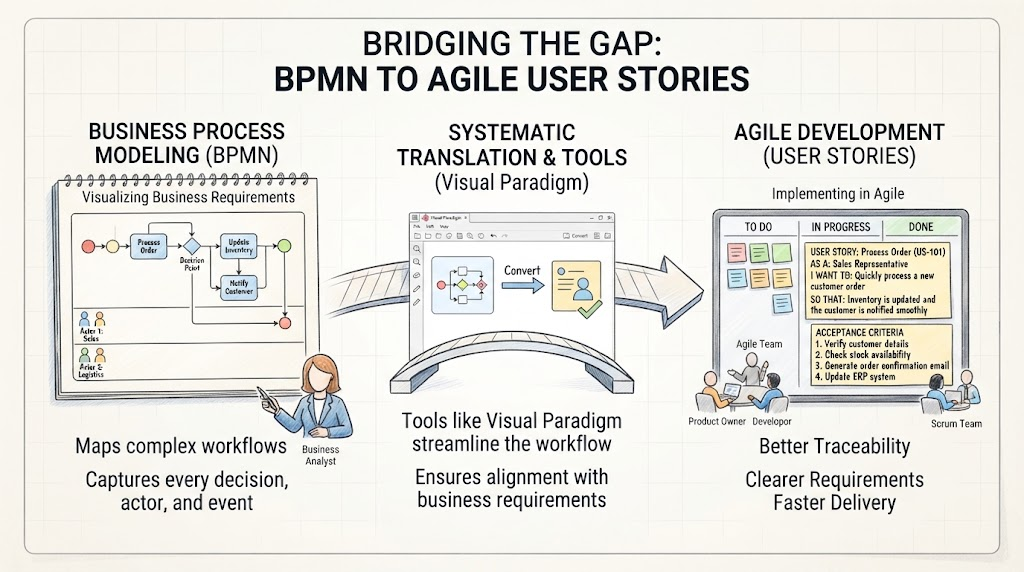
In the world of modern software development, a persistent challenge often arises: the disconnect between the “what” and the “how.” Business Analysts map out complex workflows using Business Process Model and Notation (BPMN) to detail how a system works, capturing every decision, actor, and event. Meanwhile, Agile Development teams operate on User Stories that define what needs to be built from a user’s perspective. Bridging this gap is crucial for ensuring that the final product aligns perfectly with business requirements.
This tutorial explores a systematic approach to translating BPMN diagrams into actionable User Stories and Acceptance Criteria. We will walk through the concepts of visual process mapping, the role of modeling tools like Visual Paradigm, and the final translation into Agile artifacts.
1. The Starting Point: Business Process Modeling (BPMN)
The journey begins with the Business Analyst. Their goal is to create a “Source of Truth” regarding the business logic. BPMN is the industry-standard notation for this. It provides a visual language that acts as a blueprint for software.
Key Concepts in BPMN Modeling
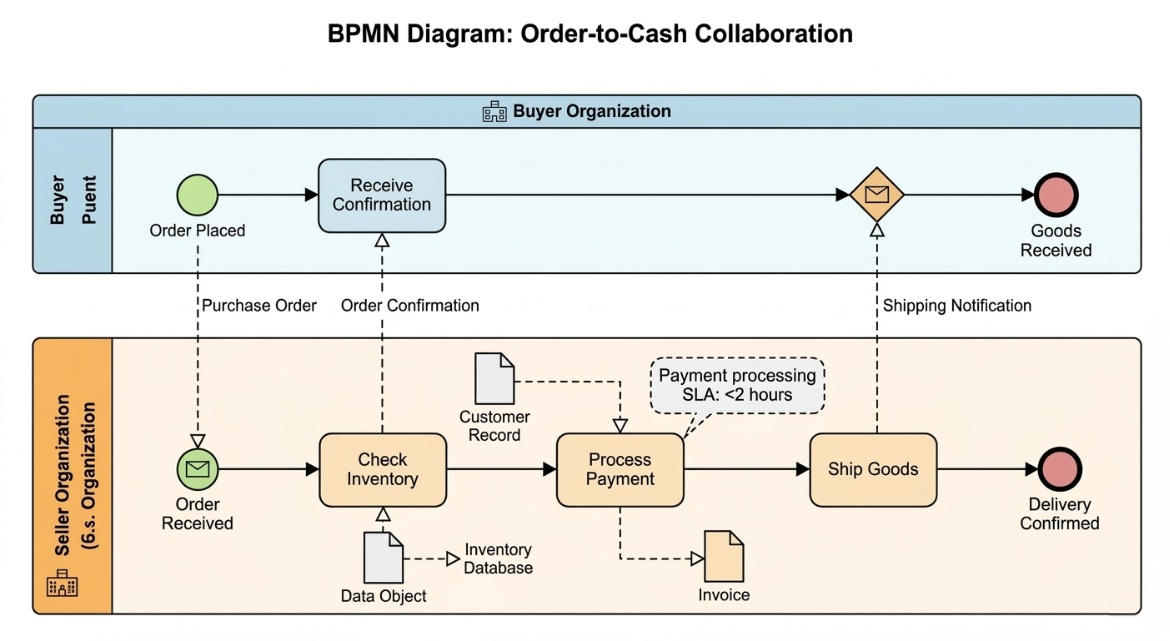
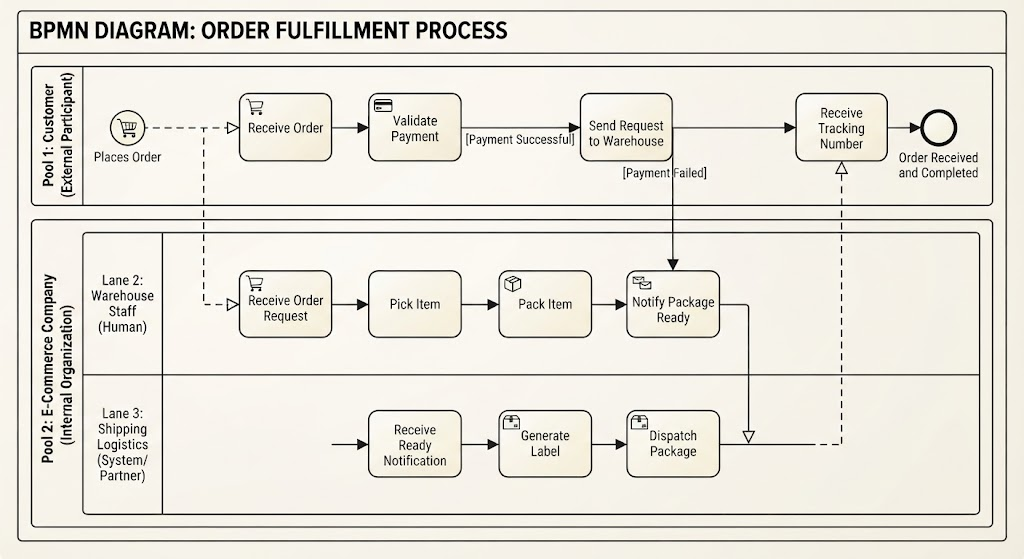
- Swimlanes (Actors): The diagram is divided into lanes representing different roles (e.g., Sales, Logistics). This clarifies who is responsible for which task.
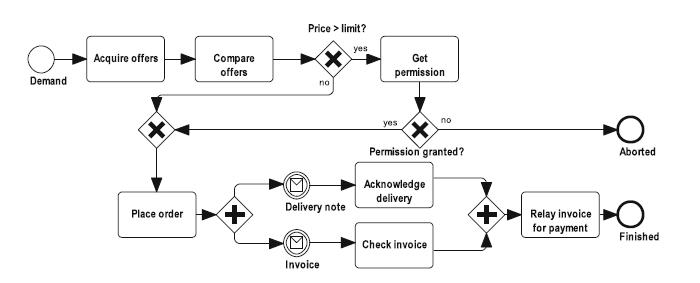
- Gateways (Decisions): Diamond shapes represent decision points in the workflow (e.g., “Decision Point”). These dictate the flow of the process based on conditions.
- Events (Triggers): Circles indicate the start (red) and end (green) of the process, or intermediate events that occur during execution.
- Tasks (Actions): Rectangular boxes represent specific activities, such as “Process Order” or “Update Inventory.”
In a typical scenario, like an Order Processing workflow, a “Sales” representative initiates the process. The system then moves through validation steps, potentially involving “Logistics” for inventory checks. The visual nature of BPMN allows stakeholders to verify that the logic covers edge cases—such as what happens if inventory is unavailable.
2. The Bridge: Systematic Translation & Tools
While BPMN is excellent for documentation, it is not the native language of Scrum boards or Jira tickets. This is where the “Translation Phase” occurs. The objective is to break down the visual complexity of the flowchart into discrete, testable units of work.
Why Use Visual Paradigm?
Tools like Visual Paradigm serve as the bridge between these two worlds. They allow for a systematic conversion of the model into software requirements.
- Visualization: The tool renders the BPMN diagram, ensuring all logical paths are visible.
- Abstraction: It helps identify specific states within the process that require system interaction.
- Conversion: Advanced modeling tools can often assist in mapping process steps directly to requirement documents, reducing the manual effort of re-typing logic.
The core philosophy here is Traceability. Every element in the User Story should map back to a specific node or gateway in the BPMN diagram, ensuring that no business rule is lost during development.
3. The Output: Agile User Stories & Acceptance Criteria
The final destination is the Agile Development Board. Here, the complex logic is distilled into the standard User Story format: As a [Role], I want [Action], so that [Benefit].
Example: Translating the “Process Order” Workflow
Let’s look at a concrete example derived from the workflow. The system needs to handle the creation of a customer order.
The User Story
Title: Process New Customer Order
Story ID: US-101
Description:
AS A: Sales Representative
I WANT: to quickly process a new customer order
SO THAT: inventory is updated and the customer is notified smoothly.
The Acceptance Criteria
This is where the BPMN logic comes in. The criteria define the “Definition of Done” for the story. Based on the diagram’s flow:
- Verify Customer Details: The system must validate the input data before proceeding (The initial entry in the diagram).
- Check Stock Availability: The system must query the inventory (The “Update Inventory” task).
- Generate Confirmation: If successful, an email or notification must be triggered (The “Notify Customer” task).
- Update ERP System: The backend database must reflect the new transaction.
Conclusion
By adopting this systematic approach, organizations achieve three critical benefits:
- Better Traceability: We can prove that the code matches the business intent.
- Clearer Requirements: Developers know exactly what logic (decision points) to implement.
- Faster Delivery: Reducing ambiguity speeds up the testing and deployment phase.
Whether you are a Business Analyst mapping the future or a Developer building it, understanding this translation process is key to successful software delivery.