In Business Process Model and Notation (BPMN), the distinction between internal logic and external communication is paramount. While a standard business process might seem linear, real-world operations often involve interactions between different organizations or departments. This is where Message Flows become the critical architectural link in your diagrams.
This tutorial delves into the mechanics, visual syntax, and common pitfalls of Message Flows, ensuring your process models accurately reflect the complex reality of inter-organizational communication.
What is a Message Flow?
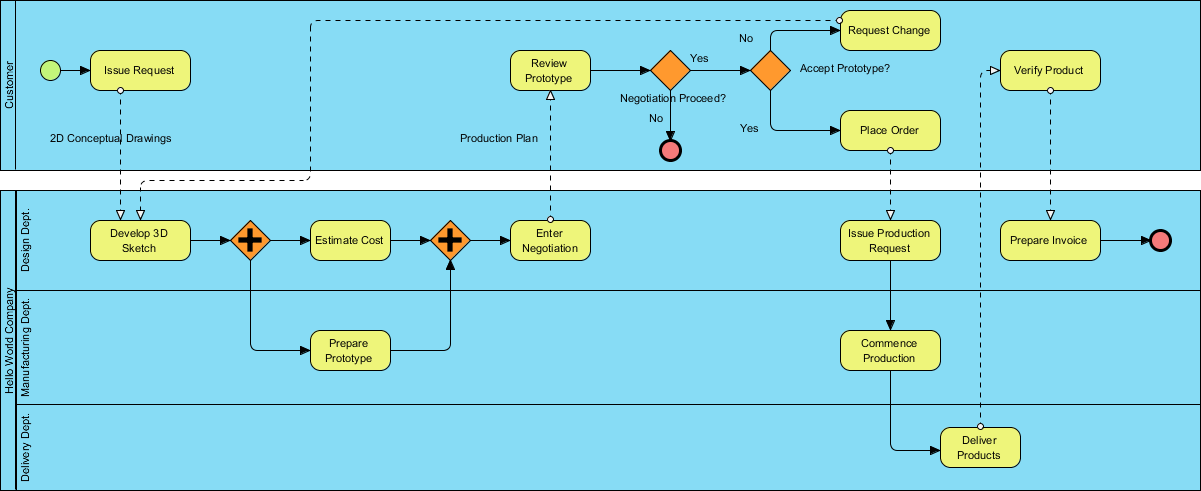
A Message Flow represents communication between separate participants, often visualized as “Pools” in a BPMN diagram. Unlike the internal steps of a process, a message flow signifies that information is leaving one context and entering another.
Visual Syntax:
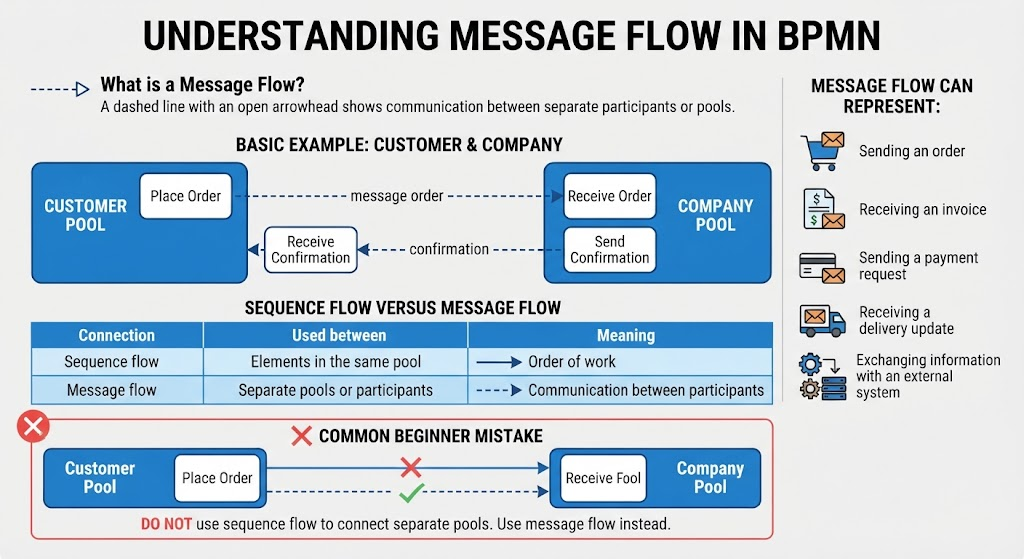
- Style: It is represented by a dashed line.
- Arrowhead: It uses an open arrowhead to indicate the direction of the message.
- Label: It is typically labeled with the name of the artifact being sent (e.g., “Order”, “Invoice”, “Confirmation”).
Understanding the Interaction: The Customer & Company Example
To visualize this concept, consider a standard transaction between a Customer and a Company. This scenario highlights how a single business goal is achieved through a sequence of exchanges across organizational boundaries.
The Interaction Sequence
- Customer Pool: The process initiates with the customer placing an order. This action triggers a message flow.
- The Message Flow: A dashed line labeled “message order” travels from the Place Order task in the Customer Pool to the Receive Order task in the Company Pool.
- Company Pool: The company processes the request. Once the transaction is complete, they generate a confirmation.
- Return Flow: The process is not finished until the Send Confirmation task in the Company Pool sends a dashed line labeled “confirmation” back to the Receive Confirmation task in the Customer Pool.
What Can a Message Flow Represent?
Message flows are not limited to simple text messages. In a comprehensive system architecture, they represent the transport of data, documents, or requests between distinct entities. Common representations include:
- Transactional Documents: Sending an order, receiving an invoice.
- Financial Requests: Sending a payment request, receiving a payment receipt.
- Logistics Updates: Receiving a delivery update, sending a shipping notice.
- System Integration: Exchanging information with an external system (e.g., an API call or a database synchronization).
Sequence Flow vs. Message Flow
The most frequent error in BPMN modeling is confusing the flow of work (Sequence Flow) with the flow of communication (Message Flow). Understanding the “Used Between” rule is the key to valid modeling.
| Connection Type | Used Between | Meaning |
|---|---|---|
| Sequence Flow (Solid Arrow) | Elements in the same pool | Order of work (Control Flow) |
| Message Flow (Dashed Arrow) | Separate pools or participants | Communication between participants |
The “Cross-Pool” Rule
Never use a solid sequence flow line to connect two different pools. A solid line implies that the receiving pool has direct control over the sending pool’s logic, which violates the concept of distinct participants. Always use a dashed message flow to cross the boundary.
Conclusion
Mastering Message Flows is essential for creating accurate, high-level system architecture diagrams. By strictly adhering to the rules of connecting separate pools with dashed lines and reserving solid lines for internal logic, your models will effectively communicate the flow of information across organizational boundaries. This clarity is vital for stakeholders to understand the true scope of inter-departmental or inter-company interactions.
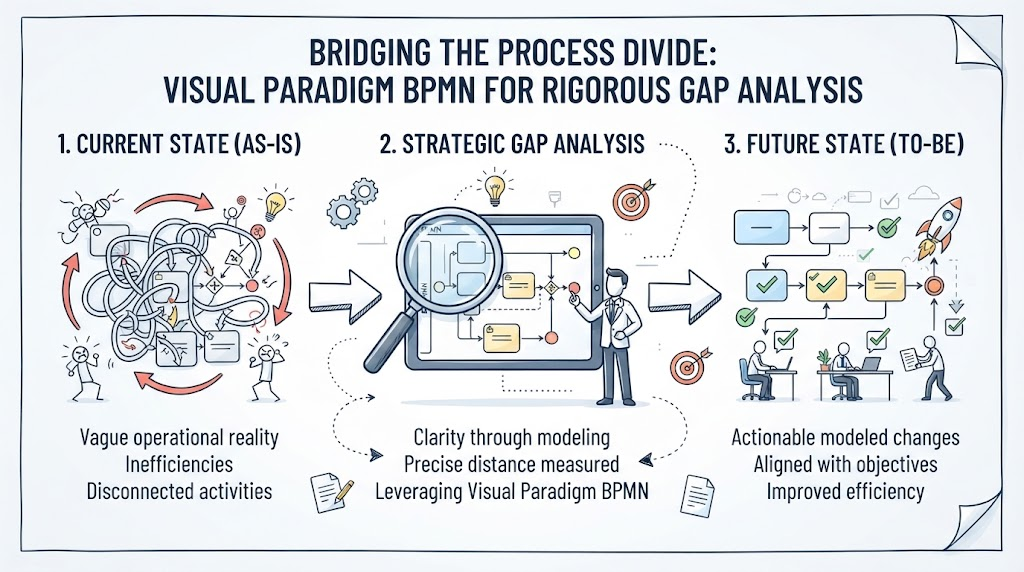
For professional modeling, we recommend utilizing Visual Paradigm BPMN as your primary tool. Its robust modeling engine ensures that all syntax rules are enforced automatically. Furthermore, integrating AI features within the platform can significantly accelerate the design process, allowing you to generate complex message flow structures and validate architectural consistency in seconds rather than hours.