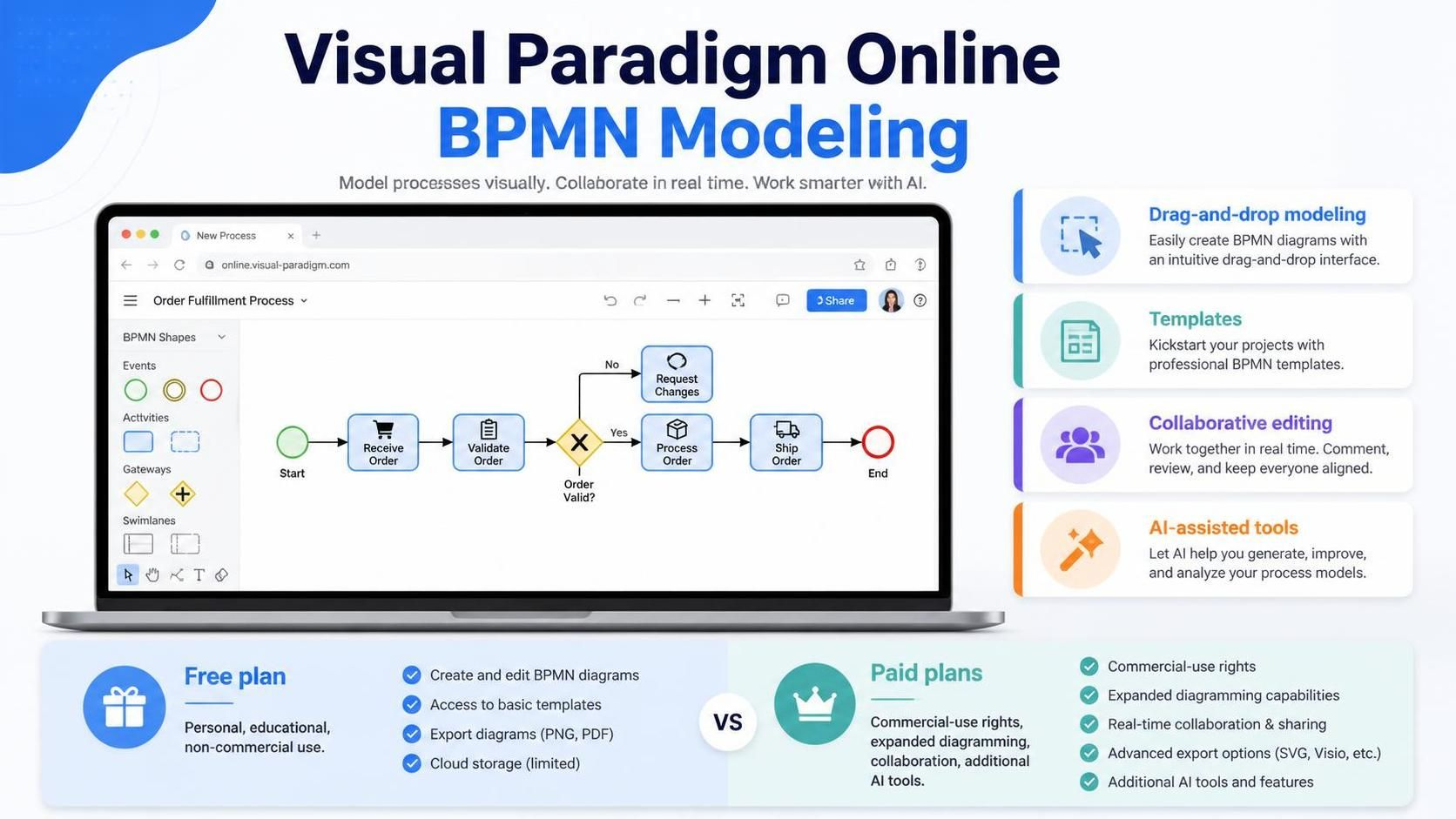
Welcome to your comprehensive guide on Business Process Model and Notation (BPMN) modeling using Visual Paradigm Online. This cloud-based platform allows you to build complex business process diagrams directly in a web browser without the need for heavy desktop installations. Whether you are a business analyst documenting workflows, a student learning process theory, or a team lead collaborating on a project, this tutorial will walk you through the core architecture of BPMN modeling, the critical distinction between pools and lanes, and how to leverage AI to accelerate your design.
Understanding the Core BPMN Workflow
Creating a BPMN diagram is not just about drawing shapes; it is about defining a narrative flow. The core workflow for any BPMN project typically follows these steps:
- Defining the process scope: Determine where the process begins and ends.
- Identifying participants: List the departments, systems, or external entities involved.
- Structuring the canvas: Add pools and lanes to organize the participants.
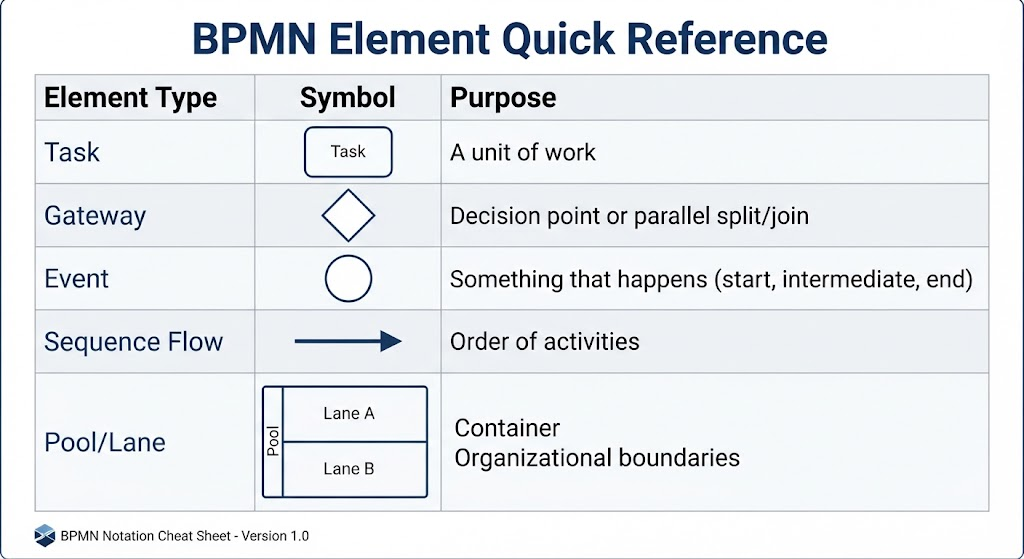
- Placing elements: Insert events, activities, and gateways.
- Connecting the dots: Link elements with sequence flows to show the path.
- Reviewing and exporting: Validate the model with stakeholders and export it as a PNG, SVG, or PDF.
The online environment is particularly suited for early process discovery and collaborative workshops. Visual Paradigm Online supports drag-and-drop creation, automatic connector adjustments, and alignment guides, making it easy to maintain a readable layout.
The Anatomy of Process Architecture: Pools and Lanes
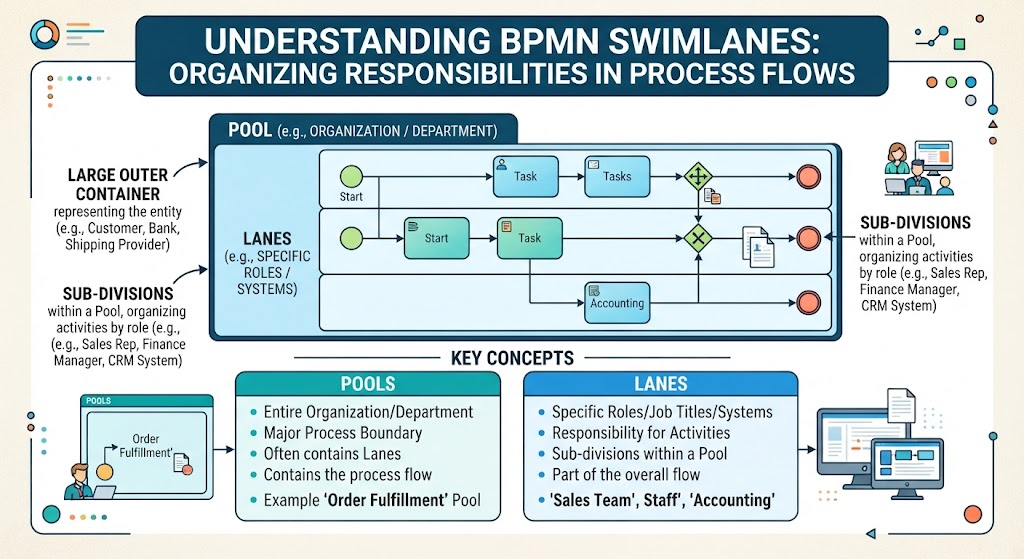
In BPMN, the visual structure of your diagram is defined by “Pools” and “Lanes.” Misunderstanding the distinction between these two elements is the most common source of modeling errors. They serve different architectural purposes regarding communication boundaries.
1. The Pool: The External Boundary
A Pool generally represents an independent participant in a business collaboration. This could be a company, a customer, a supplier, or a major system. Pools define the boundaries of an organization. When a process crosses from one pool to another, it signifies that the activity is moving between independent entities.
2. The Lane: The Internal Role
A Lane divides a pool into internal roles, departments, teams, or systems. Lanes are used when the participants belong to the same organizational process. For example, within a “Company” pool, you might create lanes for “Human Resources,” “IT Department,” and “Hiring Manager.”
3. The Golden Rule: Message Flows vs. Sequence Flows
The distinction between pools and lanes dictates the type of connector you must use. This is a critical technical rule in BPMN:
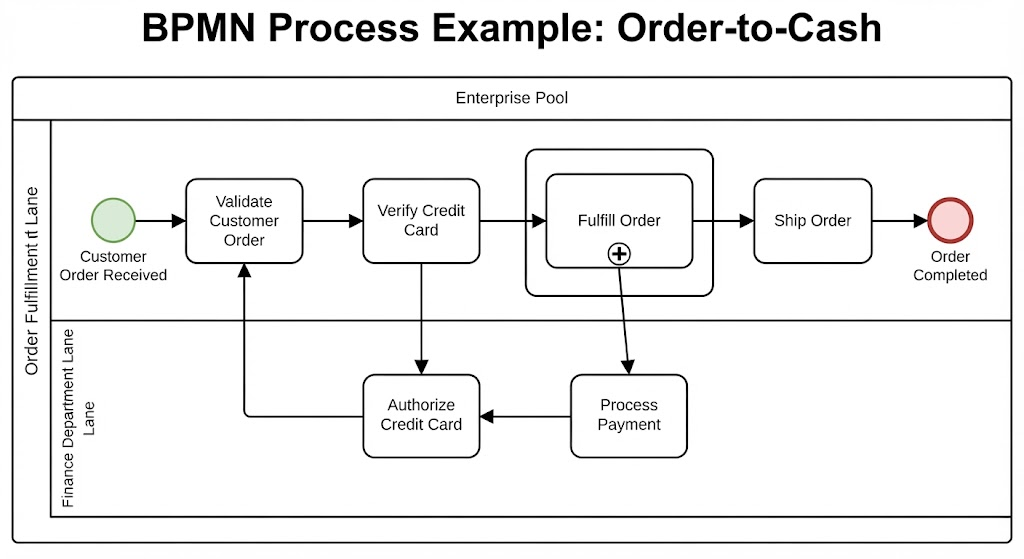
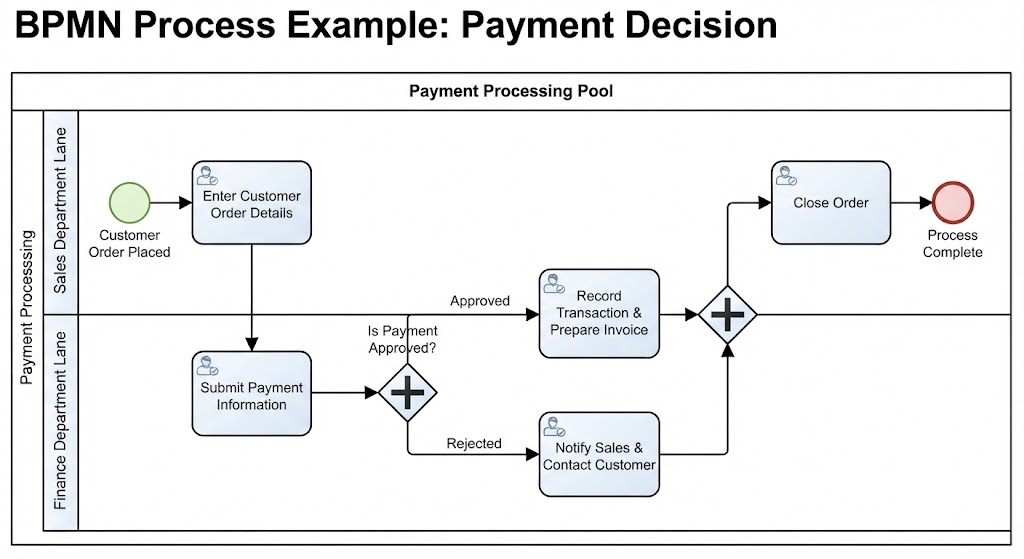
- Sequence Flows: Used to connect activities within a single pool (across different lanes). These represent the internal flow of control.
- Message Flows: Used to connect activities between separate pools. These represent the exchange of information or physical goods between independent entities.
Example: The Invoice Approval Process
Consider a process where a supplier sends an invoice to a buyer organization. The structure should be:
BPMN Structure
-----------------------------------------
Pool 1: Buyer Organization
  - Lane: Accounts Payable
  - Lane: Purchasing
  - Lane: Approving Manager

Pool 2: Supplier
  - (No internal lanes shown for brevity)
-----------------------------------------

Flow 1: Supplier (Pool 2) -> Buyer (Pool 1)
Connector Type: MESSAGE FLOW

Flow 2: Accounts Payable (Lane) -> Purchasing (Lane)
Connector Type: SEQUENCE FLOW
By using a message flow for the invoice submission, you correctly model that the invoice is an external document entering the company. If you were to use a sequence flow here, you would incorrectly imply that the Supplier and the Accounts Payable department are part of the same organizational unit.
Accelerating Design with Templates
When your process follows a familiar business pattern, starting from a blank canvas can be inefficient. Templates provide a structure that resembles the target workflow, allowing you to customize it rather than build it from scratch.
Common use cases for templates include:
- Order Fulfillment
- Employee Onboarding
- Purchase Approval
- Customer Complaint Handling
- Software Deployment
However, a template is merely a starting point. A generic “Approve Purchase” task in a template must be refined in a production-ready model to clarify who performs the approval, what the spending threshold is, and what happens in exception cases (e.g., rejection).
Leveraging AI for Process Generation
Visual Paradigm Online integrates AI-assisted tools that can convert a written process description into an initial diagram draft. This is particularly useful for rapid prototyping or capturing the logic of a process quickly.
The AI-Assisted Workflow
The quality of the AI output depends heavily on the quality of your input prompt. A vague request like “customer complaint process” will yield a generic result. A detailed prompt that specifies participants, decision rules, and exceptions will yield a robust model.
Example AI Prompt:
Create a BPMN diagram for a customer complaint process.
Include separate participants for the customer and the company.
Within the company pool, create lanes for Customer Service, Technical Support, and a Supervisor.

The customer submits a complaint.
Customer Service records and categorizes it.
If the complaint is technical, Technical Support investigates it.
If the issue is urgent or unresolved after 24 hours, the case is escalated to a Supervisor.
Customer Service sends the resolution to the customer and closes the case.
This prompt provides the AI with the necessary data to infer:
- Separate pools: Customer vs. Company.
- Internal lanes: Customer Service, Technical Support, Supervisor.
- Process sequence: The order of activities.
- Decision points: Exclusive gateways for “Technical?” and “Urgent?”.
- Time-based conditions: The 24-hour escalation rule.
After generation, the diagram remains fully editable. You should review the BPMN elements, correct any logical errors, and refine the result manually before validating it with process participants.
Practical Example: Employee Onboarding
To see these concepts in action, let’s look at an employee onboarding process. Before drawing, it is best practice to write a short chronological description:
- HR receives signed employment documents.
- HR creates an employee record.
- IT prepares a laptop and user accounts (parallel activity).
- The manager schedules orientation.
- If a document is missing, HR contacts the employee (exception handling).
- HR closes the onboarding case.
When modeling this, HR and IT would likely be lanes within the same “Company” pool, connected by sequence flows. If an external background check provider is involved, they would be a separate pool, connected via message flows.
Conclusion
Visual Paradigm Online offers a flexible environment for BPMN modeling, whether you prefer drag-and-drop precision, template-based acceleration, or AI-assisted generation. By understanding the architectural rules of pools and lanes, and by crafting clear process descriptions, you can create professional, accurate diagrams that effectively communicate business logic.