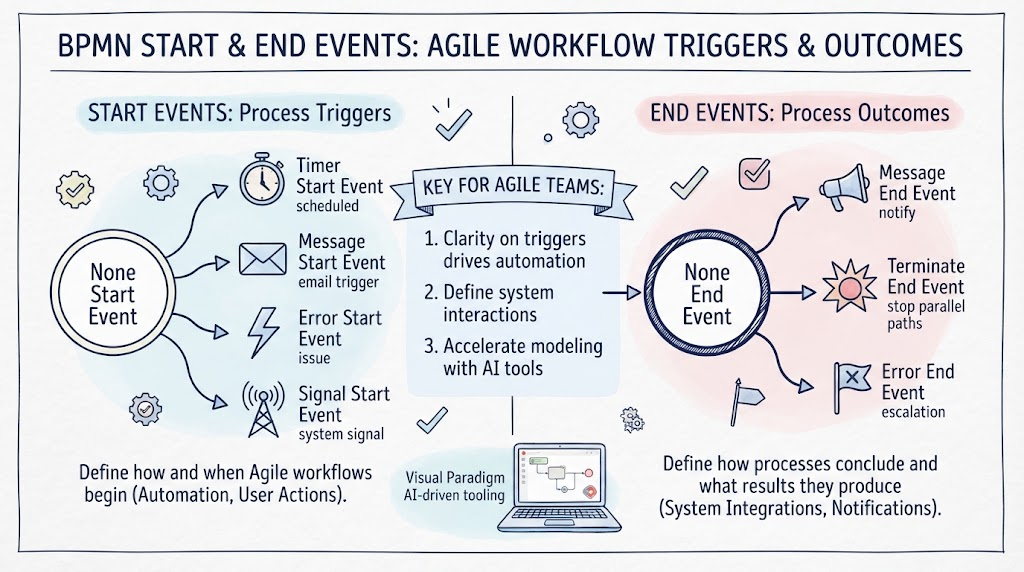
In the world of Business Process Model and Notation (BPMN), events are often described as the heartbeat of any process diagram. They are the dynamic elements that indicate when a process begins, what causes it to pause or change course, and how it concludes. For Agile teams specifically, understanding the nuances of Start and End events is critical because these elements define the triggers and outcomes that drive automation, user interactions, and system integrations.
While a simple “start” and “end” might suffice for basic flows, real-world business processes are rarely linear. They are triggered by emails, scheduled timers, error conditions, or signals from other systems. Similarly, they don’t just “stop”; they might send notifications, terminate parallel paths, or escalate errors. This tutorial explores the different types of Start and End events, why they matter for Agile workflows, and how AI-driven tooling can accelerate your modeling process.
Part 1: Start Events – Defining Process Triggers
Every BPMN process begins with a Start Event. This is the entry point of your workflow. In the context of Agile development, identifying the correct trigger is the first step in defining how a system reacts to external stimuli.
1. The “None” Start Event
Often depicted as a circle with a thin border, the None Start Event acts as a generic placeholder. It signifies that the process starts, but the specific trigger is not defined within the diagram itself. This is commonly used in high-level diagrams or when the trigger will be detailed in a separate specification.
2. Timer Start Event
As the name suggests, this event is triggered by time. Visually represented by a clock icon, it is essential for processes that must run on a schedule. Examples include:
- Scheduled Reports: Generating a sales report every morning at 8:00 AM.
- Batch Processing: Running a nightly data backup routine.
3. Message Start Event
This event indicates that the process is triggered by receiving a message. Represented by an envelope icon, it is vital for systems that react to user input or system notifications. Common use cases include:
- Email Triggers: A workflow that begins automatically when a customer support ticket is emailed in.
- API Calls: An order processing flow initiated by a message from an e-commerce platform.
4. Error Start Event
Often overlooked, the Error Start Event (lightning bolt icon) is used to model exception handling. It represents a process that is initiated specifically when an error occurs in another part of the system. This is crucial for creating resilient workflows that can recover from failures.
5. Signal Start Event
Represented by a radio tower icon, a Signal Start Event is triggered by a global signal. This is useful in complex, distributed systems where multiple processes might react to the same broadcast event, such as a “System Maintenance Mode” signal.
Part 2: End Events – Defining Process Outcomes
If Start Events are the heartbeat, End Events are the final breath. They define how a process concludes and what results it produces. In an Agile context, the end state determines whether the system integration was successful or if an escalation is required.
1. The “None” End Event
Similar to the start event, the None End Event indicates that the process has finished, but no specific outcome (like a message or an error) is explicitly modeled here. It is the standard “stop” point for a successful, linear flow.
2. Message End Event
This event (megaphone icon) indicates that the process terminates by sending a message. This is critical for notification systems. For example, an “Order Shipped” process might end with a Message End Event that sends a confirmation email to the customer.
3. Terminate End Event
Depicted as a thick black circle, the Terminate End Event is a powerful tool for controlling complex flows. It immediately stops all active paths in a process. It is commonly used to:
- Stop Parallel Paths: If a user cancels an order while multiple payment verification threads are running, a Terminate End Event ensures all those threads stop immediately.
- Abort Processes: Halting a workflow entirely due to a critical decision.
4. Error End Event
Represented by a flag with an ‘X’, the Error End Event signifies that the process has ended due to an error. This is often used in conjunction with a Terminate End Event to signal that a failure has occurred and needs to be logged or escalated.
Part 3: The Agile Advantage & AI Acceleration
For Agile teams, the clarity provided by these specific events is not just about documentation; it is about automation. By explicitly defining triggers (Start) and outcomes (End), development teams can build systems that are event-driven rather than manually triggered.
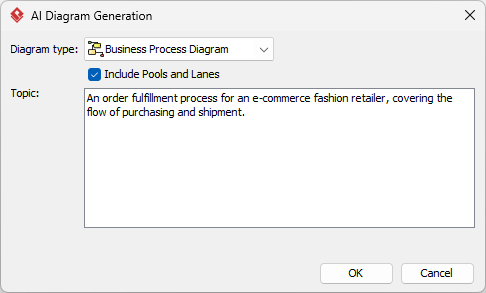
However, creating these detailed diagrams can be time-consuming. This is where Visual Paradigm’s AI-driven tooling shines. By leveraging AI, teams can:
- Accelerate Modeling: Quickly generate BPMN diagrams from text descriptions of business requirements.
- Ensure Consistency: Ensure that all Start and End events follow the correct notation standards.
- Focus on Logic: Spend less time drawing shapes and more time refining the actual business logic and user stories.
By mastering these Start and End events, Agile teams can build robust, automated workflows that truly adapt to the needs of the business.