


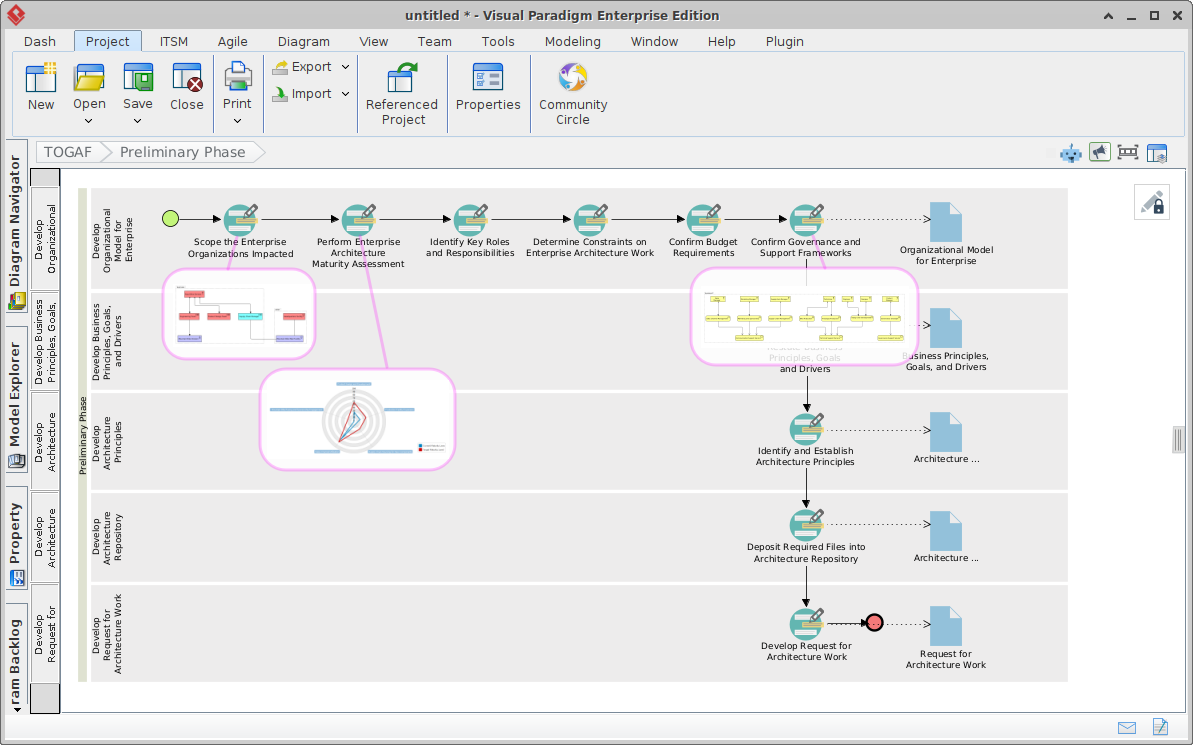
Enterprise Architecture (EA) can often feel like a daunting mountain of abstract documentation and rigid processes. However, with the right digital tools, it transforms into a structured, visual journey. This tutorial explores how to leverage the TOGAF ADM Guide-Through Process Navigator within Visual Paradigm to master the foundational Preliminary Phase of the Architecture Development Method (ADM).
By integrating the ArchiMate modeling standard directly into the workflow, this platform bridges the gap between theoretical process steps and practical architectural modeling.
1. The Foundation: The TOGAF ADM Guide-Through Process Navigator
The core of this system architecture is the Process Navigator, a visual workflow engine that guides the architect through the TOGAF standard. Unlike a static checklist, this navigator acts as a dynamic roadmap.
- Visual Breakdown: The interface decomposes the ADM into actionable work items, clearly displaying the flow from the Preliminary Phase through to Requirements Management.
- Embedded Instructions: Each step in the flow (represented by icons like the pen or document) provides context and instructions, ensuring that the architect knows exactly what deliverable is required at that moment.
- Traceability: The diagram shows how specific tasks (like “Perform Enterprise Architecture Maturity Assessment”) link directly to specific outputs (like “Enterprise Architecture Principles”).
2. Deep Dive: The Preliminary Phase Workflow
The Preliminary Phase is critical because it sets the stage for the entire EA program. Using the Process Navigator, we can break this phase down into logical steps:
Step 1: Scoping and Assessment
The journey begins by identifying the scope of the enterprise organizations impacted. The navigator guides you to:
- Perform Enterprise Architecture Maturity Assessment: This is often visualized using a Radar Chart (visible in the diagram). This tool helps architects analyze the current maturity level of their organization against TOGAF standards.
- Identify Key Roles and Responsibilities: Defining who is accountable for the architecture work.
Step 2: Defining Principles and Governance
Once the scope is clear, the architect must define the rules of engagement:
- Confirm Budget and Governance: Ensuring the necessary resources and frameworks are in place.
- Identify and Establish Architecture Principles: This is a cornerstone of EA. The system facilitates the creation of principles that guide decision-making across the business, application, and technology layers.
Step 3: Organizing the Work
The final steps involve organizing the architecture repository and formally requesting the architecture work. This ensures that the “Request for Architecture Work” is properly deposited into the Architecture Repository.
3. The Modeling Engine: ArchiMate and Cross-Standard Traceability
The true power of this system lies in the Model Explorer. It is not just a drawing tool; it is a compliance engine.
ArchiMate Modeling
Visual Paradigm supports ArchiMate 3.1/3.2 as a core component, certified by The Open Group. This allows architects to create standardized diagrams for:
- Business Layer: Modeling business processes and services.
- Application Layer: Mapping software applications.
- Technology Layer: Defining infrastructure and hardware.
Cross-Standard Traceability
The platform functions as a centralized backbone. It enables connections between ArchiMate models and other industry standards like UML (Unified Modeling Language), BPMN (Business Process Model and Notation), and SysML (Systems Modeling Language). This is essential for detailed systems engineering and ensuring that high-level architectural goals trace down to specific software design requirements.
Recommended Tooling: How Visual Paradigm + TOGAF ADM + ArchiMate Features Help in the EA Process
To maximize the efficiency of the Enterprise Architecture process, the following combination of features is highly recommended:
- Visual Paradigm (The Platform): Use the “Dash” and “Project” tabs to manage the lifecycle of the architecture. The TOGAF Navigator acts as the project manager, ensuring no phase is skipped.
- TOGAF ADM (The Method): Follow the visual path of the ADM. Do not treat it as a linear list; treat it as a workflow where the output of one phase (e.g., Principles) becomes the input for the next (e.g., Business Architecture).
- ArchiMate (The Language): Use ArchiMate to model the actual content. Instead of writing paragraphs about “Business Services,” draw the Business Service diagram in ArchiMate and link it directly to the “Perform Enterprise Architecture Maturity Assessment” task in the navigator.
- Supporting Tools (The Analytics):
- Radar Charts: Use these for the Maturity Assessment to visually communicate gaps in the current state.
- PERT Charts: Use these for scheduling the architecture work packages.
- Decomposition Structures: Use these to break down complex projects into manageable work packages.
By integrating these tools, the architecture process moves from a theoretical exercise to a visual, actionable, and traceable engineering discipline.
Related posts:
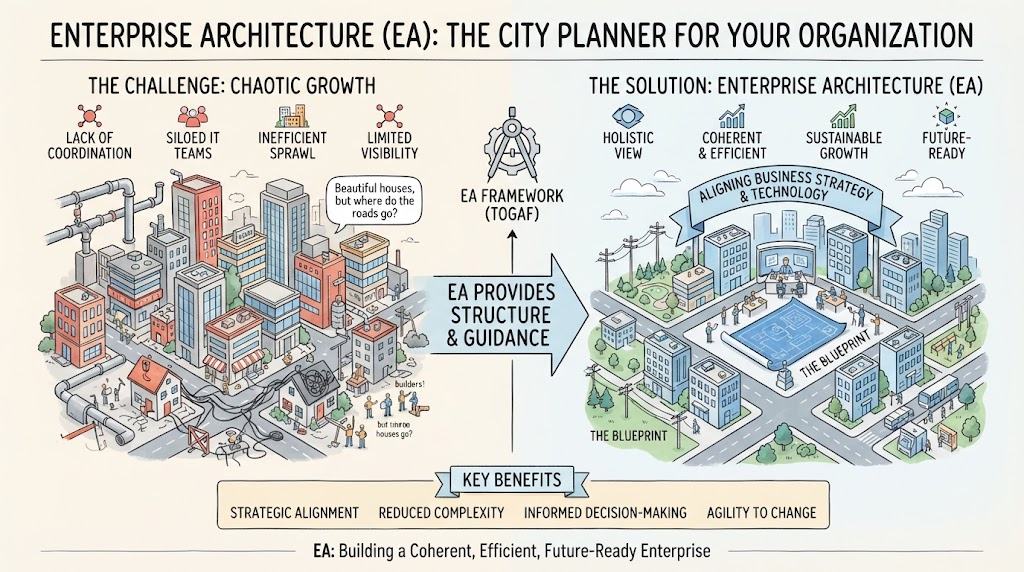 Enterprise Architecture as City Planning: A Visual Guide to TOGAF & Strategic Alignment
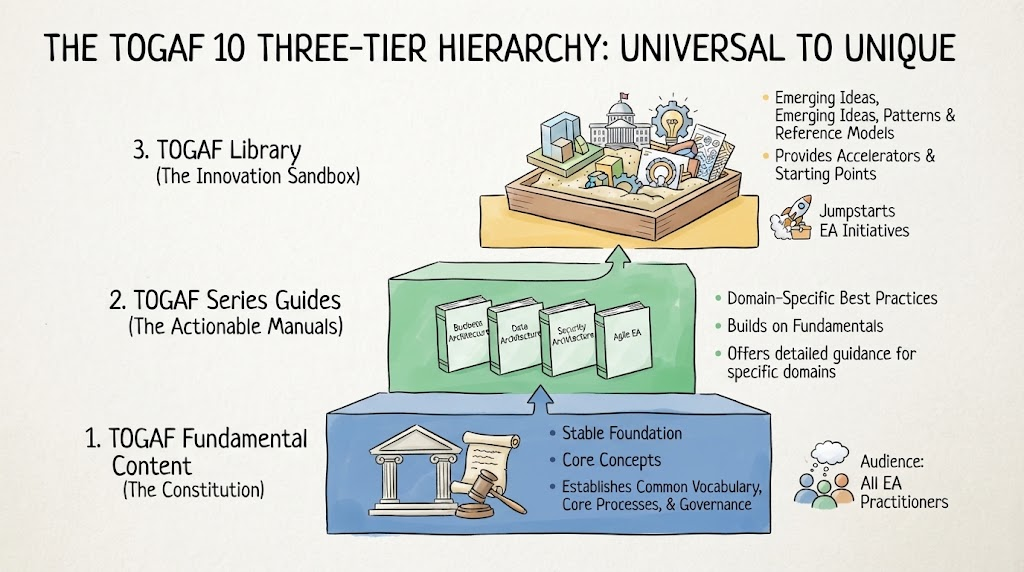 Navigating TOGAF 10: A Deep Dive into the Three-Tier Hierarchy System
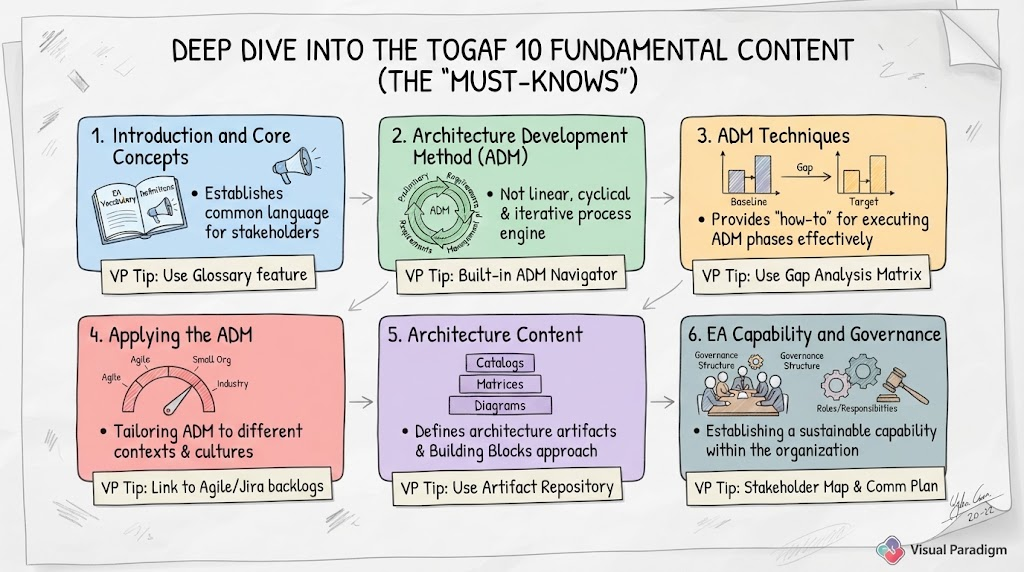 Mastering TOGAF 10: A Step-by-Step Guide to the Six Fundamental Content Pillars
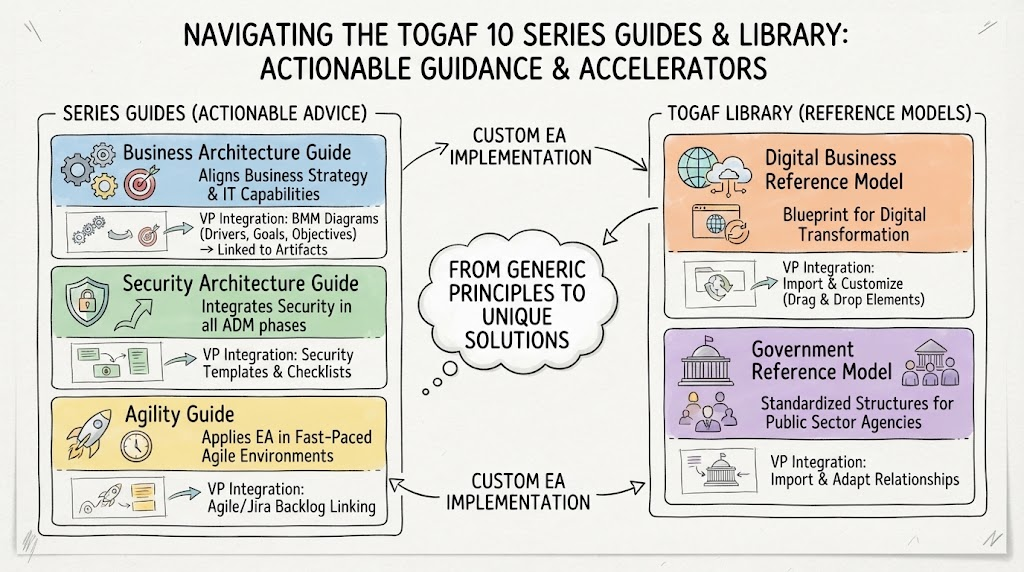 Navigating the TOGAF 10 Series Guides & Library: Actionable Guidance & Accelerators