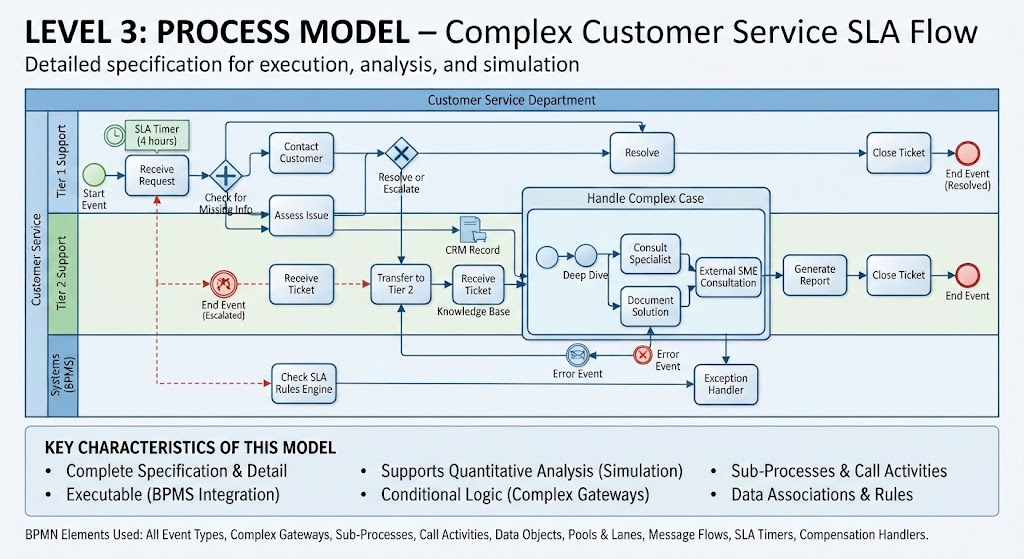
Welcome to this deep-dive tutorial on advanced business process modeling. In this article, we will dissect the Level 3 Process Model for a complex Customer Service SLA (Service Level Agreement) flow. This model represents the “Fully Defined Processes” stage of BPMN modeling, where the focus shifts from high-level conceptualization to a complete specification suitable for execution, simulation, and rigorous analysis.
Understanding the Architecture: Pools and Lanes
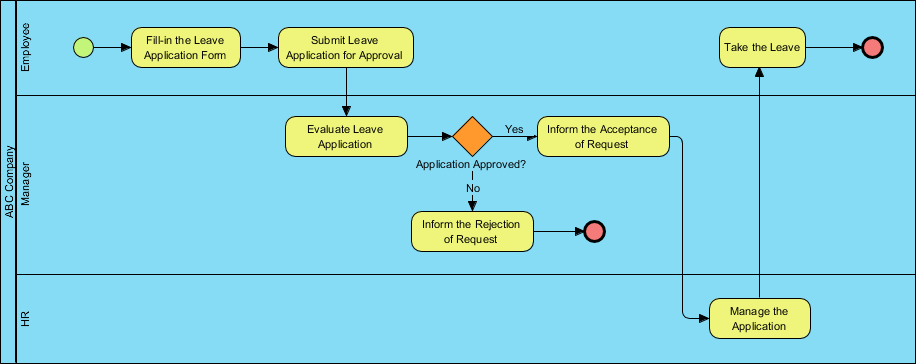
Before tracing the flow, we must understand the organizational architecture presented in the diagram. The visual structure utilizes BPMN Pools and Lanes to define responsibility and system boundaries.
- The Main Pool (Customer Service): This overarching container represents the entire business domain. It is divided into specialized lanes to categorize operational roles.
- Tier 1 Support (Light Blue): This lane handles the initial intake and resolution of standard tickets. The workflow here is linear but includes decision points for escalation.
- Tier 2 Support (Green): This lane is reserved for more complex issues. Notice how the flow moves here only when specific conditions are met (e.g., “Resolve or Escalate”).
- Systems (BPMS) (Dark Blue): A distinct lane dedicated to the Business Process Management System itself. This highlights the critical role of automation, showing how the “SLA Rules Engine” interacts with the human actors to enforce deadlines.
Step-by-Step Flow Analysis
Let’s walk through the lifecycle of a ticket within this Level 3 model, observing how the logic dictates the path.
1. Initiation and SLA Monitoring
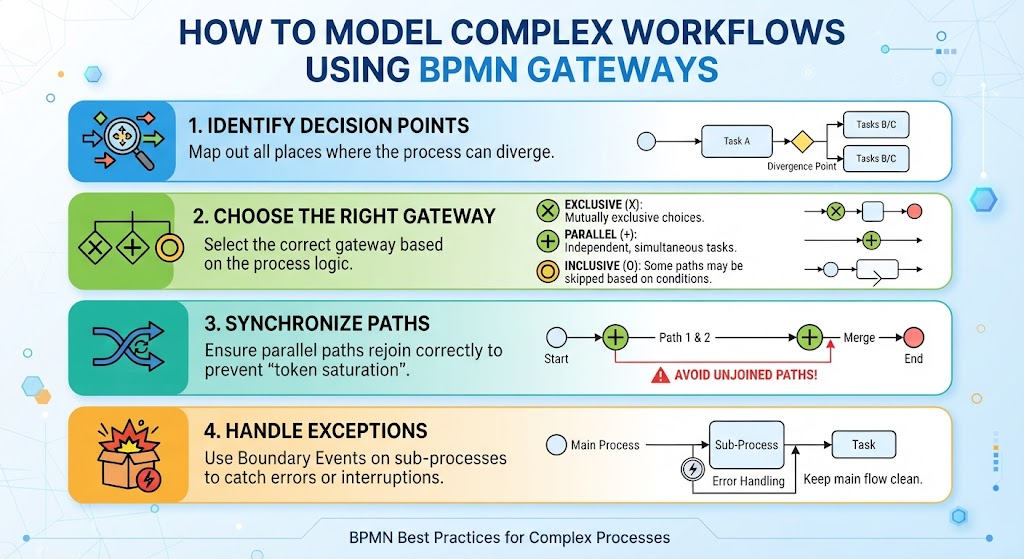
The process begins with a Start Event in the Tier 1 lane. Immediately, the flow hits a Parallel Gateway (the diamond with the plus sign). This is a crucial architectural pattern: it allows two things to happen simultaneously.
- Path A: The agent proceeds to “Receive Request” and “Contact Customer.”
- Path B: The system initiates an SLA Timer (4 hours). This ensures that if the ticket sits too long, the system can intervene.
2. Decision Making and Escalation
The workflow converges at a decision point: Check for Missing Info. This is a gateway where the process splits based on a condition:
- If Info is Complete: The agent moves to “Assess Issue” and eventually “Resolve.”
- If Info is Missing or Issue is Complex: The process moves to “Resolve or Escalate,” leading to the Complex Gateway that determines if the ticket is escalated to Tier 2.
3. The Deep Dive: Complex Case Handling
When escalated, the flow moves to Tier 2. Here, the model demonstrates sophisticated BPMN features:
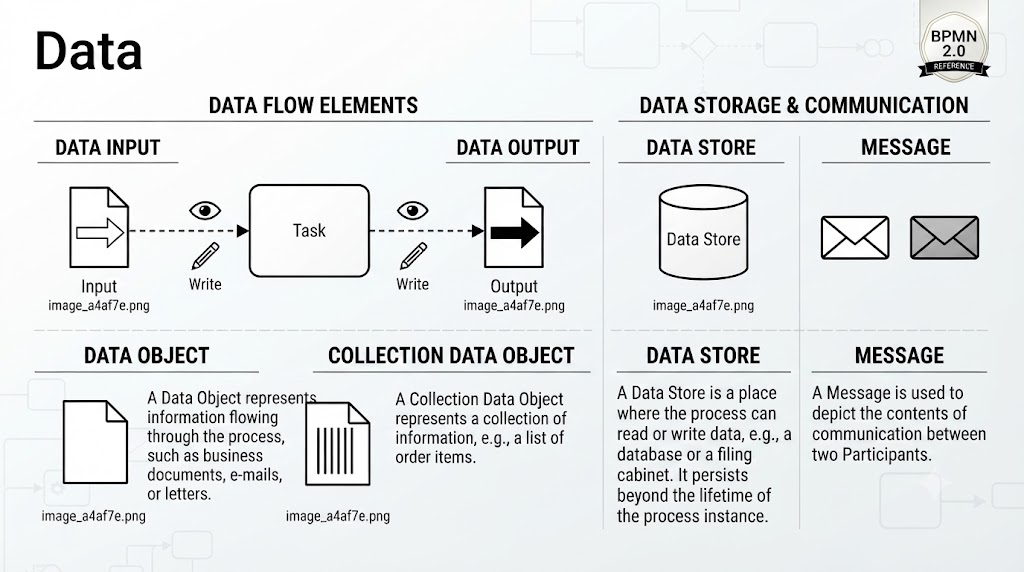
- Data Objects: The process interacts with a CRM Record and a Knowledge Base, showing that this is not just a human workflow but a data-driven one.
- Sub-Processes: The “Handle Complex Case” is a collapsed sub-process. This modular design allows us to hide complexity until it is needed, keeping the main view clean while preserving the logic inside.
- Expert Consultation: The path splits again to allow for “Consult Specialist” or “Document Solution.” The External SME Consultation indicates a connection to an external entity or a human expert outside the standard automation loop.
Advanced BPMN Elements Explained
This diagram is a textbook example of “Level 3” modeling. To understand why this model is executable, we must look at the specific technical elements employed.
Event Types and Exception Handling
Real-world processes are rarely perfect. This model accounts for failure using specific event markers:
- End Events: We see both a Resolved end (green circle) and an Escalated end (red circle with a cross). This shows clear termination points for different outcomes.
- Error Events: The “Error Event” marker on the dashed line leading to the Exception Handler demonstrates how the system catches runtime errors (e.g., a system crash or invalid data) and redirects the flow to a recovery mechanism.
Data Associations and Rules
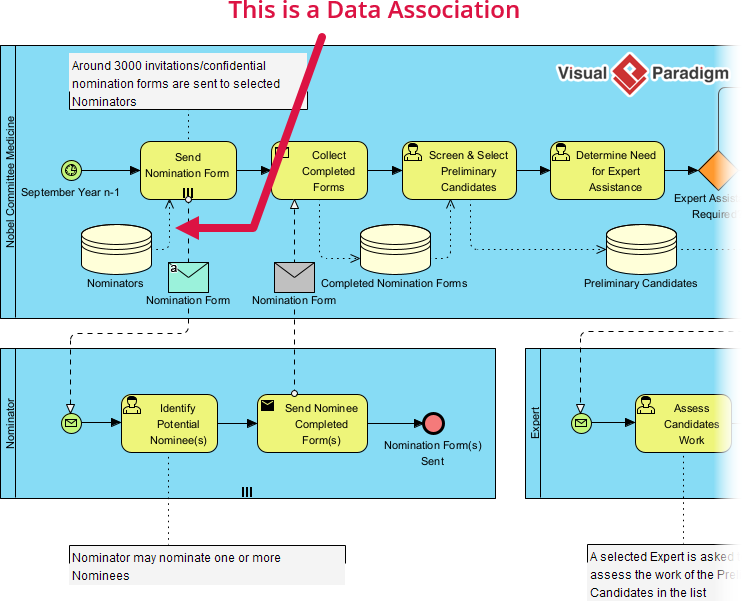
The diagram highlights that data is not just passed between tasks; it is actively managed. The SLA Rules Engine in the Systems lane acts as a monitor. It doesn’t just watch time; it actively checks if the process is adhering to the rules, triggering alerts or escalations if necessary.
Why This Matters: From Diagram to Execution
By creating a model with this level of detail, you are enabling three critical capabilities:
- Simulation: Because every path and gateway is defined, you can run “What-If” scenarios. For example: “What happens to the cycle time if we add a second Tier 2 agent?”
- Automation: The distinct separation of the BPMS lane allows developers to map these BPMN elements directly to code or workflow engines.
- Compliance: The explicit inclusion of SLA timers and error handling provides the precise documentation required for regulatory compliance.
Conclusion
The “Level 3: Process Model” transforms a simple flowchart into a robust system specification. By integrating complex gateways, sub-processes, and system interactions, this Customer Service SLA flow serves as a blueprint for building efficient, compliant, and automated business operations.