


Welcome to this comprehensive tutorial on Application Architecture. In the world of Enterprise Architecture, Phase C is often the bridge between the abstract business strategies and the concrete technical reality. Using the principles of TOGAF 10, we will explore how to define an application portfolio that truly supports business capabilities, identifies critical risks, and drives digital transformation.
Defining the Scope: What is Application Architecture?
At its core, Application Architecture describes the application portfolio and how these applications support business capabilities and processes. It is not merely a list of software; it is a strategic blueprint.
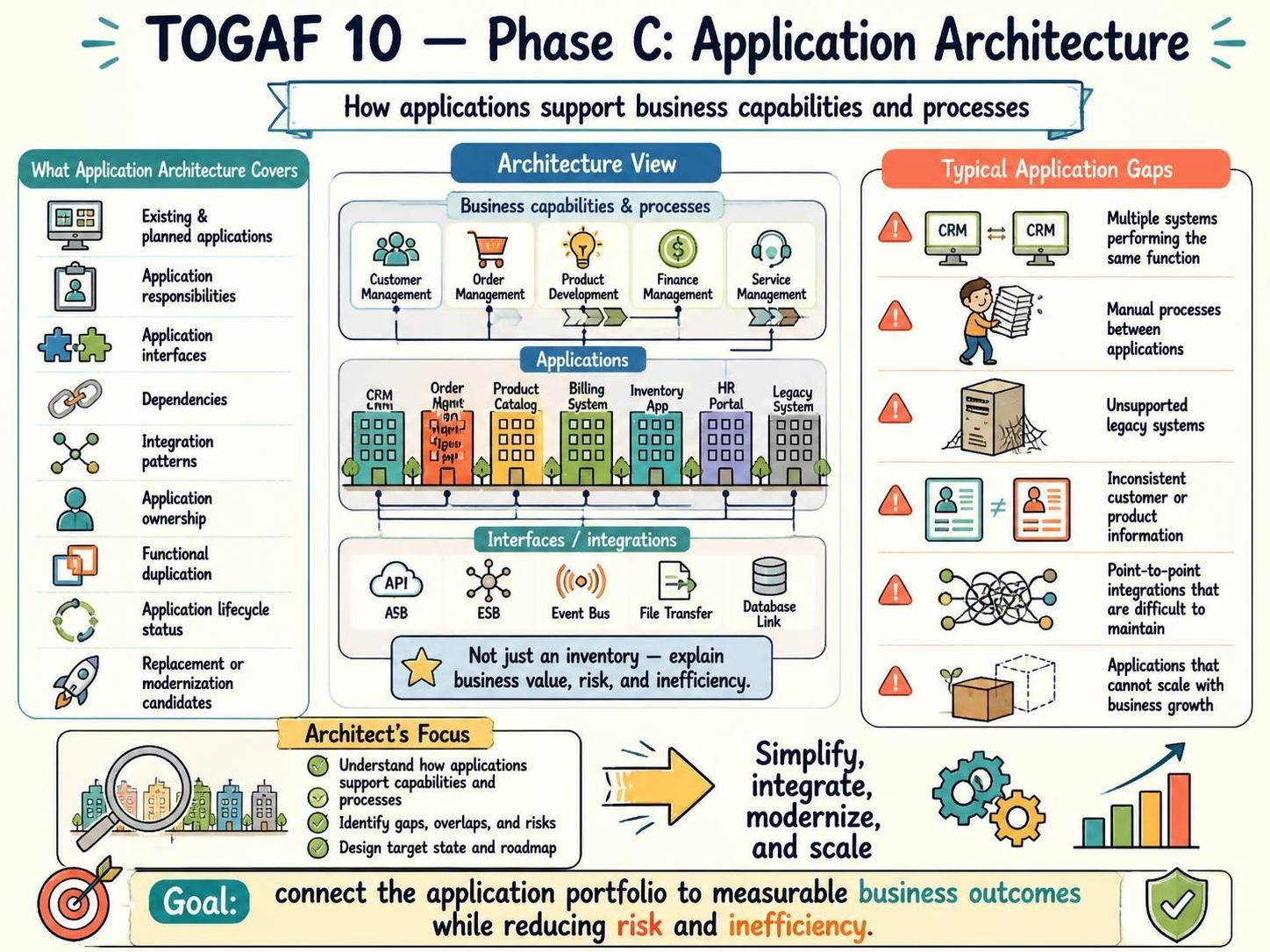
This architecture typically covers a wide range of critical elements, including:
- Existing and Planned Applications: A full inventory of current assets and future roadmaps.
- Application Responsibilities: Clearly defined duties for each system.
- Interfaces & Integration Patterns: How systems communicate (e.g., APIs, ESB, Event Bus).
- Dependencies: Understanding what happens if one system goes down.
- Ownership & Lifecycle Status: Who owns the software and is it in maintenance or retirement?
- Modernization Candidates: Identifying which legacy systems need replacement.
The Architecture View: Connecting Business to Technology
To visualize this relationship, architects often use layered diagrams. A standard “Architecture View” in TOGAF typically consists of three distinct layers:
1. Business Capabilities & Processes (The “Why”)
This top layer represents the high-level functions the organization needs to perform. In a typical diagram, you might see capabilities such as Customer Management, Order Management, Product Development, and Service Management. These are the business goals that the technology must achieve.
2. Applications (The “What”)
The middle layer houses the actual software systems. This includes CRM tools, Billing Systems, HR Portals, and Legacy Systems. The goal here is to map these specific applications to the business capabilities listed above. For example, does the “CRM” application directly support the “Customer Management” capability?
3. Interfaces & Integrations (The “How”)
The bottom layer details the connectivity. This includes architectural patterns like APIs, Enterprise Service Buses (ESB), Event Buses, and direct Database Links. This section is crucial for understanding data flow and system dependency.
Identifying Application Gaps and Risks
A common pitfall in architecture is simply creating an inventory without analysis. The goal is to explain how applications support business outcomes and where the current portfolio creates risk. By analyzing the architecture view, we can identify “Typical Application Gaps,” which include:
- Functional Duplication: Multiple systems performing the same function (e.g., two different CRMs).
- Manual Processes: Gaps where human intervention is required between applications due to lack of integration.
- Unsupported Legacy Systems: “Zombie” applications that are critical but no longer maintained.
- Inconsistent Data: Discrepancies in customer or product information across different systems.
- Point-to-Point Spaghetti: Complex, difficult-to-maintain direct connections between systems.
- Scalability Issues: Applications that cannot grow with the business.
The Architect’s Focus: Simplify, Integrate, and Scale
The primary objective of this phase is to connect the application portfolio to measurable business outcomes while reducing risk and inefficiency. The architect’s focus is threefold:
- Understand: How do current apps support capabilities?
- Identify: Where are the gaps, overlaps, and risks?
- Design: Create a target state and roadmap for modernization.
Recommended Tooling for Architecture Modeling
To effectively model these complex relationships, standard flowcharts are often insufficient. You need robust modeling software that can handle the depth of the TOGAF framework. For this tutorial, we highly recommend using Visual Paradigm, specifically the Visual Paradigm TOGAF ADM Tool.
Why Visual Paradigm? It allows architects to:
- Visually construct the Business, Data, Application, and Technology architectures.
- Link artifacts directly to the ADM (Architecture Development Method) phases.
- Automatically generate reports on application coverage and gaps.
- Model the specific integration patterns (APIs, ESB) discussed in the architecture view.
Conclusion
By moving beyond a simple list of software and adopting a structured view of Application Architecture, organizations can ensure their technology stack is resilient, scalable, and aligned with their business strategy. Whether you are using the Visual Paradigm TOGAF ADM Tool or another modeling environment, the focus must always remain on business value and risk reduction.
Related posts:
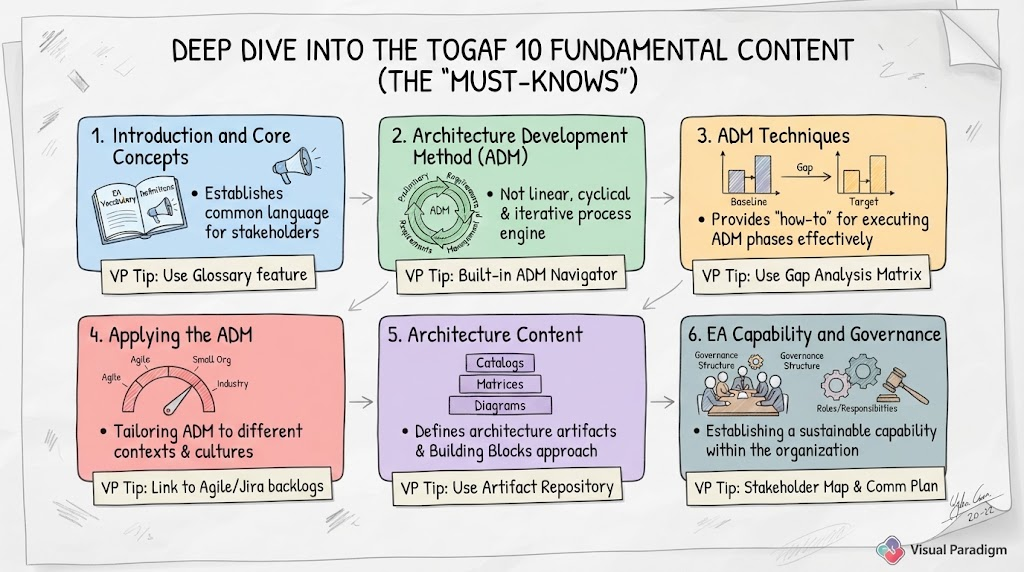 Mastering TOGAF 10: A Step-by-Step Guide to the Six Fundamental Content Pillars
 Mastering the TOGAF Preliminary Phase with Visual Paradigm and ArchiMate
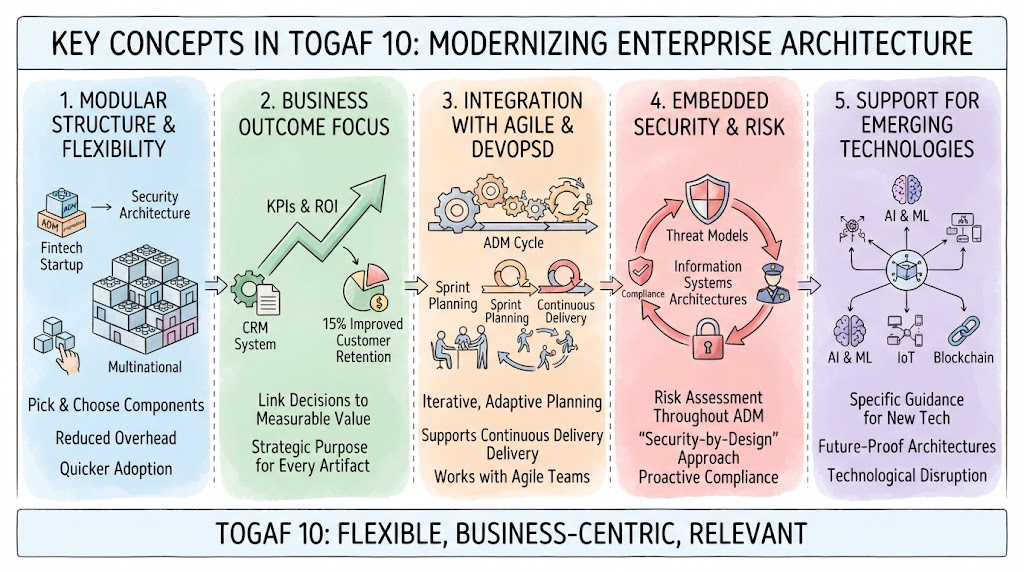 Mastering TOGAF 10: A Modern Guide to Flexible Enterprise Architecture
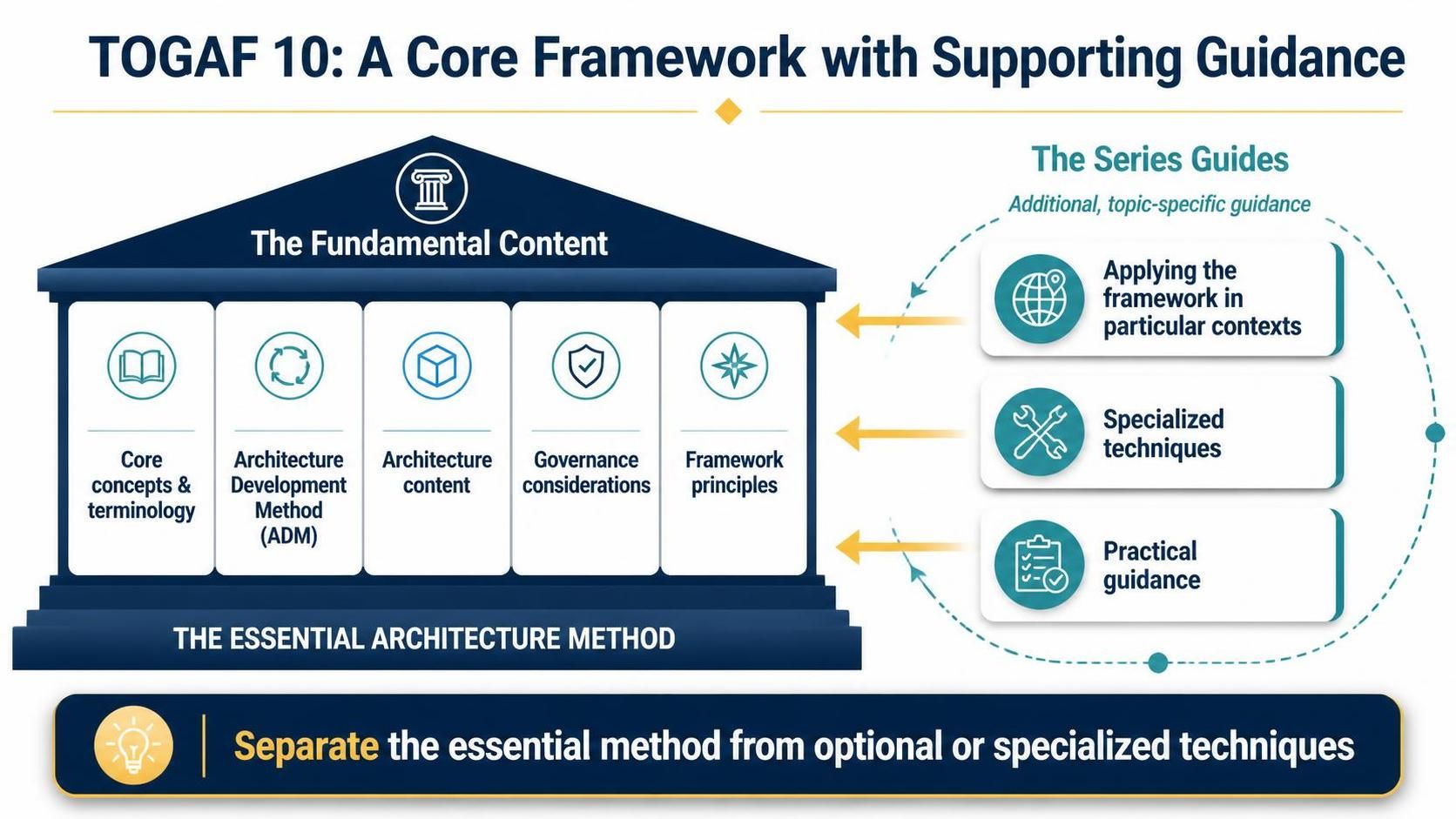 Mastering TOGAF 10: Separating the Essential Architecture Method from Specialized Guidance