


Enterprise Architecture (EA) is the backbone of modern digital transformation. However, navigating the standards that govern it can be complex. TOGAF 10 marks a pivotal shift in how we approach these standards, moving away from a rigid, monolithic structure to a flexible, modular ecosystem. This tutorial will guide you through the architectural changes in TOGAF 10, explaining why this new structure matters and how it empowers architects to build better systems.
1. The Evolution: From Monolith to Modular
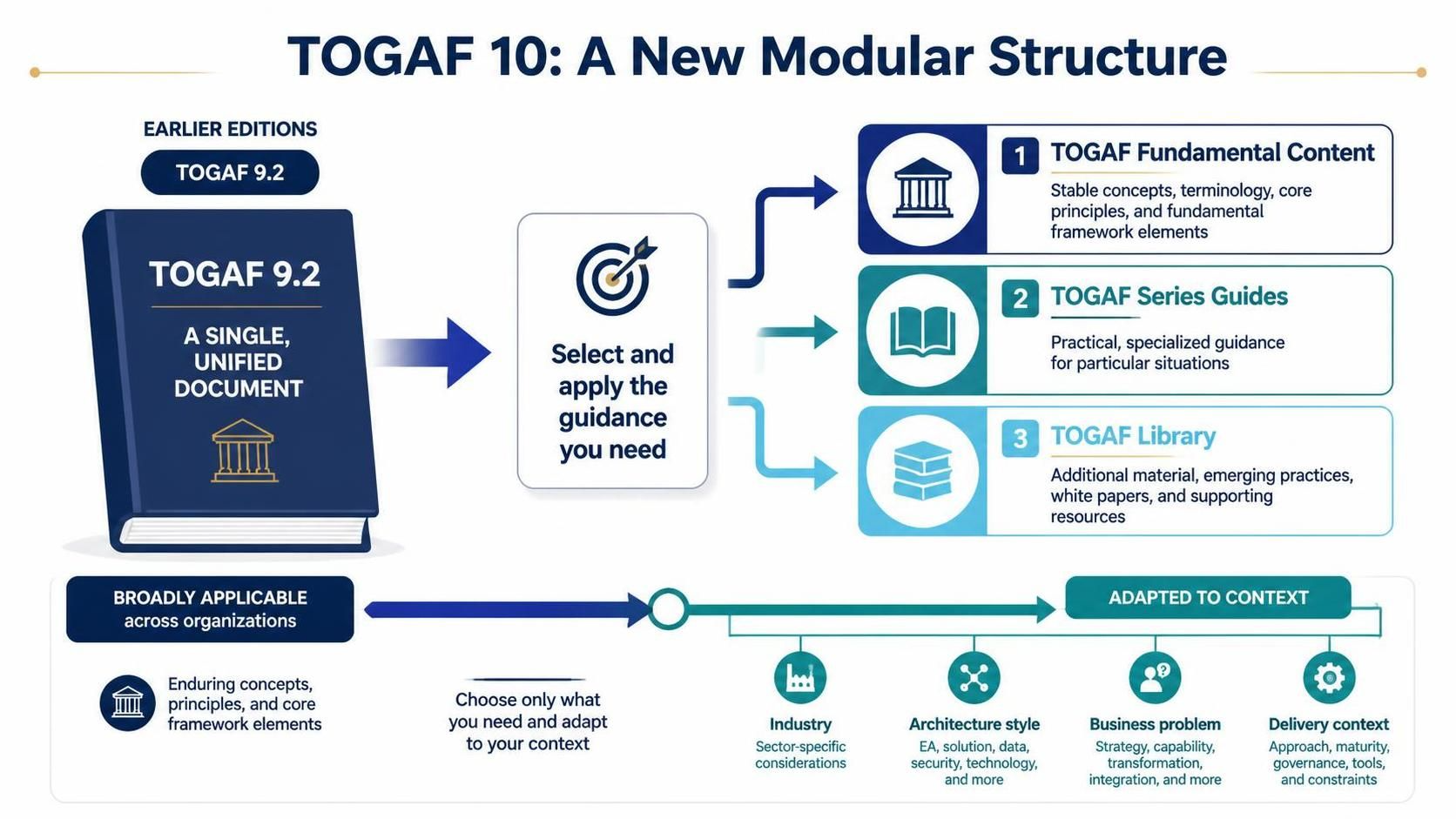
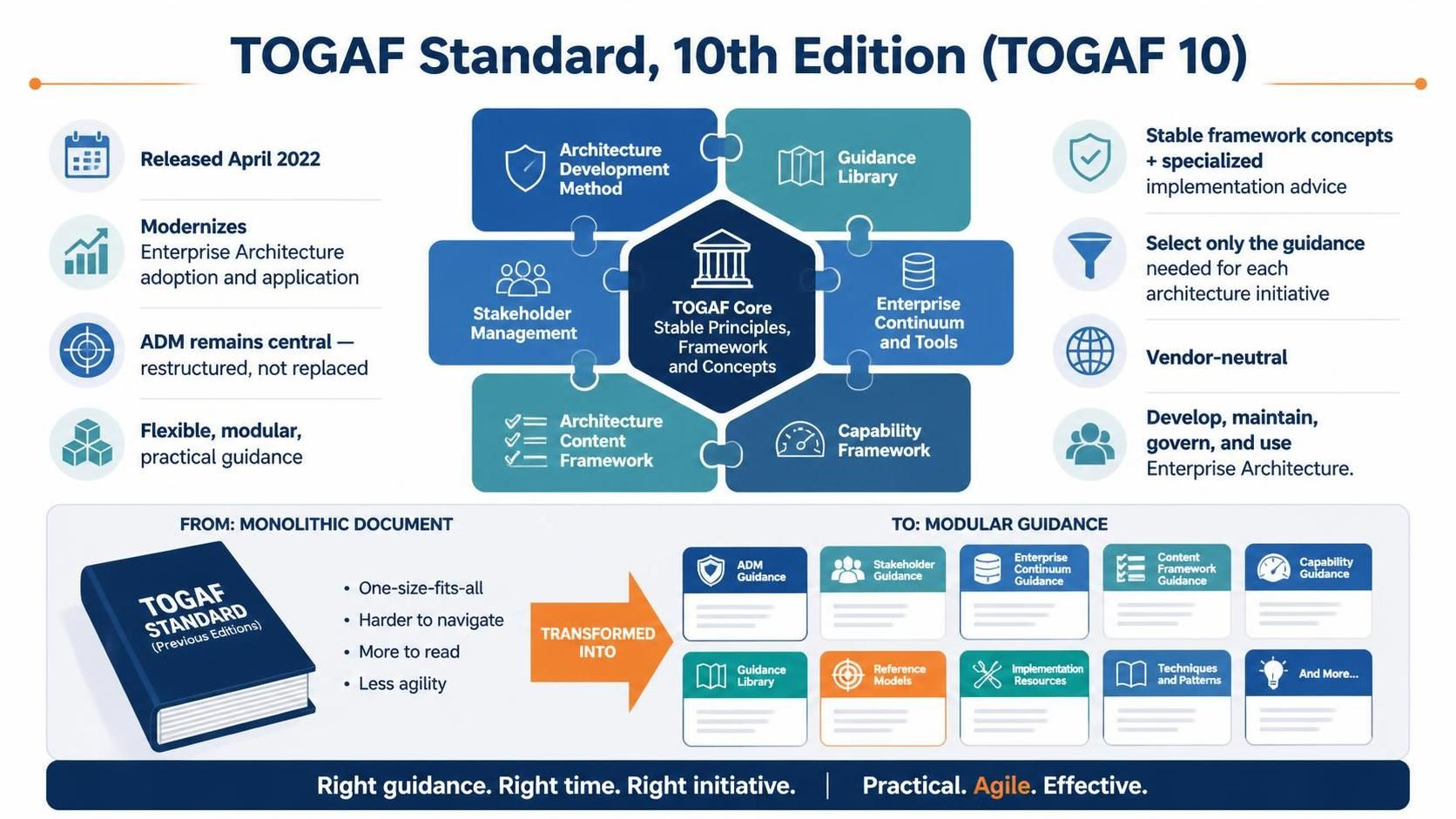
To understand the innovation of TOGAF 10, we must first look at the predecessor. For years, TOGAF 9.2 was the industry standard. While robust, it presented itself as a “single, unified document.” This meant that every organization, regardless of size or industry, theoretically had to digest the same vast amount of information.
The problem with this approach was rigidity. In the rapidly evolving landscape of software development and cloud computing, a massive, static document often became a barrier rather than a guide. It forced a “one-size-fits-all” approach that was difficult to adapt to specific industry nuances or delivery contexts.
The Core Philosophy: Selective Application
TOGAF 10 introduces a fundamental shift in philosophy. Instead of forcing the user to consume everything, the new structure is designed for selectivity. It asks a simple question: “What do you actually need for your specific context?”
The diagram illustrates this transition clearly. We move from a single book (TOGAF 9.2) to a system of layers (TOGAF 10). This allows the standard to evolve independently, ensuring that core principles remain stable while new guidance can be added without rewriting the entire framework.
2. Anatomy of the New Modular Structure
The heart of TOGAF 10 is its division into three distinct components. Understanding the specific role of each component is the first step in mastering the new framework.
Component 1: TOGAF Fundamental Content
This layer represents the bedrock of the framework. It is the “stable” part of TOGAF. If you are an architect, this is where you will find:
- Stable Concepts: Definitions that are unlikely to change.
- Terminology: The common language of Enterprise Architecture.
- Core Principles: The ethical and logical guidelines for design.
- Fundamental Framework Elements: The Architecture Development Method (ADM) cycles.
Component 2: TOGAF Series Guides
While the Fundamental Content provides the “what” and “why,” the Series Guides provide the “how.” This component offers practical, specialized guidance for particular situations. It is designed to be adaptable, allowing you to pick specific guides that align with your current business challenges rather than reading the whole manual.
Component 3: TOGAF Library
The Library is the most dynamic part of the ecosystem. It contains additional material, emerging practices, white papers, and supporting resources. This allows TOGAF to remain relevant by incorporating new methodologies, such as Agile or DevOps, without altering the core stability of the framework.
3. Adapting to Context: The Architect’s Workflow
The diagram highlights a crucial distinction: the difference between what is broadly applicable and what must be adapted to context.
Enduring Concepts (The Foundation)
At the bottom of the diagram, we see icons representing “Enduring concepts, principles, and core framework elements.” These are the universal truths of architecture that apply across all organizations. They are the constants in your equation.
Adaptation (The Variable)
The arrow pointing to “Adapted to Context” shows where the customization happens. TOGAF 10 encourages you to choose only what you need and adapt it to specific variables, such as:
- Industry: Sector-specific considerations (e.g., HIPAA compliance for healthcare).
- Architecture Style: Specific needs for EA, solution, data, security, and technology.
- Business Problem: Strategy, capability, transformation, and integration challenges.
- Delivery Context: Approach, maturity, governance, tools, and constraints.
Conclusion
The transition to TOGAF 10 is more than just a documentation update; it is a strategic evolution that prioritizes flexibility and relevance. By breaking the framework into the Fundamental Content, Series Guides, and Library, TOGAF 10 allows architects to build systems that are both stable and adaptable.
To truly leverage this new structure in your daily work, you need a tool that can visualize these complex relationships and streamline the ADM process. For the best experience in modeling and applying TOGAF 10, the Recommended tooling is the Visual Paradigm TOGAF ADM Tool. Visual Paradigm provides the interface necessary to navigate these modular layers, allowing you to select the right content and adapt it to your specific business context with precision.
Related posts:
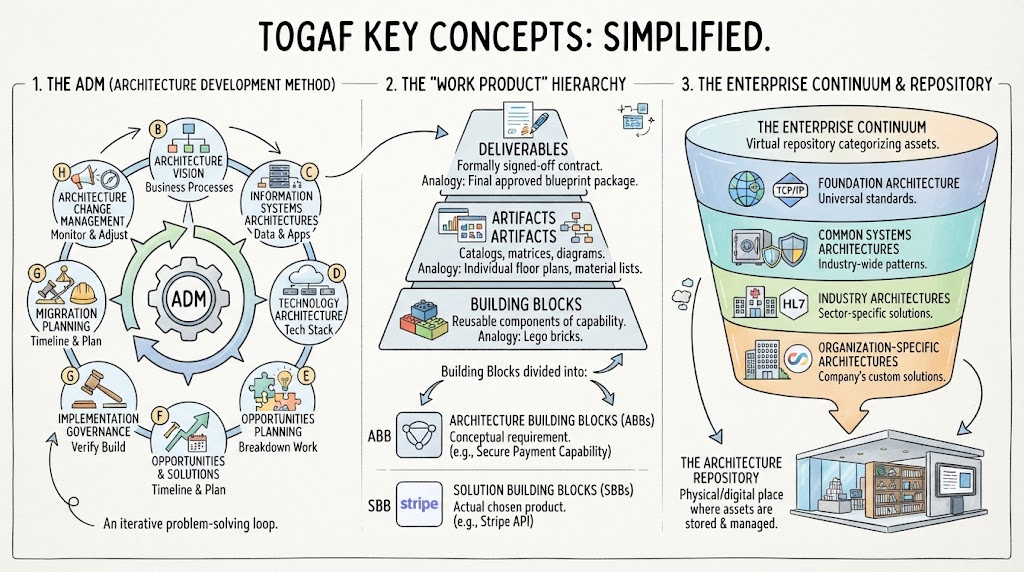 Mastering TOGAF: A Step-by-Step Guide to the ADM Cycle and Enterprise Architecture
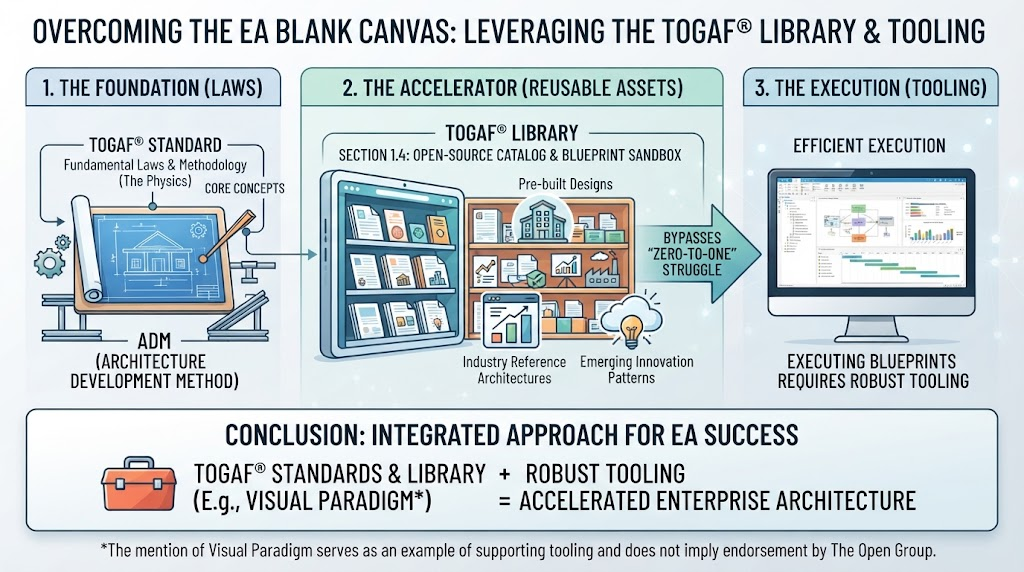 Overcoming the EA Blank Canvas: Leveraging the TOGAF Library & Tooling
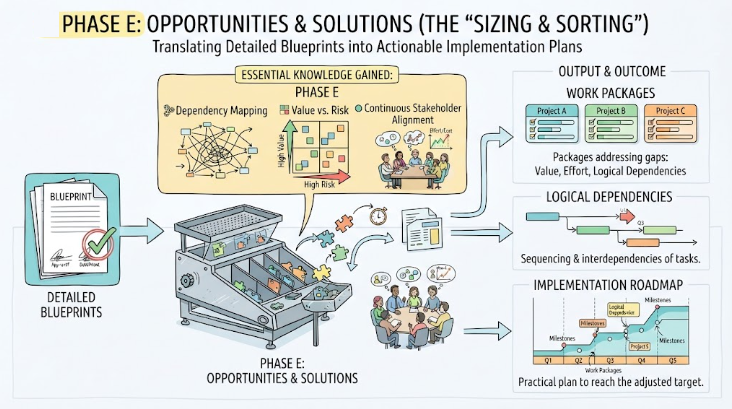 Mastering Phase E: Opportunities & Solutions in Enterprise Architecture
 Mastering the TOGAF Standard 10th Edition: A Modular Approach to Enterprise Architecture