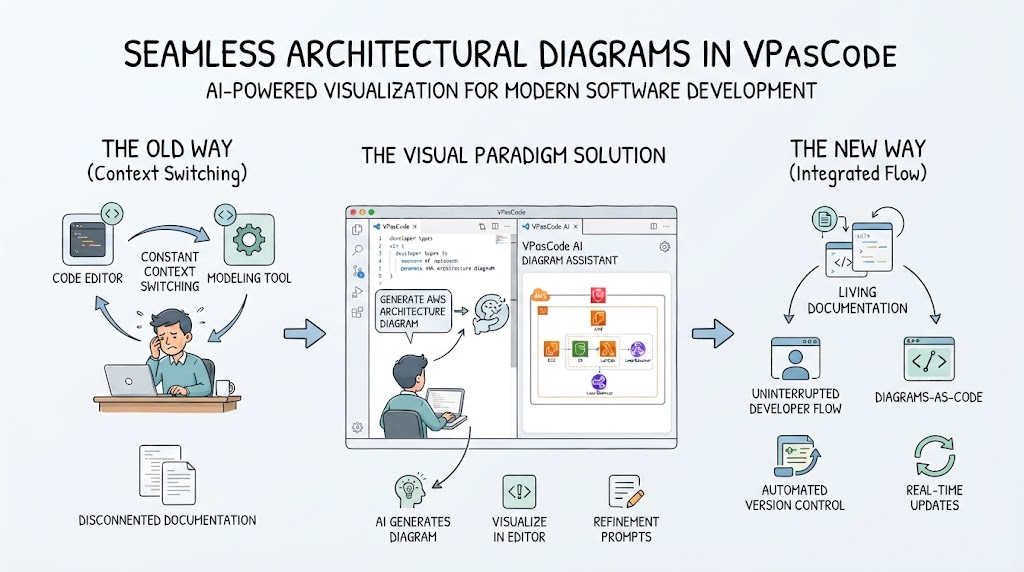
The Developer’s Dilemma: Context Switching
In the traditional software development lifecycle, architects and developers often find themselves trapped in a cycle of inefficiency. Imagine you are deep in your code editor, crafting logic or fixing a bug. Suddenly, you realize you need to update the system architecture documentation. You have to stop coding, switch tabs, open a separate modeling tool, manually redraw the components, save the file, and then return to your code.
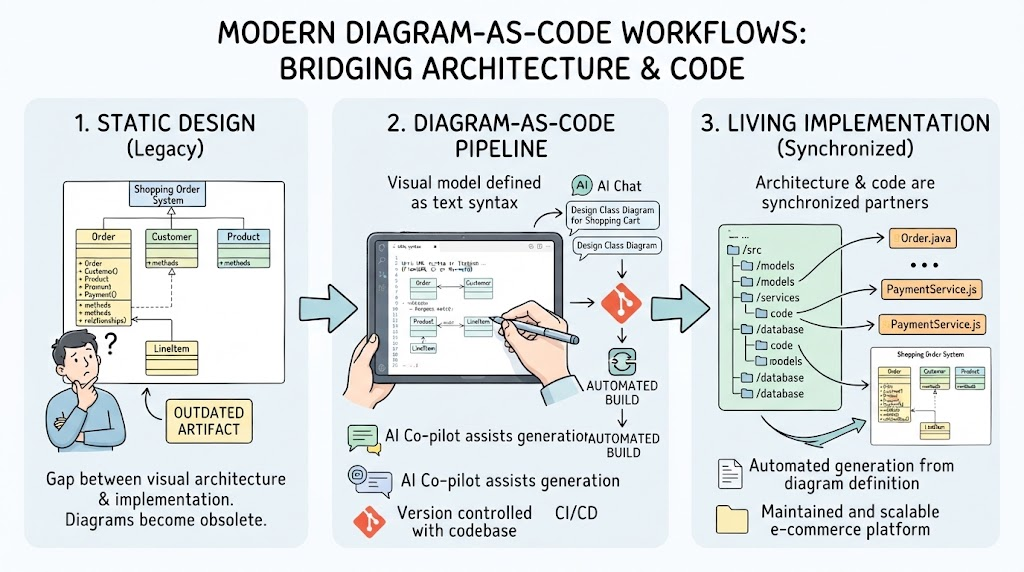
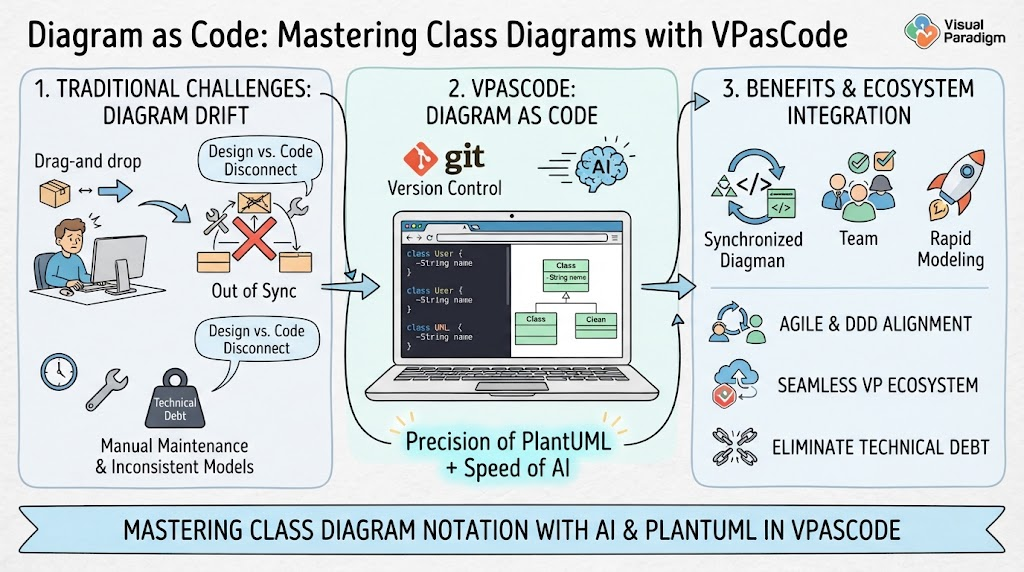
This constant “context switching” is more than just an annoyance; it breaks your flow state. As illustrated in the comparison of methodologies, this old way leads to disconnected documentation that quickly becomes outdated because developers rarely take the time to manually sync their diagrams with their actual code changes.
The Solution: Integrated Visualization
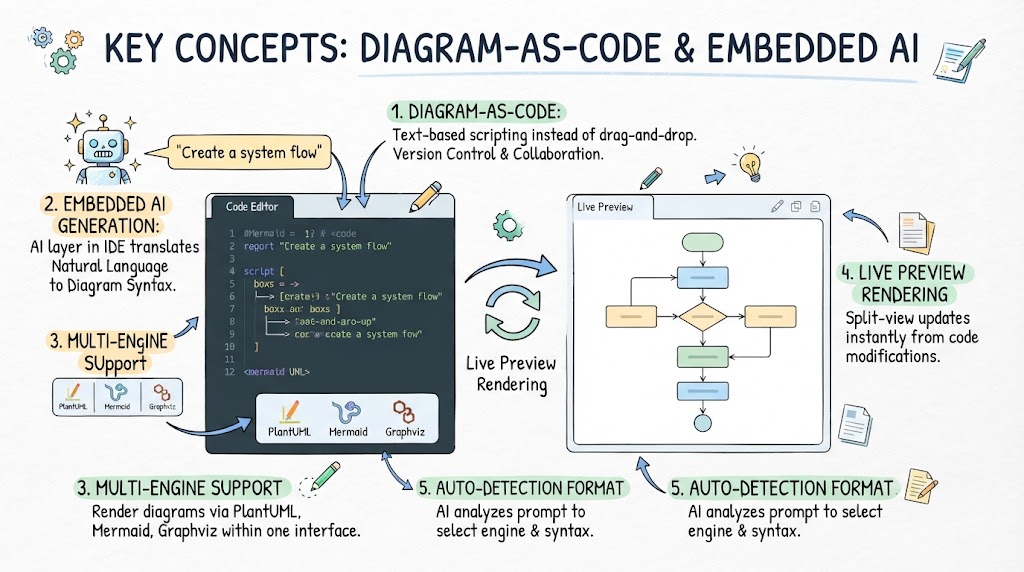
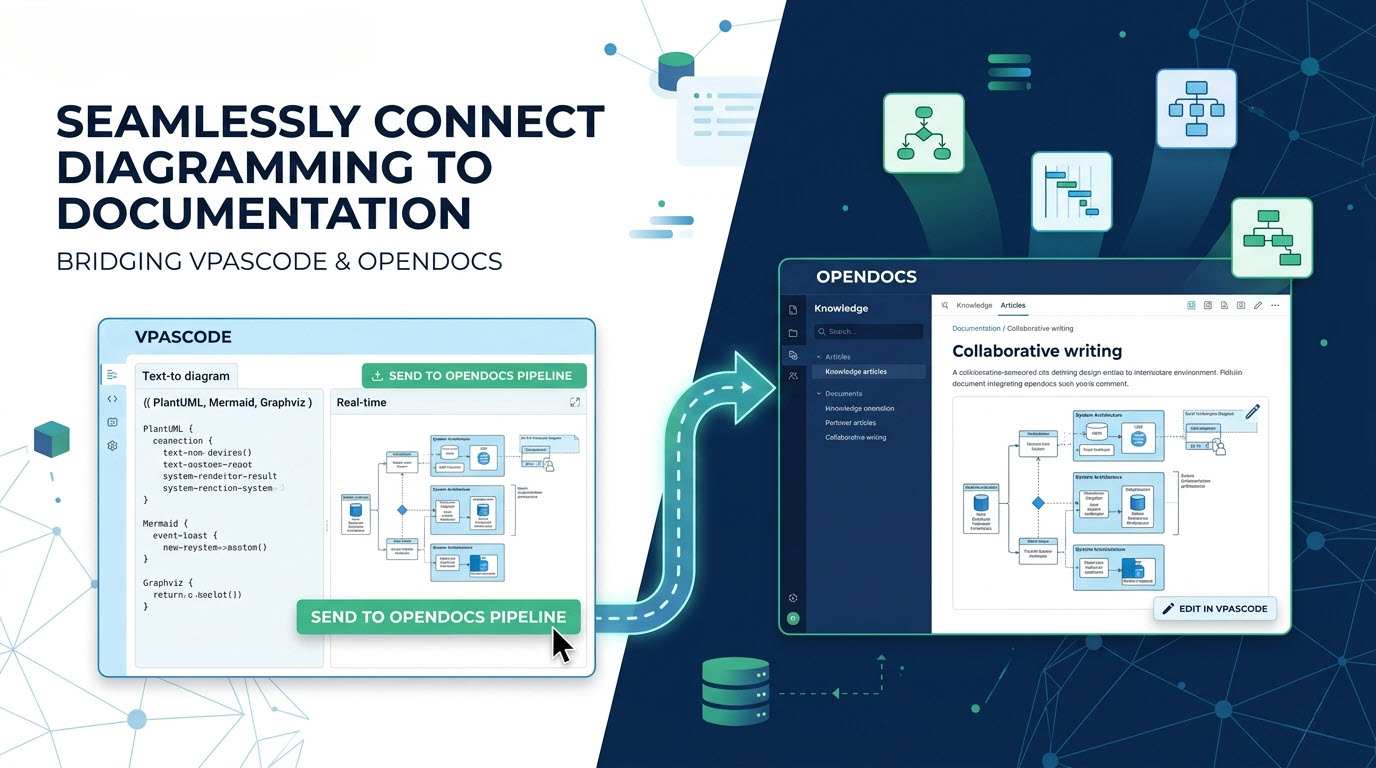
Visual Paradigm addresses this challenge by bringing the power of diagramming directly into the development environment through VPasCode. Instead of forcing you to leave your workspace, the solution integrates a specialized AI assistant right alongside your code.
Here is how the process works step-by-step:
1. The AI Diagram Assistant
When you are working within the VPasCode editor, you can invoke the AI-powered Diagram Assistant. Rather than drawing boxes and arrows from scratch, you simply provide natural language instructions or prompts describing the architecture you want to visualize. For example, you might ask the AI to “Generate an AWS architecture diagram” based on your current project scope.
2. Visualize in Editor
The magic happens instantly within the interface. The AI analyzes your requirements and generates the architectural diagram directly in the editor pane. This allows you to see the high-level structure without ever leaving the code view. It bridges the gap between abstract design and concrete implementation.
3. Refinement Prompts
If the initial output isn’t quite right, you don’t need to start over. You can engage in a conversation with the AI using refinement prompts. Just like talking to a colleague, you can say, “Move the database to the private subnet,” or “Add a load balancer here.” The diagram updates dynamically as you refine your ideas.
From Static Docs to Living Documentation
The ultimate goal of this integration is to create a “New Way” of development where documentation is alive. By embedding these diagrams into the code workflow, we achieve several critical benefits:
- Uninterrupted Developer Flow: You stay in the zone. There is no need to toggle between a text editor and a heavy graphics application.
- Diagrams-as-Code: The diagrams become part of your version control system. They evolve exactly when your code evolves.
- Automated Version Control & Real-time Updates: Because the diagrams are generated from the code context, they remain synchronized. When you refactor your code, your architecture diagram reflects those changes immediately, ensuring your documentation is always accurate.
Key Takeaways
Modern software development demands speed and accuracy. Visual Paradigm’s approach to seamless architectural diagrams in VPasCode shifts the paradigm from manual, error-prone documentation to an automated, AI-driven workflow. By integrating visualization tools directly into the editor, developers can maintain living documentation effortlessly, ensuring that the visual representation of the system is never out of sync with the reality of the code.