


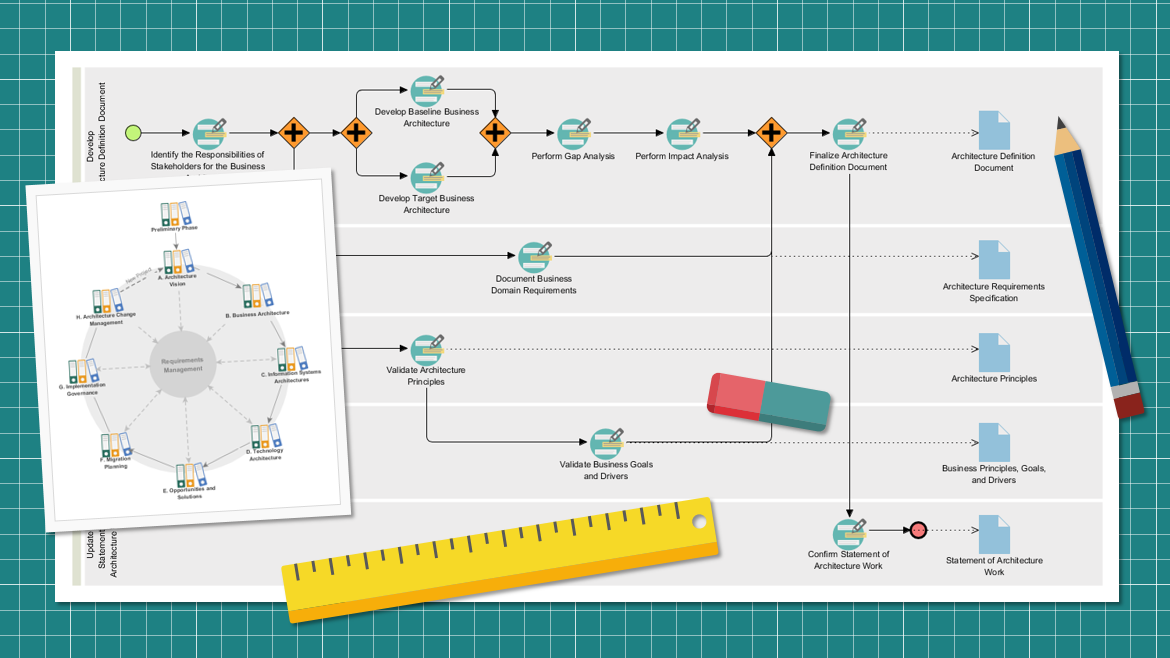
Enterprise Architecture (EA) can often feel like a labyrinth of abstract concepts. However, at its core, it is about structure, alignment, and execution. This tutorial breaks down the TOGAF ADM (Architecture Development Method) as illustrated in the provided visual workflow. We will explore how the ADM operates as a cyclical process, how it interacts with the overarching Architecture Vision, and how modern tooling integrates these concepts to drive efficiency.
Understanding the TOGAF ADM Cycle
The heart of the TOGAF framework is the ADM cycle. Unlike a linear project plan that ends with a delivery, the ADM is iterative. As shown in the circular diagram within the image (labeled with phases A through H), the process is designed to continuously refine the enterprise architecture.
The Iterative Phases Explained
The cycle consists of several distinct phases, often represented as segments of a clock face:
- Phase A: Architecture Vision: The starting point. This defines the scope, constraints, and stakeholders. It answers the question: “What are we building and why?”
- Phase B: Business Architecture: We map the business strategy, governance, organization, and key business processes.
- Phase C: Information Systems Architectures: This is split into two sub-phases:
- Data Architecture: Defining the structure of logical and physical data assets.
- Application Architecture: Providing a blueprint for individual applications and their interactions.
- Phase D: Technology Architecture: Defining the hardware, software, and network infrastructure required to support the information systems.
- Phase E: Opportunities and Solutions: Identifying the building blocks (solutions) and planning the implementation.
- Phase F: Migration Planning: Creating a detailed transition architecture and a prioritized work plan.
- Phase G: Implementation Governance: Ensuring that the project implementation aligns with the defined architecture.
- Phase H: Architecture Change Management: Managing changes to the architecture post-implementation to ensure it remains relevant.
Interpreting the Linear Workflow Diagram
The main flowchart in the image represents the “Architecture Definition Document” workflow. This linear path visualizes the specific steps, decision points, and deliverables required to move a project from an initial idea to a finalized document.
Step-by-Step Breakdown of the Workflow
- Initiation: The process begins with a green circle, representing the start, leading to “Identify the Responsibilities of Stakeholders for the Business.”
- Parallel Processing (The Forks): Notice the diamond shapes with plus signs. These represent parallel activities. For example, in the Business Architecture phase, you must “Develop Baseline Business Architecture” AND “Develop Target Business Architecture” concurrently. The process cannot proceed to the next stage until both are complete.
- Analysis Steps: Once the architectures are defined, the workflow moves to “Perform Gap Analysis” and “Perform Impact Analysis.” This is where you identify the difference between where you are (Baseline) and where you want to be (Target).
- Validation: The workflow includes critical checks such as “Validate Architecture Principles” and “Validate Business Goals and Drivers.” This ensures the proposed solution actually meets the strategic needs of the organization.
- Finalization: The path concludes with “Finalize Architecture Definition Document,” resulting in a formal output (represented by the document icon).
The Role of ArchiMate in the Process
While the ADM provides the method, ArchiMate provides the language. The image features icons of documents and diagrams that represent the “views” created during the process.
In the workflow, every phase (Business, Application, Data, Technology) requires specific models. ArchiMate allows architects to visualize these layers and, crucially, the relationships between them. For instance, it allows you to show exactly how a specific Business Process (Phase B) is supported by a specific Software Application (Phase C) running on a specific Server (Phase D).
Recommended Tooling: How Visual Paradigm + TOGAF ADM + ArchiMate Features Help in the EA Process
Executing the ADM manually is a time-consuming task fraught with the risk of missed steps. The synergy between the Visual Paradigm platform, the TOGAF ADM method, and ArchiMate modeling creates a robust ecosystem for Enterprise Architects.
1. The “Engine” for the “Fuel” (Visual Paradigm + TOGAF)
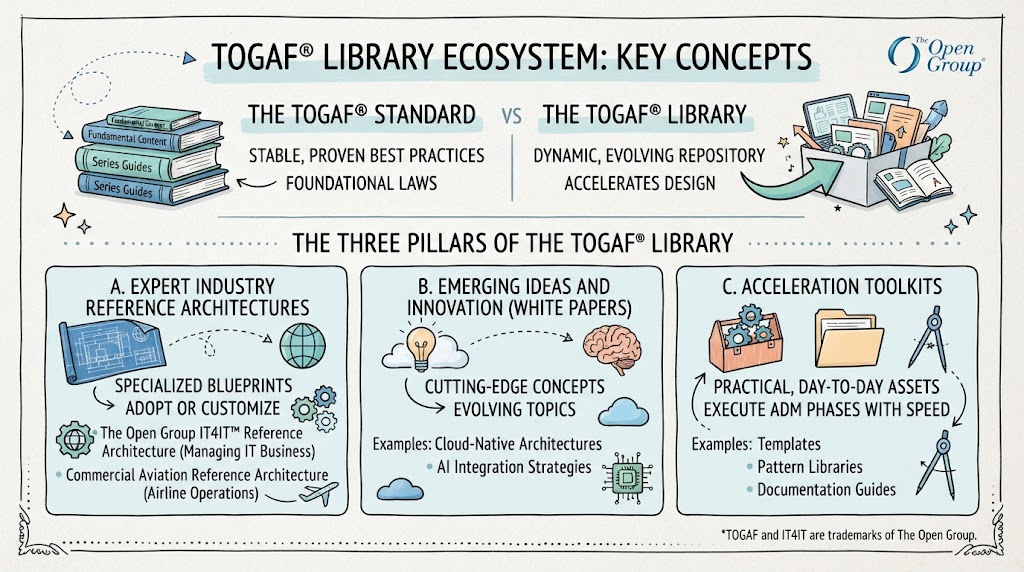
The TOGAF library provides the content (the “what” and “why”), while Visual Paradigm provides the engine to implement it.
- ADM Guide-Through Process: Visual Paradigm offers a visual flowchart that mirrors the workflow in the image. It acts as a digital checklist, ensuring that no step in the ADM cycle is missed and that the process aligns strictly with TOGAF standards.
- Deliverable Composer: Instead of manually formatting documents, this feature automatically compiles and formats documentation, ensuring that outputs from each ADM phase are consistent and professional.
2. Seamless ArchiMate Integration
The tool integrates ArchiMate modeling directly into the ADM workflow.
- Standardized Views: Architects can create standardized views of their enterprise architecture. This creates a powerful synergy where the method (TOGAF) and the language (ArchiMate) work in tandem.
- Traceability: The tool allows for easy linking between the text-based requirements in the ADM phases and the graphical ArchiMate models.
3. AI-Powered Enhancements (Future-Proofing)
Recent updates introduce capabilities that transform the modeling experience.
- AI-Assisted Modeling: Imagine using Visual Paradigm to model a complex system. Instead of manually drawing each component, you can input a natural language description of the business processes. The AI engine generates the initial ArchiMate diagrams, which you then refine.
- Efficiency Gains: This feature can reduce diagramming effort by 80-95% and save significant time compared to traditional manual methods, shifting the architect’s role from manual drafter to strategic reviewer.
Conclusion
The visual workflow presented here is more than just a diagram; it is a blueprint for success. By leveraging the TOGAF Library for industry-standard baselines and using tooling like Visual Paradigm to execute, model, and document the architecture, organizations can transform their EA practice from a bureaucratic hurdle into a strategic advantage.
The strategy is clear: never start from scratch. Leverage the TOGAF Library for the “what,” use ArchiMate for the “how,” and utilize Visual Paradigm to ensure the process is executed with speed and accuracy.
Related posts:
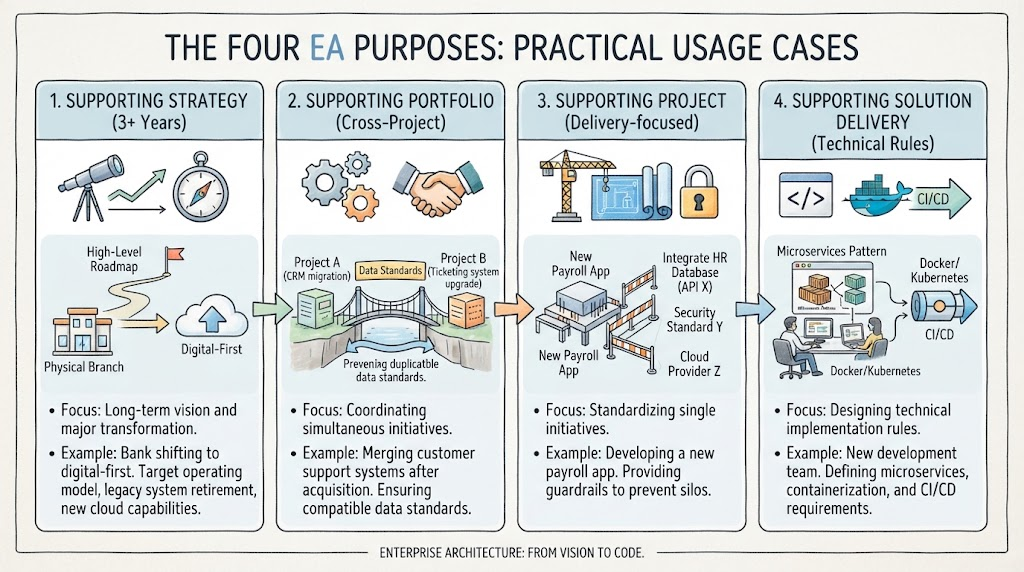 Mastering Enterprise Architecture: A Step-by-Step Guide to the Four Core Purposes
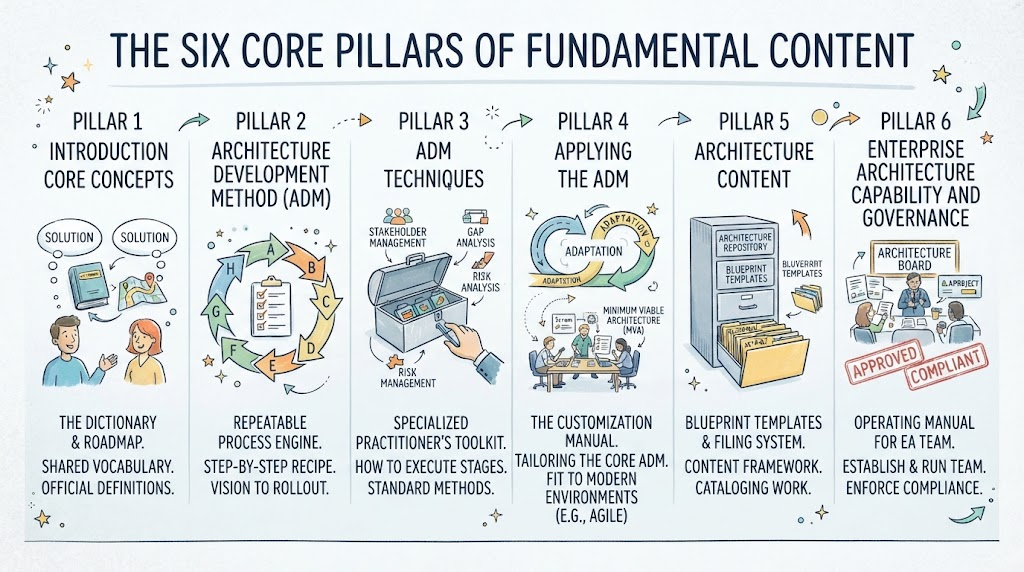 Mastering Enterprise Architecture: A Step-by-Step Guide to the Six Core Pillars of TOGAF
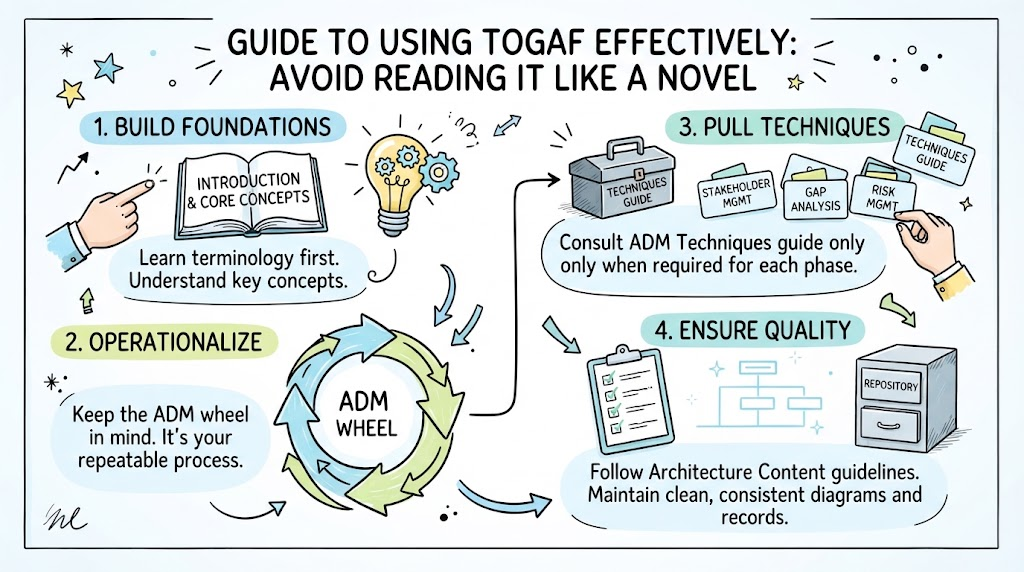 Mastering Enterprise Architecture: A Strategic Guide to the TOGAF Framework
 Mastering the TOGAF Library Ecosystem: From Concept to Modeling with Visual Paradigm