Understanding the Order Fulfillment Workflow
Welcome to this tutorial on business process management. Today, we are going to break down a fundamental operation in any retail or e-commerce business: the Order Fulfillment Process. Whether you are managing a small online store or a large warehouse, understanding the logical flow of an order is crucial for efficiency and customer satisfaction.
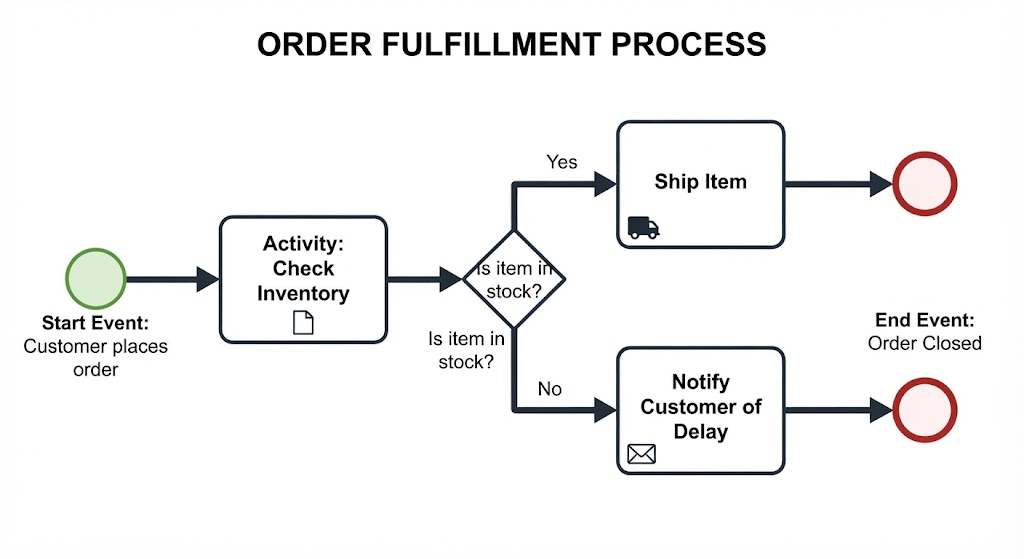
Think of the process flowchart as a roadmap for your business operations. It dictates exactly what happens from the moment a customer decides to buy something until the transaction is officially closed. Let’s walk through this journey step by step.
1. The Trigger: Start Event
Every process begins with an event. In our diagram, the Start Event is clearly labeled: Customer places order. This is the external trigger that sets the entire machine in motion. Without this initial action, no fulfillment process occurs. In a digital system, this is often represented by an order form submission or a payment confirmation.
2. The First Action: Checking Inventory
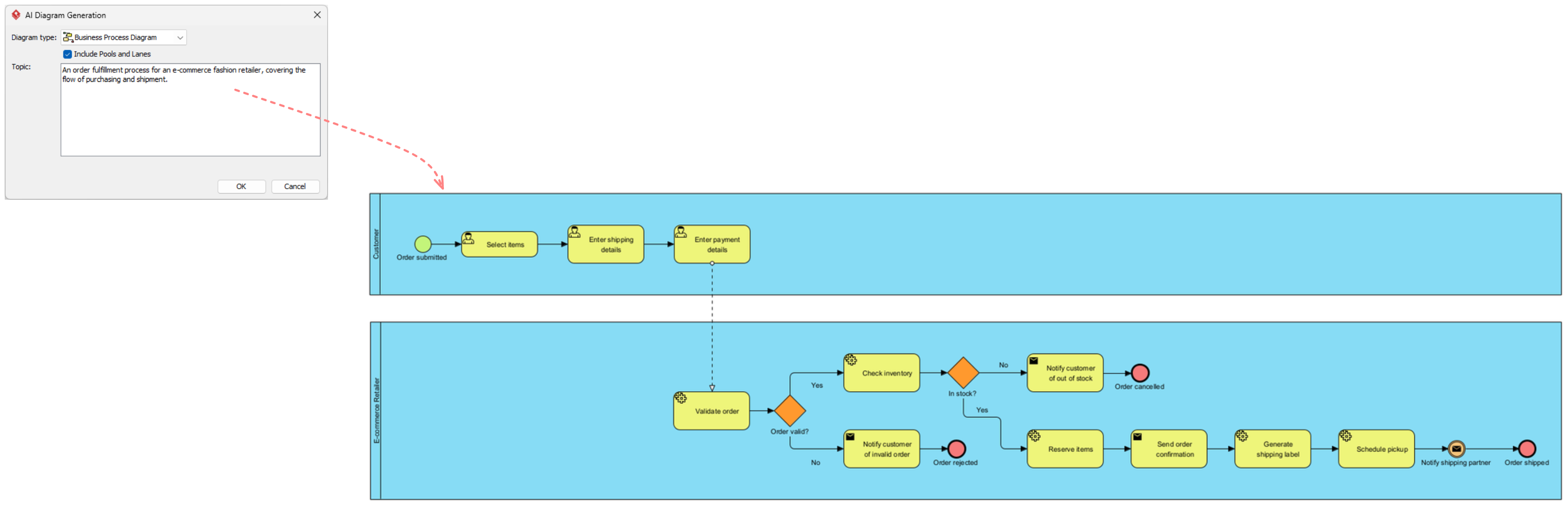
Once the order is placed, the system cannot immediately ship the product without verification. The first activity we encounter is Check Inventory. This is a critical control point. Before promising a delivery date, the business must verify that the physical goods actually exist in the warehouse or store. This step prevents the common and frustrating error of selling items that are out of stock.
3. The Decision Point: Is the Item in Stock?
This is the pivotal moment of the workflow, represented by a diamond shape. Here, the process branches based on a binary decision: Is item in stock? The system must evaluate the inventory data against the order quantity. This decision determines which path the order takes next.
4. Path A: The Success Scenario (Yes)
If the answer to our decision is Yes, we follow the path labeled “Yes.” This is the ideal scenario for the business. The workflow moves to the activity Ship Item.
In this step, the logistics team picks the item from the shelf, packs it, and hands it off to a carrier. Once the item is shipped, the process moves toward completion. The final destination for this path is the End Event: Order Closed. This signifies a successful transaction where the customer received what they ordered.
5. Path B: The Exception Scenario (No)
What happens if the inventory check reveals that the item is missing? If the answer is No, the process follows the bottom path. This is where good customer service becomes vital.
The activity here is Notify Customer of Delay. Instead of silently cancelling an order, the system (or a staff member) must communicate the issue to the buyer. This manages expectations and maintains trust. Even though the item couldn’t be shipped immediately, the process still concludes with the End Event: Order Closed. In this context, “closed” means the specific order ticket has been resolved, even if the resolution was a delay or a cancellation rather than a shipment.
Key Takeaways for Process Management
By following this structured flow, businesses ensure that every order is treated consistently. The flowchart highlights three main lessons for anyone managing operations:
- Verification is key: Never ship without checking inventory first.
- Communication matters: If things go wrong (out of stock), the customer must be informed immediately.
- Define closure: Every process needs a clear end point, whether it is a successful delivery or a resolved delay.
Mastering this flow is the first step toward building a robust supply chain that keeps customers happy and operations running smoothly.