


In the world of Business Process Model and Notation (BPMN), processes are rarely simple, linear sequences of tasks. Real-world business operations are dynamic, reactive, and full of exceptions. To model this reality accurately, BPMN introduces a powerful mechanism known as Intermediate Events.
While Start and End events define the boundaries of a process, Intermediate Events act as the critical checkpoints that occur during the execution. They are the “brain” of the process model, allowing systems to wait for messages, monitor deadlines, handle errors, and manage complex logic. This tutorial breaks down the architecture of these events, their visual syntax, and their practical applications in creating resilient business workflows.
The Core Concept: What Are Intermediate Events?
Intermediate Events are BPMN elements that exist after a process has started and before it ends. Unlike tasks, which represent work being done by a human or a system, events represent something happening that the process must respond to.
There are two primary ways these events interact with the process flow:
- In the Normal Flow: The event sits directly on the sequence flow. Here, the process must wait for the specific trigger (e.g., a message arrival) before proceeding. The flow pauses until the condition is met.
- Attached to Activity Boundaries: The event is connected to the edge of a task or subprocess. This typically represents an exception or an alternative path that can interrupt the current activity (e.g., a timer interrupting a long-running task).
The Visual Syntax: The Double-Lined Circle
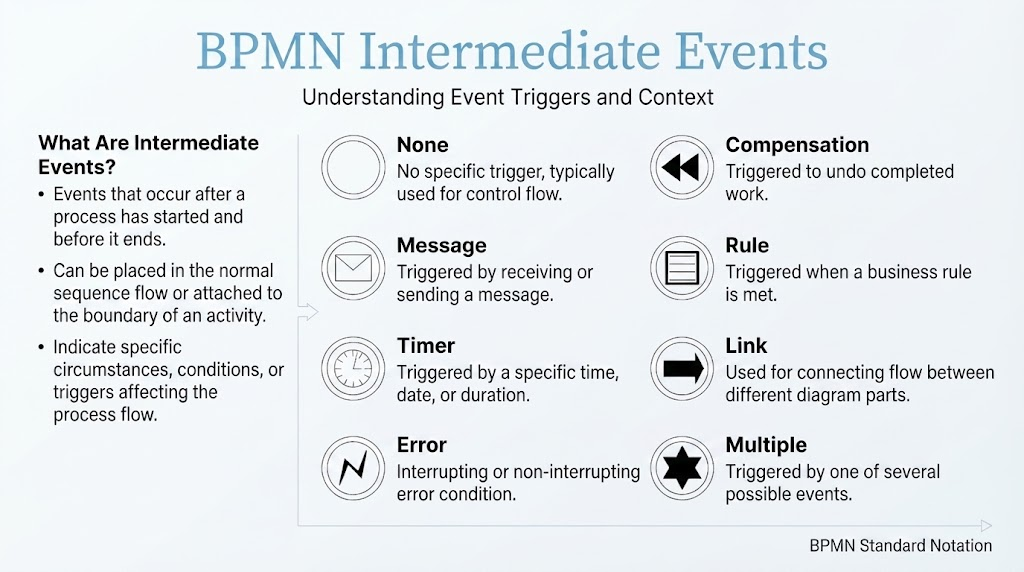
One of the most distinct visual traits of BPMN Intermediate Events is their shape. They are represented by a double-lined circle. Inside this circle, a specific icon indicates the type of trigger. If the circle is empty (no icon), it represents a generic “None” event.
Detailed Breakdown of Event Types
Understanding the specific triggers associated with each event type is essential for designing accurate process models. Below is a comprehensive guide to the eight standard Intermediate Events.
1. None Intermediate Event
The “None” event is the generic placeholder of the BPMN world. It is depicted as a standard double-lined circle with no specific icon inside.
- Trigger: No specific trigger; used for generic purposes.
- Use Case: Often used as a visual marker to indicate a transition point between subprocesses where no specific condition needs to be modeled. It can also serve as a placeholder during the early stages of modeling before the specific logic is defined.
2. Message Intermediate Event
Message events are the backbone of asynchronous communication in BPMN. They are visually represented by an envelope icon inside the double circle.
- Trigger: The receipt or sending of a message (email, API call, SMS, etc.).
- Catching vs. Throwing:
- Catching (Receiving): The process pauses and waits for an incoming message. For example, a customer service process waits for a reply email before proceeding to resolution.
- Throwing (Sending): The process executes the event to send a notification, such as a shipping confirmation sent to a customer after order fulfillment.
Best Practice: Use Message events whenever your process interacts with external participants, such as customers, partners, or other IT systems.
3. Timer Intermediate Event
Time is a critical resource in business processes. Timer events are depicted by a clock icon and are used to model time-based triggers.
- Trigger: The passage of time or the reaching of a specific date/time.
- Use Cases:
- Delays: Wait 48 hours before sending a follow-up reminder if no response is received.
- Deadlines: Escalate a support ticket if it remains unresolved for 24 hours.
- Cycles: Generate monthly reports on the first day of each month.
Timer Expressions: These events are highly configurable. You can define them using relative time (e.g., “PT2H” for 2 hours), absolute time (e.g., “2026-09-15T09:00:00”), or cyclic patterns (e.g., every Monday at 9 AM).
4. Error Intermediate Event
Robust processes must anticipate failure. Error events are marked by a lightning bolt icon.
- Trigger: An error condition occurs.
- Key Distinction: Error events are typically used with subprocesses. When attached to the boundary of a subprocess, they catch errors thrown within that subprocess and redirect the flow to an error-handling path.
- Example: In a payment processing subprocess, if the payment gateway returns an error, the Error event catches it and routes the process to a “Retry Payment” or “Notify Customer” task instead of failing silently.
Note: Error events cannot be used in the normal flow—they must be attached to activity boundaries.
5. Compensation Intermediate Event
Business processes often require the ability to reverse actions. Compensation events are represented by rewind/fast-backward triangles.
- Trigger: The need to undo or compensate for previously completed work.
- How It Works: These events are triggered when a process needs to reverse actions. They invoke Compensation Handlers—separate subprocesses designed to undo specific tasks.
- Example: In a travel booking process, if a customer cancels after a flight, hotel, and car rental have all been booked, a Compensation event triggers handlers to cancel each service in reverse order.
6. Rule Intermediate Event
Complex decision logic can clutter a diagram. Rule events, marked by a document/table icon, help keep diagrams clean.
- Trigger: The evaluation of a business rule or condition.
- Use Case: Used for decision points based on complex logic or data evaluation that doesn’t fit a simple “Yes/No” gateway. For example, a loan approval process might use a Rule event to evaluate an applicant’s credit score, income, and debt-to-income ratio against predefined business rules.
7. Link Intermediate Event
When diagrams become large and complex, long sequence flows can become confusing. Link events, shown as an arrow pointing right, allow you to jump to another part of the same process.
- Trigger: A jump to another part of the same process diagram.
- How It Works: Link events come in pairs: a Link Throw (source) and a Link Catch (target). This allows you to connect distant parts of a diagram without drawing a line across the entire canvas.
- Best Practice: Use sparingly and label clearly to avoid confusion. Overuse can make processes hard to follow.
8. Multiple Intermediate Event
Sometimes a process needs to wait for one of several possible conditions to occur. The Multiple event is depicted by a star-like shape (asterisk).
- Trigger: One of several possible triggers (configured at runtime).
- Use Case: Flexible waiting. For example, a customer onboarding process might wait for either a signed contract, a payment confirmation, or manual approval. The first trigger to occur activates the process continuation.
- Configuration: The specific triggers are defined in the process engine’s configuration, not visible in the diagram itself.
Conclusion
Mastering Intermediate Events elevates BPMN diagrams from static flowcharts to dynamic process blueprints. By correctly utilizing Message, Timer, Error, and other event types, you create models that are not only visually accurate but also executable and resilient. Whether you are modeling simple workflows or complex enterprise processes, these events are the tools that bring your business logic to life.
Related posts:
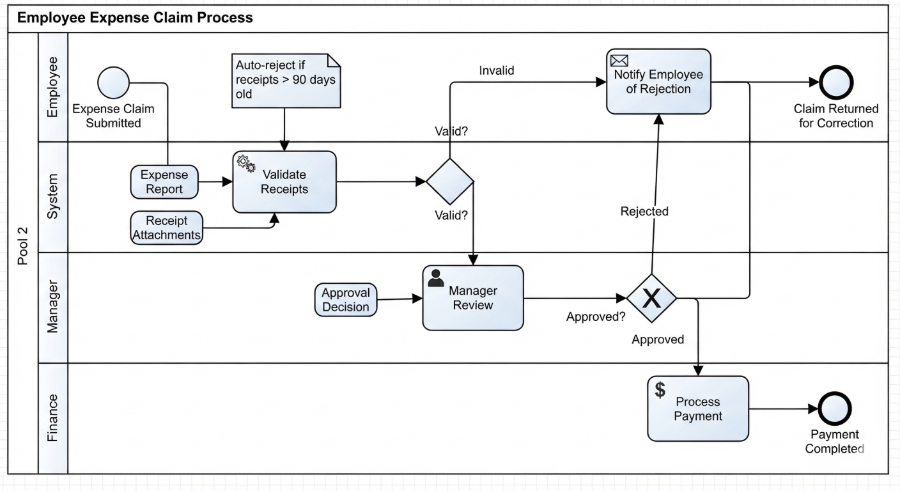 Mastering Business Processes: The Employee Expense Claim Flow
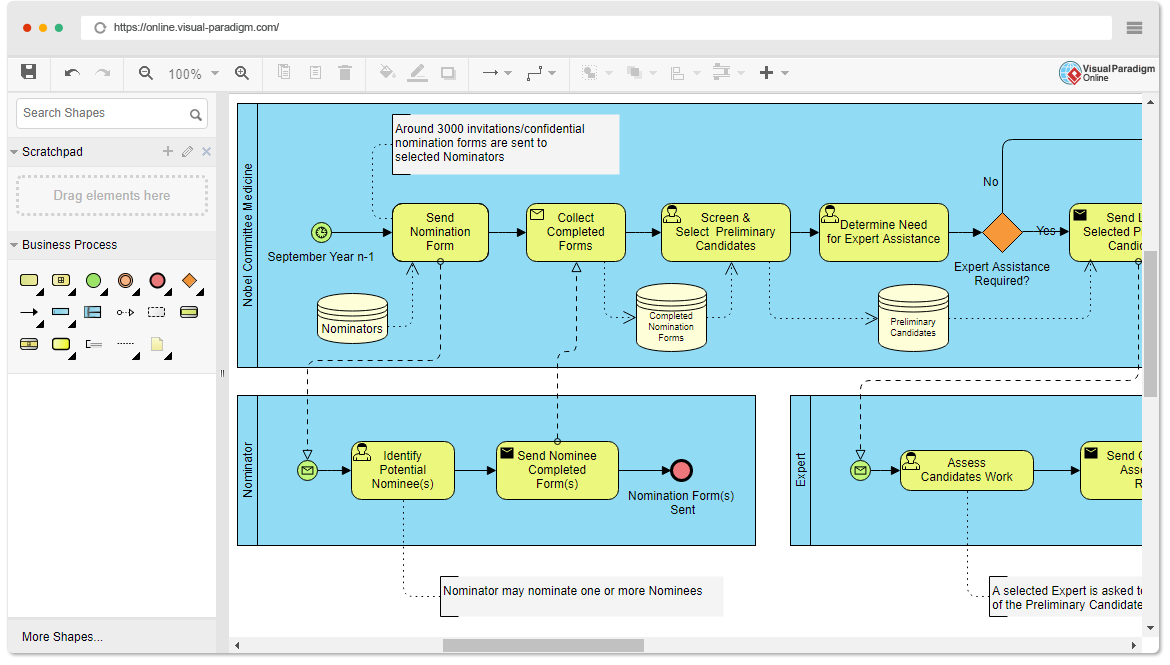 Mastering Business Process Modeling: The Nobel Prize Nomination Workflow in BPMN
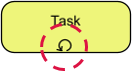 Mastering Iterative Processes: A Deep Dive into Loop Markers in Visual Paradigm
 Mastering BPMN: A Comprehensive Guide to Process Modeling Elements & Best Practices